


Every top model, with tools built in.
Search the web, run deep research, read files, create images and run code with GPT, Claude, Gemini, Grok and more.
Unlock your team's potential with Visual Thinking Strategies (VTS). Learn how to use this powerful method to boost critical thinking and solve complex problems.
Ever sat in a meeting where everyone’s staring at the same chart, but talking about completely different problems? It’s like a corporate version of that “is the dress blue or gold?” debate, but with millions of dollars on the line. What you need is a secret weapon: Visual Thinking Strategies (VTS).
At its core, VTS is a brilliantly simple method that uses images to get our brains firing on all cylinders. It’s a workout that trains us to slow down, look closer, think critically, and actually listen to each other. Best of all? You don't need an art history degree to master it. You just need to be curious.

The entire process is driven by a facilitator who guides a group through an image using just three open-ended questions. This simple framework turns passive viewing into an active, collaborative investigation. It creates a safe space where every idea is valued, as long as it’s backed by visual evidence. For teams, this little shift isn't just a game-changer; it's a whole new playbook.
VTS isn't some hot new trend dreamed up in a Silicon Valley boardroom. It was developed back in the late 1980s by cognitive psychologist Abigail Housen and museum educator Philip Yenawine. Their goal was to help students truly see and connect with art, not just memorize a bunch of boring facts about it.
The results were mind-blowing. A 2005 evaluation found that students who participated in VTS showed huge gains in visual literacy. More than that, these skills transferred to other subjects, with some metrics showing 20-30% improvements in reading and math. You can dig into the research behind these impressive findings on pmc.ncbi.nlm.nih.gov.
The whole VTS method is powered by three deceptively simple questions. They are designed to open up conversation, encourage deep looking, and get people to support their ideas with evidence—a skill that's shockingly rare in the wild.
These questions work together to create a cycle of observation, interpretation, and justification that builds a rich, collective understanding of the image.
While VTS was born in art galleries, its real power is how it applies to just about everything else. The skills you build—careful observation, evidence-based reasoning, and respectful debate—are crucial for any professional who needs to analyze complex information.
Think of it this way: you're practicing how to break down a problem (the image), form a hypothesis ("what's going on"), and then present your proof ("what makes you say that").
VTS teaches you that leading doesn't mean having all the answers. Sometimes, it's about asking the right questions to unlock the collective intelligence of the group.
This process is invaluable for everything from design critiques and UX analysis to technical troubleshooting and strategic planning. To really go deep, understanding the context behind visual works by exploring something like an Art History Periods Timeline can provide an even richer foundation. The analytical muscles you build with VTS also directly support other critical tasks; you can see the crossover in our guide on how to analyze primary sources.
For any team looking to sharpen its analytical edge and foster a more inclusive culture, VTS is an absolute must. It’s a powerful way to ensure everyone’s voice is heard and every decision is grounded in solid evidence.
At first glance, Visual Thinking Strategies might just seem like a fun, creative break from the daily grind of spreadsheets and slide decks. But don't be fooled. Underneath that simple surface, VTS is a powerful workout for your brain, building and strengthening the mental muscles you need to tackle complex problems. Think of it less like a casual chat and more like a high-intensity training session for your mind.
You're essentially giving your thinking process a major upgrade. The simple act of looking closely, talking about what you see, and listening to different interpretations forges new pathways in your brain. You are literally teaching it to operate differently—to move from quick, reactive glances to deep, analytical observation.
We live in a world that rewards speed and constant scrolling. VTS pushes back with a radical act: the slow look. It forces us to hit the pause button and absorb information with intention, a skill that’s becoming incredibly rare. When you spend focused time with a single image, your brain has to shift gears, moving past first impressions to notice the subtle details and hidden connections everyone else misses.
This disciplined observation is the first step toward developing a game-changing cognitive skill: metacognition.
Metacognition is just a fancy word for thinking about your own thinking. It’s that internal voice that questions your assumptions, checks your logic, and helps you find a better way to approach a problem. VTS is a practical bootcamp for this exact skill.
By constantly asking "What do you see that makes you say that?", VTS trains you to check your own thought process. You quickly learn to tell the difference between what you see and what you think, and how to build arguments grounded in actual evidence. In a world where jumping to conclusions can lead to costly mistakes, that’s a real superpower.
Perhaps one of the most incredible effects of VTS is the kind of environment it fosters. The whole framework is built on a foundation of psychological safety. Since there are no "wrong" answers—only interpretations backed up by visual evidence—the fear of looking silly or being judged just melts away. People who might normally hang back suddenly feel comfortable sharing their unique points of view.
This opens the door for a flood of diverse ideas. The VTS process naturally teaches everyone to:
These mental gains lead directly to real-world results. A team fluent in VTS is better at spotting anomalies when debugging code. They can analyze a market trends chart with more nuance or break down a competitor's strategy by looking at their ads with a far more critical eye. If you want to explore this further, our guide on how to improve critical thinking skills is a great next step.
Ultimately, VTS rewires your brain to be more observant, analytical, and collaborative. It’s a method that changes how individuals think and, by doing so, unlocks the collective intelligence of the entire team.
Alright, let's move from theory to practice. You're sold on the idea of visual thinking strategies and ready to lead a session, but maybe you're worried it'll feel a bit… awkward. Like a substitute teacher on their first day.
Don't sweat it. This is your playbook for running a VTS discussion that feels natural and genuinely insightful.
The best part? It's way simpler than you think. You don't need a fancy art history degree to pull this off. Your main job is to be a guide, not a lecturer. Let's walk through it together.
This is half the battle, right here. Your choice of image can make or break the entire session. If you throw up a picture of a plain blue square, the conversation is going to die a quick death. You need something with enough juice to get people talking.
So, what are the characteristics of a good VTS image?
You don't need a famous Monet. It could be a powerful photograph, a complex project diagram, or even a still from a movie. The goal is to find something that makes people lean in and wonder, "Okay, what is actually going on here?"
Got your image? Great. Now it's time to kick things off. Gather your group—whether it's in a conference room or on a video call—and get the image up where everyone can see it clearly.
Next comes the most important (and sometimes hardest) part: the silent look.
Ask everyone to simply look at the image in silence for one full minute. I know, it'll feel like an eternity. But this is where the magic begins. This quiet moment gives every single person a chance to form their own thoughts before the most confident person in the room speaks up.
This pause forces that "slow look" we talked about earlier. It nudges our brains past the obvious first impression to notice the details hiding in plain sight.
Once the silent minute is up, it's your turn to step in as the facilitator. You're going to steer the entire conversation using just three simple questions. The key is to paraphrase what each person says without adding your own judgment. This small act validates their contribution and makes them feel heard.
Here they are:
That's it. Rinse and repeat. You're basically a traffic cop for ideas, pointing, paraphrasing, and linking things together to keep the conversation flowing smoothly.
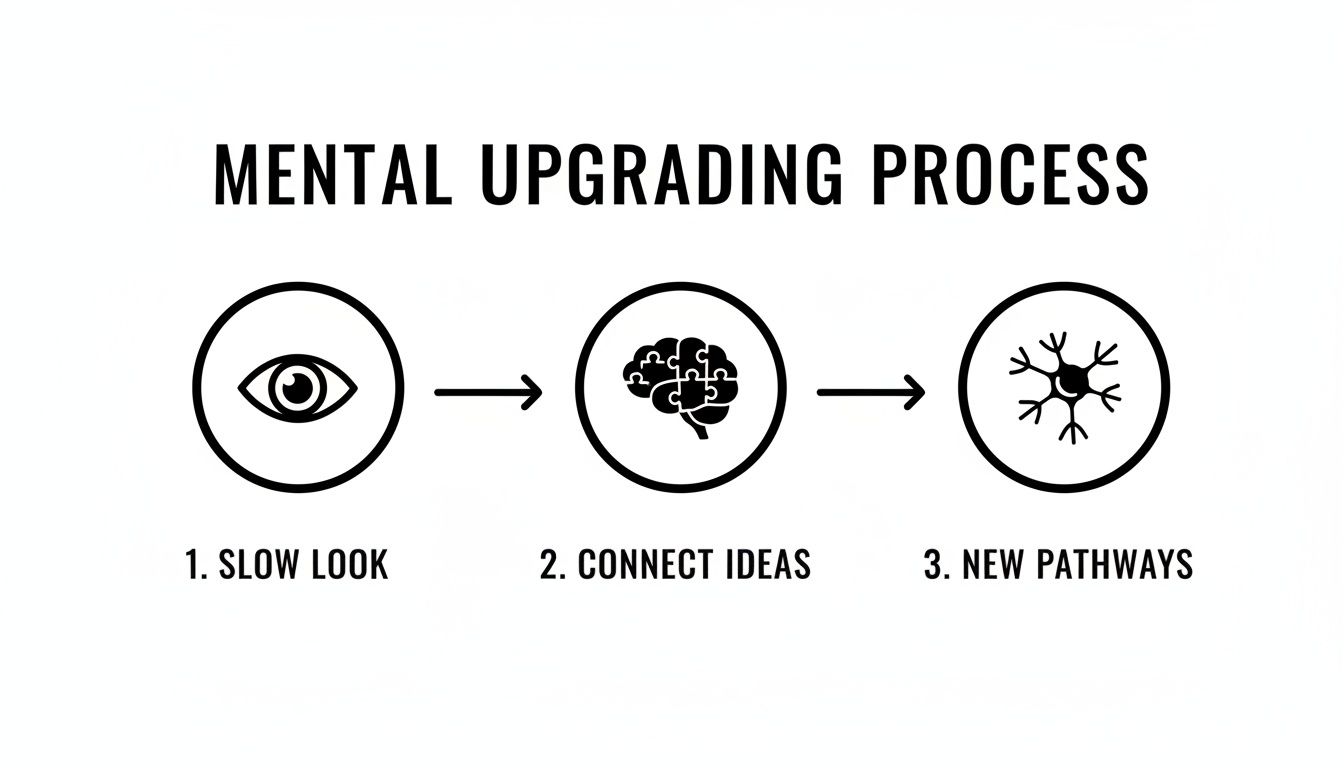
This simple cycle—looking slowly, connecting ideas, and forging new mental pathways—is exactly how VTS works to upgrade our thinking.
Your role isn't just asking questions; it's also about managing the room. If one person is dominating the discussion, you can gently say, "Thanks, David. Let's hold that thought and hear from someone who hasn't spoken yet." If you get a moment of total silence, just wait. Be comfortable with the pause. Someone will always jump in.
To help you feel confident in the driver's seat, here’s a quick-reference guide.
This little table breaks down what you should be doing and, more importantly, why you're doing it. Keep these goals in mind, and you'll run a great session.
Think of these actions as your toolkit for building a space where people feel safe enough to think out loud and build ideas together.
The best part is that VTS doesn't require a huge commitment. A session only takes about 30-45 minutes a week, but the payoff is huge. Studies have shown it leads to major literacy gains in K-8 students and even a 30% increase in the diagnostic skills of medical students. You can see the research on these powerful VTS outcomes to dig deeper.
Running a VTS session taps into many of the same principles as other great teaching methods. If this approach resonates with you, you should check out our guide on other active learning strategies for students.
There's no denying the power of a classic Visual Thinking Strategies session. All you really need is a compelling printed image and a room full of curious people. But let's be real—that simple setup doesn't always fit our modern, often messy, work lives.
What do you do when your team is spread across three different time zones? What if the perfect image for your specific problem doesn't even exist? And how do you capture all those brilliant ideas before they vanish into the ether?
This is where technology can give this proven method a serious boost. By weaving Zemith's AI tools into the VTS framework, you can create a dynamic, seamless experience that elevates every single step of the process.
Let's face it, finding the right image can be the most time-consuming part of planning a VTS session. You're hunting for something that's complex, ambiguous, and speaks directly to the challenge at hand. Instead of wasting hours scrolling through stock photo sites, why not just create exactly what you need in seconds? That's where Zemith’s Creative Tools come in.
Imagine your team is wrestling with a tricky supply chain issue. You could prompt the AI with something like this:
"Create a photorealistic image of a futuristic, transparent shipping container being unloaded by robotic arms onto a chaotic, busy dock at dusk. Some packages are glowing, while others are dark."
Just like that, you have a custom-made visual that’s unique, relevant, and packed with layers for your team to dissect. The exercise becomes instantly more focused and powerful because the image was built for your specific problem. Problem solved.
The days of huddling around a single projector are long gone, especially for remote and hybrid teams. This is where Zemith’s integrated Whiteboard shines, creating a shared digital canvas for your VTS discussion.
Pop your image in the center and let team members add their thoughts on digital sticky notes. This simple shift has some major benefits:
Ever wish you could do a practice run of a VTS session before the main event? With Zemith’s AI Live Mode, you can. Just upload your image and start a real-time conversation with the AI about what it "sees." This isn't just a cool party trick; it's an incredibly powerful prep tool.
Ask the AI the three core VTS questions and listen to its interpretations. It might point out details you completely missed or offer a perspective you'd never considered, helping you anticipate the kinds of conversations your team might have. It's like having a co-facilitator on call 24/7 to help you warm up your observational muscles.
To really make your VTS sessions pop, it helps to see what other AI tools can do for visual creation. Exploring the best AI tools for content creators can give you even more ideas for generating stunning and complex images that will fuel deep discussions.
You’ve just finished an incredible VTS session, buzzing with energy and insight. The last thing you want is for all that momentum to fizzle out while someone gets around to typing up the notes. That's a tedious job nobody wants.
This is where Zemith’s Document Assistant becomes your new best friend. You can feed it a transcript of the discussion or even just the collection of sticky notes from the Whiteboard. A simple prompt is all it takes to:
In an instant, a sprawling conversation becomes a clean, actionable report you can share with the team immediately. The momentum from the session keeps rolling. If you're interested in exploring this topic further, you might want to read our article on the power of artificial intelligence in image analysis.
If you think visual thinking strategies are just for school kids on an art museum field trip, think again. VTS may have started in galleries, but its real magic lies in how adaptable it is. The core skills it develops—keen observation, reasoning from evidence, and communicating clearly—are absolute game-changers in almost any professional setting.
This isn't just a theory. It’s being put to work right now in some of the most demanding fields out there.

Let's look at a high-stakes example: medicine. Leading medical schools are actually using VTS to help doctors become better diagnosticians. Instead of studying a Monet, they're analyzing complex medical scans, patient photos, or even just observing actors portraying patients.
By asking "What's going on here?" and "What do you see that makes you say that?", they learn to sidestep cognitive biases, like getting stuck on the very first symptom they notice. This trains them to build a diagnosis step-by-step, backing up every claim with visual proof, which ultimately leads to better patient care.
The same thinking works beautifully in engineering and software development. Picture a team gathered around a confusing system diagram or a stubborn block of code.
Suddenly, a frustrating bug hunt becomes a structured, collaborative investigation.
VTS proves that the most powerful tool for solving a complex problem isn't a bigger brain; it's a different perspective. When a team learns to see together, they uncover solutions that were hiding in plain sight.
The applications in business and creative fields are just as potent. Marketing teams can use VTS to pick apart a competitor's ad, analyzing everything from color palettes to the model's body language to figure out the strategy behind it. This pushes the conversation beyond a simple "I like it" or "I don't" into a much richer discussion about why the ad connects with people (or why it falls flat).
This way of working is a close cousin to other collaborative problem-solving frameworks. If this piques your interest, you should check out our guide on the design thinking process steps.
The bottom line? Any job that involves dissecting complex visual information can get a major boost from VTS. It's a universal toolkit for seeing more clearly, thinking more critically, and backing up your ideas with solid proof. Your team's next big breakthrough might be waiting inside a picture, and VTS is the key to unlocking it.
Getting started with visual thinking strategies is exciting. But, let's be honest, it's easy to make a few classic mistakes that can turn a great session into a frustrating one. Think of this as your friendly guide to sidestepping the common tripwires, so you can keep the conversations flowing and the insights coming.
The absolute biggest mistake I see facilitators make? They accidentally slip back into "teacher mode." It's so tempting to jump in, correct a wild interpretation, or add your own "expert" opinion. But the moment you do, the magic is gone.
The second you say, “Well, actually, what the artist was trying to show here is…” you've killed the conversation. Your job isn't to be the all-knowing expert; it's to be the curious guide who keeps the discussion moving. Your opinion? It doesn't matter here. I know, that stings a little, but it's the truth. The entire point is to build the group's thinking skills, not to quiz them on art history.
Your job is to hold the flashlight, not to tell everyone what they should be seeing in the dark. Your neutrality is what makes people feel safe enough to share their craziest, most brilliant ideas.
The easiest way to avoid this trap is to just stick to the script. Those three core VTS questions are your best friends. When you feel that powerful urge to add your two cents, just paraphrase what the last person said and ask, "What more can we find?" It works every time.
Another classic blunder is choosing a boring picture. If you put an image of a plain white wall up on the screen, the conversation is going to be... well, about a plain white wall. It’s not exactly going to spark a breakthrough. Images that are too simple or have an obvious "right answer" leave absolutely no room for discovery or debate.
So, what makes for a winning image? Look for visuals that have:
A quick pro-tip: before you commit, show your image to a friend or colleague. If you get a shrug and a "meh," it's time to head back to the drawing board. On the other hand, if you want to guarantee a great visual, you can use a tool like Zemith's Creative Tools to generate a custom image designed around your team's specific challenge. That's a surefire way to get the discussion going.
You know the dynamic. In every group, there's at least one person who can't wait to share and another who has amazing ideas but would rather stay silent. Managing this is one of the trickiest parts of facilitation, but it's absolutely crucial for a successful session.
Don't be afraid to gently steer the conversation. A simple, "Thanks, Sarah, that's a fantastic point. Now I’d love to hear from someone who hasn't had a chance to speak yet," can work wonders.
For the quieter members of the group, that initial period of silent looking is pure gold. It gives them the space to gather their thoughts without feeling pressured. And when you patiently paraphrase their contributions, it sends a clear signal that their ideas are just as valuable, which helps build their confidence for the next time.
Diving into Visual Thinking Strategies is exciting, but let's be real—it usually brings up a few questions. It's totally normal to wonder about the nitty-gritty of making it work. Let's tackle some of the most common ones I hear, so you can walk into your first session feeling confident.
Heck no! This is probably the biggest myth about VTS, and I'm happy to bust it. In fact, it's often better if you aren't an expert.
Your role isn't to give a lecture on art history. It's to guide a conversation by sticking to the three core questions and creating a space where people feel safe sharing their thoughts. Your genuine curiosity is way more important than knowing when Picasso entered his Blue Period. So relax, you don't need to be an art critic.
Absolutely. While VTS got its start in art museums, the framework is incredibly flexible. You can point it at just about any complex visual that needs a closer look.
Think beyond the gallery. I’ve seen teams use VTS to successfully analyze:
Basically, if your team can see it, you can use VTS to help them understand it on a deeper level.
The real magic of VTS isn't about understanding the art; it's about understanding how your team thinks. The image is just the tool to get you there.
There’s definitely a sweet spot. For a single image, a solid VTS discussion usually lands somewhere between 20 and 45 minutes.
A quick 20-minute session works great as a warm-up for a daily team meeting, just to get everyone’s brain switched on. If you're digging into a more complex problem, you might want to block out the full 45 minutes. The key is giving the conversation enough room to breathe and evolve naturally without anyone feeling rushed. It's all about quality, not quantity.
That’s not a problem—that’s the whole point! When two people see completely different things in the same image, it's a huge win. It means you’re uncovering diverse perspectives that were probably hiding under the surface.
In VTS, there are no "wrong" answers. There are only interpretations, and each one needs to be backed up with visual evidence. As the facilitator, you just validate both ideas by asking, "What do you see that makes you say that?" This teaches the group to hold multiple, even contradictory, ideas at once—a skill that is absolutely essential for true collaboration.
Ready to put these strategies into practice with a modern toolkit? Zemith brings everything together—from generating custom images with its Creative Tools to running remote sessions on the Whiteboard and summarizing key takeaways with the Document Assistant. Stop juggling different apps and start seeing things differently. Explore how Zemith can supercharge your team's thinking at Zemith.com.


Trusted by teams at


The top models, plus image, video and voice tools, in one plan.
Without Zemith
ChatGPT PlusUS$20.00Claude ProUS$20.00Google AI ProUS$19.99SuperGrokUS$30.00Perplexity ProUS$20.00 MidjourneyUS$10.00
 ElevenLabsUS$6.00Le Chat ProUS$14.99
 RunwayUS$15.00Kling StandardUS$8.80
 Gamma PlusUS$12.00
 Otter ProUS$16.99
 QuillBot PremiumUS$19.95
 Photoroom ProUS$12.99
 Quizlet PlusUS$7.99
Total if paying separatelyUS$234.70/mo
"I love the way multiple tools they integrated in one platform. Going in the right direction."
— simplyzubair
"The quality of data and sheer speed of responses is outstanding. I use this app every day."
— barefootmedicine
"The credit system is fair, models are perfect, and the discord is very responsive. Quite awesome."
— MarianZ
"Just works. Simple to use and great for working with documents. Money well spent."
— yerch82
"The organization of features is better than all the other sites — even better than ChatGPT."
— sumore
"It lives up to the all-in-one claim. All the necessary functions with a well-designed, easy UI."
— AlphaLeaf
"The team clearly puts their heart and soul into this platform. Really solid extra functionality."
— SlothMachine
"Updates made almost daily, feedback is incredibly fast. Just look at the changelogs — consistency."
— reu0691
Hand off the research, writing, design and follow-ups. Zemith picks the tools it needs and brings back finished work.
Search the web, run deep research, read files, create images and run code with GPT, Claude, Gemini, Grok and more.
Zemith keeps working in the cloud and pings you when it's done.
Notion, Linear, Canva, Airtable and more. It asks before it creates or changes anything.
Docs, slides, sheets and PDFs, ready to send.
Chain models and tools on a visual canvas, from one prompt to a finished promo video.
Briefings, reports and reminders run on a schedule and are ready when you need them.
Real-time voice that can see your camera or screen.
The best image and video models, in one studio.
Turn PDFs, links and YouTube videos into podcasts, quizzes, flashcards and mind maps.


 Podcast
 Quiz
Quiz Flashcards
 Mind map
 Infographic