Market Research AI Tool: A Guide to Faster Insights in 2026
Discover how a market research AI tool transforms strategy. This guide covers capabilities, workflows, and prompts to get you from data to decision faster.
You've probably lived this version of market research already.
You start with a simple question like “Why are trial users dropping off?” and somehow end up with survey exports in one tab, Reddit threads in another, interview notes in a doc, product reviews in a spreadsheet, and a half-finished summary that still says “TBD.” Then someone asks for “just a quick readout by Friday,” which is funny because the inputs alone could eat your whole week.
That's why a good Market Research AI tool feels less like a shiny extra and more like the thing that finally stops the chaos. Not because it makes strategy automatic. It doesn't. But it does take the grunt work, the repetitive sorting, the first-pass synthesis, and the endless context switching, and compresses them into something a normal human can use.
Drowning in Data and Deadlines
Traditional research has a bad habit of arriving right after the moment you needed it.
You brief an agency. They scope the project. They schedule interviews. They analyze responses. A report lands weeks later, and by then the campaign has moved, the competitor changed pricing, and your leadership team wants answers to a slightly different question. Cool. Very efficient. No notes.
That's a big reason this category is moving fast. The generative AI market is projected to reach $59.01 billion in 2025 and grow to $400 billion by 2031, and 45% of market researchers already use generative AI, mostly for transcript synthesis and data analysis, according to Aristek Systems on AI market growth and research adoption. This isn't fringe behavior anymore. It's becoming normal operating procedure.
The real bottleneck isn't data
A common challenge for teams isn't a lack of information. It's too much scattered information and too little time to turn it into direction.
That's where the hidden tax shows up. Every time you jump between docs, tabs, and tools, you lose thread, nuance, and momentum. If that sounds familiar, this breakdown of the is worth a read. It puts a name to the productivity leak most research teams tacitly accept as “just how work is.”
Practical rule: If your research process depends on your memory more than your workflow, it's already fragile.
The best use of a market research AI tool isn't “replace analysts.” It's “stop wasting analysts on sorting, tagging, summarizing, and first-pass pattern hunting.” That's a much more useful promise.
What changes in practice
Instead of waiting days to get a read on customer sentiment, you can review a structured synthesis the same afternoon. Instead of manually comparing review themes across competitors, you can ask the tool to cluster objections, pull recurring language, and flag contradictions. Instead of treating research as a giant special project, you can make it part of normal weekly decision-making.
That shift matters more than the novelty. Faster research isn't just convenient. It changes what questions you're willing to ask, how often you revisit assumptions, and how quickly you can respond when the market does something annoying on a Tuesday morning.
Your New AI Research Assistant Explained
The simplest way to think about a market research AI tool is this. It's a research assistant that never gets tired of reading.
Feed it survey responses, interview transcripts, reviews, competitor pages, forum threads, or internal notes, and it can sort, summarize, compare, and structure the material far faster than a human doing the same first pass manually. No, it doesn't replace judgment. Yes, it saves a ridiculous amount of time on the parts of research that are mostly pattern extraction.

What the tech actually does for you
Under the hood, these tools use Natural Language Processing and Machine Learning to analyze language, group themes, detect sentiment, and generate structured outputs. In plain English, that means they can read a pile of messy qualitative input and help turn it into something decision-ready.
Qualtrics notes that AI market research tools can reduce data processing time by up to 70% compared to manual methods while improving sentiment detection through NLP and ML, as explained in Qualtrics' guide to AI in market research.
That matters because most research projects have a lopsided timeline. Gathering the material is one part. Cleaning, coding, and synthesizing it is the part that drains your schedule.
Think of it as a stack of super-interns
A strong tool can usually help with five jobs:
- Collection support by pulling together public information from web pages, communities, and reviews
- Theme extraction by spotting repeated pain points, motivations, and objections
- Sentiment analysis by reading tone in customer language, not just counting keywords
- Report drafting by turning raw findings into summaries, briefs, and recommendation structures
- Cross-source comparison by checking whether the same theme shows up across reviews, interviews, and competitor messaging
That last one is a big deal. Human researchers can absolutely do it. They just don't enjoy doing it at speed across messy inputs on a deadline.
Good AI research support doesn't magically know your market. It gets you to the interesting questions faster so your judgment can do the valuable part.
One especially useful use case
If you've ever finished ten customer interviews and then stared at the transcripts like they owed you money, document-based AI analysis is where this gets immediately practical. A tool that can summarize transcripts, extract objections, compare themes by segment, and turn that into a usable brief saves hours of tedious work.
For that workflow, a dedicated is often the fastest on-ramp. Upload the interviews, ask focused questions, and stop manually hunting through page after page for “that one quote about pricing confusion.”
How to Choose a Tool That Actually Helps
A lot of tools marketed as “AI research” are really just search with better manners.
They'll give you a polished answer. They may even sound confident. But if you can't see where the conclusion came from, you're one bad synthesis away from making a very expensive decision based on machine improv. That's the part too many buyers miss when they compare feature lists.

The validation gap is where weak tools fall apart
This is the first thing I'd test. Can the tool show its work?
That question matters because 70% of decision-makers fail to act on insights they cannot validate, and AI hallucination errors in secondary data synthesis increased by 45% in 2025, according to Manus on source validation in AI market research. If the output can't be traced back to verifiable sources, the tool may still be entertaining, but it's not dependable.
You don't want a market research AI tool that says, “Trust me.” You want one that says, “Here's the statement, here's the source, and here's why I grouped these findings together.”
The checklist I'd use before paying for anything
Here's a practical filter for separating useful platforms from expensive tab clutter:
- Source traceability. Can you inspect where a claim came from, or are you stuck with a clean-looking paragraph and crossed fingers?
- Multi-source input. The tool should work across web content, uploaded docs, notes, reviews, transcripts, and internal files. Real research is mixed-material work.
- Synthesis quality. Summaries are easy. Useful synthesis is harder. Look for clustering, contradiction detection, and the ability to compare themes across sources.
- Workflow fit. If the platform forces you into an awkward process, your team won't stick with it. Research tools need to support the way people work under deadline.
- Shareable outputs. You need reports, summaries, and briefs that can move into planning, leadership review, or product discussion without a bunch of manual cleanup.
- Reasonable usability. If your smartest teammate still needs a tutorial just to ask a question, that's not a feature. That's friction.
- Privacy and control. Sensitive interviews, customer language, and internal strategy docs shouldn't feel like they're being thrown into a black box.
- Room to grow. The tool should handle quick tasks and bigger projects. You don't want one app for lightweight scans and another for deep analysis.
What works and what doesn't
A useful test is to run the same research question through two tools.
Ask both to analyze customer complaints across reviews, forums, and interview notes. One will give you a polished summary with broad themes like “users want simplicity.” The better one will break that into specific patterns like onboarding confusion, pricing ambiguity, missing integrations, and trust concerns around setup. It'll also let you inspect the underlying evidence.
What to avoid: Any platform that produces elegant conclusions with no visible path back to the raw material.
If you want a broader field guide before committing, this roundup of is a useful shortcut. It helps you compare what sounds impressive in a demo versus what holds up inside a real workflow.
A Practical AI Market Research Workflow
Many overcomplicate this part. They assume AI research needs some giant master prompt and a futuristic command center. It doesn't. A simple workflow beats a clever mess every time.
Here's a clean four-step process that works whether you're researching a market category, a competitor set, or customer frustration around a product experience.

Step 1 Define the question properly
Bad input gives you vague output. Start with a decision, not a topic.
Instead of “research the CRM market,” write something like: “Identify the top objections mid-market buyers raise when switching CRMs, and compare how three competitors address those objections in messaging and product positioning.”
That gives the tool a job. It also gives you a way to judge whether the output is useful.
Step 2 Gather more than one kind of evidence
AI shows its worth. Good tools can pull together articles, reviews, forum discussions, social chatter, and uploaded internal files much faster than a person manually collecting the same set. Predictable Innovation describes how AI tools can scrape and process large volumes of web content in a fraction of the time manual gathering takes in its overview of .
Use mixed inputs whenever possible:
- Public signals such as review sites, forums, product pages, and thought leadership content
- Internal signals like support tickets, sales notes, win-loss interviews, and onboarding transcripts
- Competitive materials including pricing pages, landing pages, changelogs, and feature comparisons
Step 3 Guide the synthesis
Don't ask for “insights.” Ask for structure.
Useful prompt directions include:
- Group pain points into themes.
- Separate functional complaints from emotional objections.
- Compare what first-time users say versus advanced users.
- Flag themes that appear in multiple source types.
That kind of instruction produces something you can work with. It also reduces the chance that the model gives you a generic “customers value ease of use” summary that sounds nice and says almost nothing.
A quick visual walk-through helps here:
Step 4 Review like a strategist, not a spectator
This is the human step, and it matters.
Check whether the themes are specific. Look for over-generalization. Pressure test anything that sounds too tidy. If the analysis says price is the main problem, ask whether users are describing price or whether they're describing value confusion, unclear packaging, or fear of lock-in.
Review lens: Treat AI output like a strong first draft from a smart analyst. Useful, fast, and still your responsibility.
A solid workflow gets you from blank page to decision-ready material in one sitting. That's the main appeal of the market research AI tool category. Not wizardry. Just less slog and more usable thinking.
Steal These Prompts for Your Next Project
Prompting is where many users either effectively utilize the tool or accidentally turn it into a motivational poster generator.
The trick is simple. Give the model a role, a task, a source scope, and an output format. If you skip the format, you'll often get a blob. Blobs are bad for meetings.
If you want a bigger swipe file, these are handy. For market research, these are the ones I'd keep on hand.
Competitor positioning prompt
Use this when you need a fast read on how rivals frame themselves.
Analyze the messaging of these competitors using their homepages, product pages, pricing pages, and public reviews. Identify each brand's core promise, target user, repeated value claims, likely differentiation angle, and any visible gaps between marketing language and customer feedback. Present the findings in a comparison table, followed by three positioning opportunities for our brand.
Expected output shape
This kind of output is useful because it combines external messaging with customer response, instead of stopping at “their site says they're easy.”
Customer sentiment mining prompt
This one is great for product reviews, support logs, or community threads.
Review these customer comments and group them into recurring themes. Separate each theme into functional issue, emotional reaction, and likely root cause. Highlight exact phrases customers use repeatedly, and summarize what these patterns suggest about expectations versus actual experience.
Expected output shape
Theme one onboarding confusion
Functional issue: users don't know what to do first
Emotional reaction: frustration, loss of confidence
Likely root cause: unclear setup sequence and poor first-use guidance
Repeated language: “not sure where to start,” “felt lost,” “too many options”Theme two pricing mistrust
Functional issue: plan structure feels unclear
Emotional reaction: hesitation before purchase
Likely root cause: weak value communication and comparison friction
That repeated-language piece is gold for messaging work. It gives you the customer's words, not your internal interpretation of their words.
Emerging trend prompt
Use this when you're scanning a category and trying to spot movement before everyone starts posting “new era” LinkedIn takes.
Analyze recent discussions, reviews, articles, and competitor updates related to this category. Identify shifts in buyer priorities, new feature expectations, recurring complaints with current solutions, and signals of changing language in the market. Separate confirmed patterns from weak signals and note where human follow-up would be useful.
Expected output shape
- Confirmed patterns issues showing up consistently across source types
- Weak signals interesting ideas with limited repetition
- Language shifts words and phrases buyers are starting to use more often
- Follow-up questions what to validate through interviews or surveys
Persona generation prompt
This one works best when you already have real qualitative inputs.
Using these interview transcripts, support conversations, and product reviews, generate three evidence-based user personas. For each persona, include goals, frustrations, buying triggers, evaluation criteria, trust barriers, and preferred language. Do not invent motivations that aren't supported by the source material. Flag any assumptions that need validation.
That final instruction matters. Otherwise the model may get a little too creative and hand you “Taylor, the ambitious innovation champion” when what you really needed was “operations manager who hates retraining staff.”
Ask for assumptions to be flagged explicitly. That one line dramatically improves persona usefulness.
A small prompt tweak that saves time
When you want better output, add this sentence to the end of almost any research prompt:
Quote or reference the underlying source material for each major conclusion.
That one habit makes review much faster and keeps the output tied to evidence instead of smooth-sounding abstraction.
Stop Juggling Tabs and Start Researching
The worst research stack is the one that technically works.
You can absolutely piece together a workflow with browser tabs, one chatbot for summaries, another for writing, a separate notetaking app, a document analyzer, and a folder full of exports you swear you'll organize later. People do it every day. They also waste a lot of time retracing their steps and wondering where a conclusion came from.

Fragmented workflows create bad research habits
When every stage lives in a different app, people start cutting corners. They skip documentation. They paste findings without context. They lose the original quote. They rebuild the same summary twice because nobody can find the earlier one.
That's why the strongest AI research setups combine three things well: high-value primary inputs, AI-driven synthesis, and a workflow that supports real-time decision-making, as described by . The point isn't just generating insights. The point is helping teams use them effectively.
What an all-in-one setup fixes
An integrated workspace changes the day-to-day experience of research in some very practical ways:
- One home for source material so transcripts, notes, web findings, and summaries stay connected
- One place to analyze documents instead of moving files between separate apps
- One ongoing project context where the tool remembers what the research is about
- One cleaner handoff from discovery to synthesis to final reporting
That's where an all-in-one platform like Zemith stands out. Its Deep Research capabilities fit the web discovery side. Document Assistant helps with uploaded transcripts, reports, and notes. Organized Workspaces make it easier to keep projects, sources, and outputs in one place instead of scattering them across a digital junk drawer.
Why this matters more than another clever feature
Teams often don't need more isolated AI features. They need fewer seams.
A market research AI tool becomes much more valuable when it also helps you store context, revisit earlier findings, and turn rough analysis into usable output without bouncing into three different products. That's not glamorous. It is, however, how work gets finished.
The best research system is the one your team can use on a busy Wednesday without creating a second job called “managing the tool stack.”
If your current process involves fifteen tabs and a prayer, consolidation is not a nice-to-have. It's a quality upgrade.
The Future of Market Research Is Here
AI doesn't replace the strategist. It exposes whether the strategist is spending too much time doing clerical work.
That's the significant shift. The old model rewarded teams that could endure slow processes and manage lots of manual synthesis. The new model rewards teams that can get to reliable answers quickly, inspect the evidence, and make decisions while the information still matters.
That also means adjacent areas are moving in the same direction. If you're exploring how AI-driven decision systems connect with live forecasting and incentives, this overview of is a useful example of where decision infrastructure is heading beyond standard analytics dashboards.
The market research AI tool isn't valuable because it's fashionable. It's valuable because it cuts the drag between question and action. You still need judgment. You still need taste. You still need to know when a neat summary is hiding a weak conclusion.
If your current setup feels slow, scattered, or weirdly exhausting, that's your signal. Upgrade the workflow, not just the output. If you want a practical way to compare what an all-in-one workspace can do versus a stack of disconnected tools, this is a good place to start.
If you're ready to stop bouncing between tabs, summaries, docs, and disconnected AI tools, try . It brings research, document analysis, writing, and organized project work into one workspace, which makes it a much saner way to handle real market research without the usual tool chaos.
Explore Zemith Features
Every top AI. One subscription.
ChatGPT, Claude, Gemini, DeepSeek, Grok & 25+ more


Always on, real-time AI.
Voice + screen share · instant answers
What's the best way to learn a new language?
Immersion and spaced repetition work best. Try consuming media in your target language daily.
Voice + screen share · AI answers in real time
Image Generation
Flux, Nano Banana, Ideogram, Recraft + more

Write at the speed of thought.
AI autocomplete, rewrite & expand on command
Any document. Any format.
PDF, URL, or YouTube → chat, quiz, podcast & more
Video Creation
Veo, Kling, Grok Imagine and more

Text to Speech
Natural AI voices, 30+ languages
Code Generation
Write, debug & explain code
Chat with Documents
Upload PDFs, analyze content
Your AI, in your pocket.
Full access on iOS & Android · synced everywhere
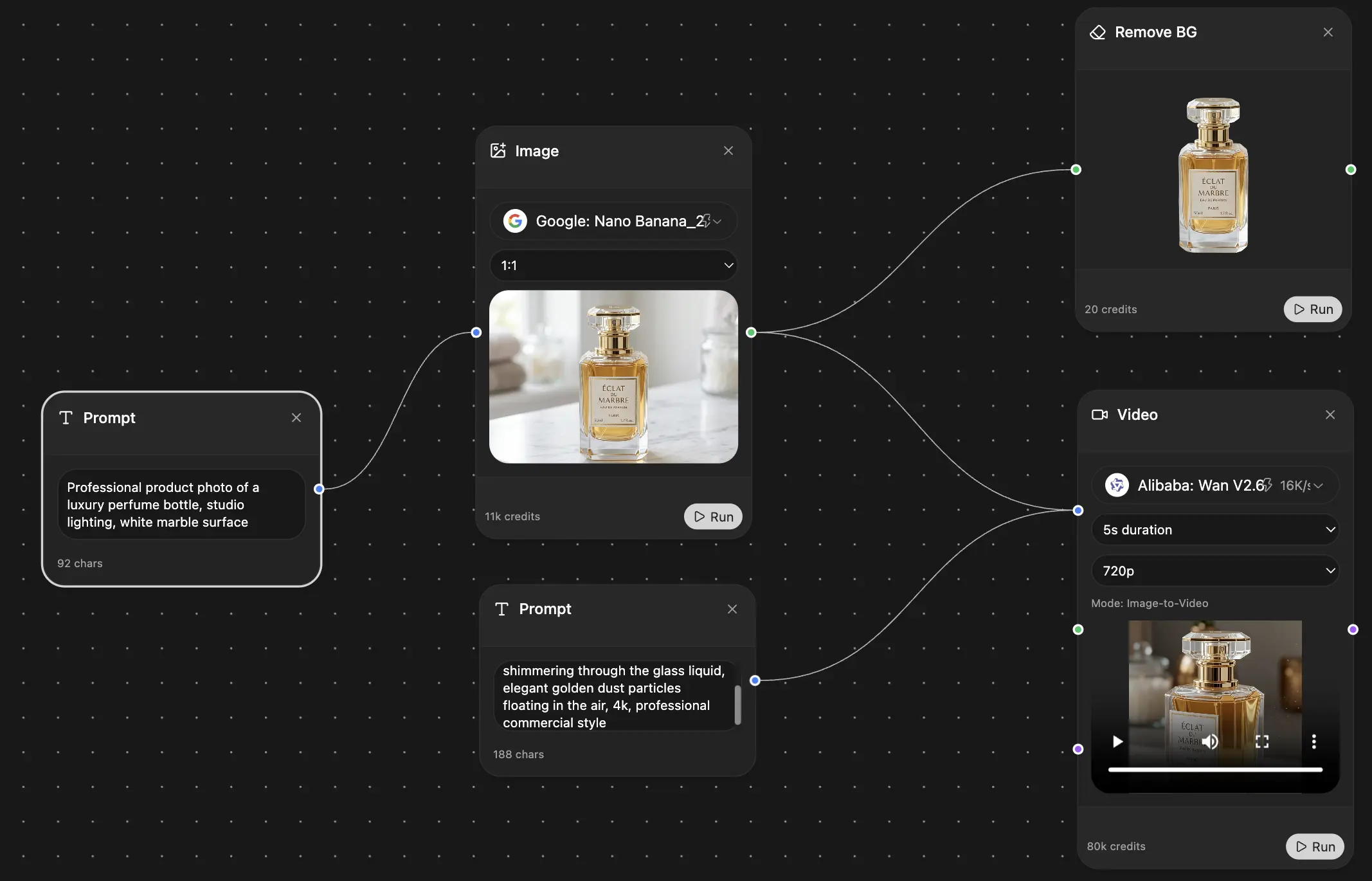
Your infinite AI canvas.
Chat, image, video & motion tools — side by side
Save hours of work and research
Transparent, High-Value Pricing
Trusted by teams at


Free
No credit card required
- 100 credits daily
- 3 AI models to try
- Basic AI chat
Plus
- 1,000,000 credits/month
- 25+ AI models — GPT, Claude, Gemini, Grok & more
- Agent Mode with web search, computer tools and more
- Creative Studio: image generation and video generation
- Project Library: chat with document, website and youtube, podcast generation, flashcards, reports and more
- Workflow Studio and FocusOS
Professional
- Everything in Plus, and:
- 2,100,000 credits/month
- Pro-exclusive models (Claude Opus, Grok 4, Sonar Pro)
- Motion Tools & Max Mode
- First access to latest features
- Access to additional offers
What Our Users Say
Great Tool after 2 months usage
"I love the way multiple tools they integrated in one platform. Going in the right direction."
— simplyzubair
Best in Kind!
"The quality of data and sheer speed of responses is outstanding. I use this app every day."
— barefootmedicine
Simply awesome
"The credit system is fair, models are perfect, and the discord is very responsive. Quite awesome."
— MarianZ
Great for Document Analysis
"Just works. Simple to use and great for working with documents. Money well spent."
— yerch82
Great AI site with accessible LLMs
"The organization of features is better than all the other sites — even better than ChatGPT."
— sumore
Excellent Tool
"It lives up to the all-in-one claim. All the necessary functions with a well-designed, easy UI."
— AlphaLeaf
Well-rounded platform with solid LLMs
"The team clearly puts their heart and soul into this platform. Really solid extra functionality."
— SlothMachine
Best AI tool I've ever used
"Updates made almost daily, feedback is incredibly fast. Just look at the changelogs — consistency."
— reu0691