


Every top model, with tools built in.
Search the web, run deep research, read files, create images and run code with GPT, Claude, Gemini, Grok and more.
Learn how to write better paragraphs with practical tips on topic sentences, transitions, and flow that keep readers hooked.
If you want to know how to write better paragraphs, there's one secret that pros swear by: lead with your main idea. It sounds painfully simple, but getting this right makes your writing instantly clearer and way more persuasive. When you state your point upfront and then back it up, you're not just writing—you're guiding your reader, and they'll love you for it.
Let's cut right to it. The biggest leap you can make in your writing skill isn’t about learning fancy vocabulary words to impress your old English teacher. It’s about structure. If your paragraphs feel like a jumbled mess of ideas, you’ve probably buried your main point somewhere in the middle. When that happens, readers get lost, and then they just click away.
The fix is almost laughably simple: state your claim first.
Think of every paragraph as its own mini-argument. The very first sentence—your topic sentence—is the core claim. Everything that follows, every single word, has one job: to provide evidence, explanation, or an example that proves that first sentence is true. Simple as that.
This "topic-sentence-first" approach is the standard in professional writing for a good reason—it respects the reader's time. It immediately tells them, "Here's what this paragraph is about," making your information so much easier to digest. Let's face it, no one has time for a scenic tour of your thought process; they just want the destination.
And it’s not just a nice-to-have; it's a global standard. One major study of academic journals revealed that a staggering 86.8% of paragraphs kicked off with the main idea. This isn't an accident; it's a proven structure that builds trust and keeps your audience locked in.
Of course, the words are only half the battle. How a paragraph looks on the page can be just as important. For a great example of this in action, check out these tips on formatting LinkedIn posts for maximum readability and see how structure boosts clarity.
Once you start building this habit, writing stops feeling like a chore. You’re not just trying to fill a blank page anymore; you're building a solid, logical argument, piece by piece. This one skill is a cornerstone of effective digital communication.
To get this right every time, it helps to break down what makes a paragraph truly effective.
Here's a quick cheat sheet covering the essential components.
Mastering these elements is what turns a confusing wall of text into a sharp, impactful paragraph that keeps people hooked from start to finish.
Key Takeaway: Treat every paragraph like a promise to your reader. The topic sentence is that promise, and the rest of the paragraph is you keeping it.
Have you ever started reading a paragraph and felt completely lost? It’s like walking into a movie 45 minutes late. Nine times out of ten, the culprit is a weak, buried, or nonexistent topic sentence.
Your topic sentence is a promise to the reader. It's a single, powerful line that clearly states, "Hey, stick with me for a bit, and this is exactly what you'll get out of it."
This one sentence guides the entire paragraph. If it’s vague, your reader's mind will wander. If it's just a boring fact, you'll put them to sleep. The sweet spot is a sentence that’s specific, makes a clear point, and sparks enough curiosity to make them want to see your proof.
For instance, a weak topic sentence is: "Social media is popular." Well, duh.
A much stronger one? "While many view social media as a time-wasting distraction, its real power lies in creating tight-knit communities for otherwise isolated individuals." See the difference? The second one makes an actual claim and hooks you in.
Once you've landed that killer topic sentence, your next mission is to maintain paragraph unity. That’s just a fancy writer's way of saying that every single word that follows must directly back up your initial promise.
Think of it like a courtroom argument. Your topic sentence is the claim, and every other sentence is a piece of evidence.
If a sentence doesn't directly explain, prove, or illustrate that main idea, it has to go. You have to be ruthless here. That hilarious anecdote or fascinating side-fact you want to include? If it doesn’t serve the paragraph's one true purpose, save it for another section or cut it completely. No mercy.
Pro Tip: Read your topic sentence aloud. Then, read each of the following sentences one by one. After each, ask yourself: "Does this directly support my main point?" If the answer is a wishy-washy "kinda," that sentence is probably muddying the waters.
Let’s see what this looks like in the wild.
The second example gives the paragraph a clear destination. You’d naturally expect the following sentences to bring the receipts—data on local spending, quotes from small business owners, or examples of city-dwellers moving to the countryside. It creates a roadmap for both you and your reader.
For more advice on keeping your readers hooked, check out our guide on how to write engaging content.
Stuck trying to find that perfect opening line? Zemith's Rephraser is an absolute game-changer for this. Just drop in your clunky first draft of a sentence, and it will spin up several sharper, more compelling alternatives to get your paragraph started on the right foot. It’s like having a witty co-writer on call, 24/7.
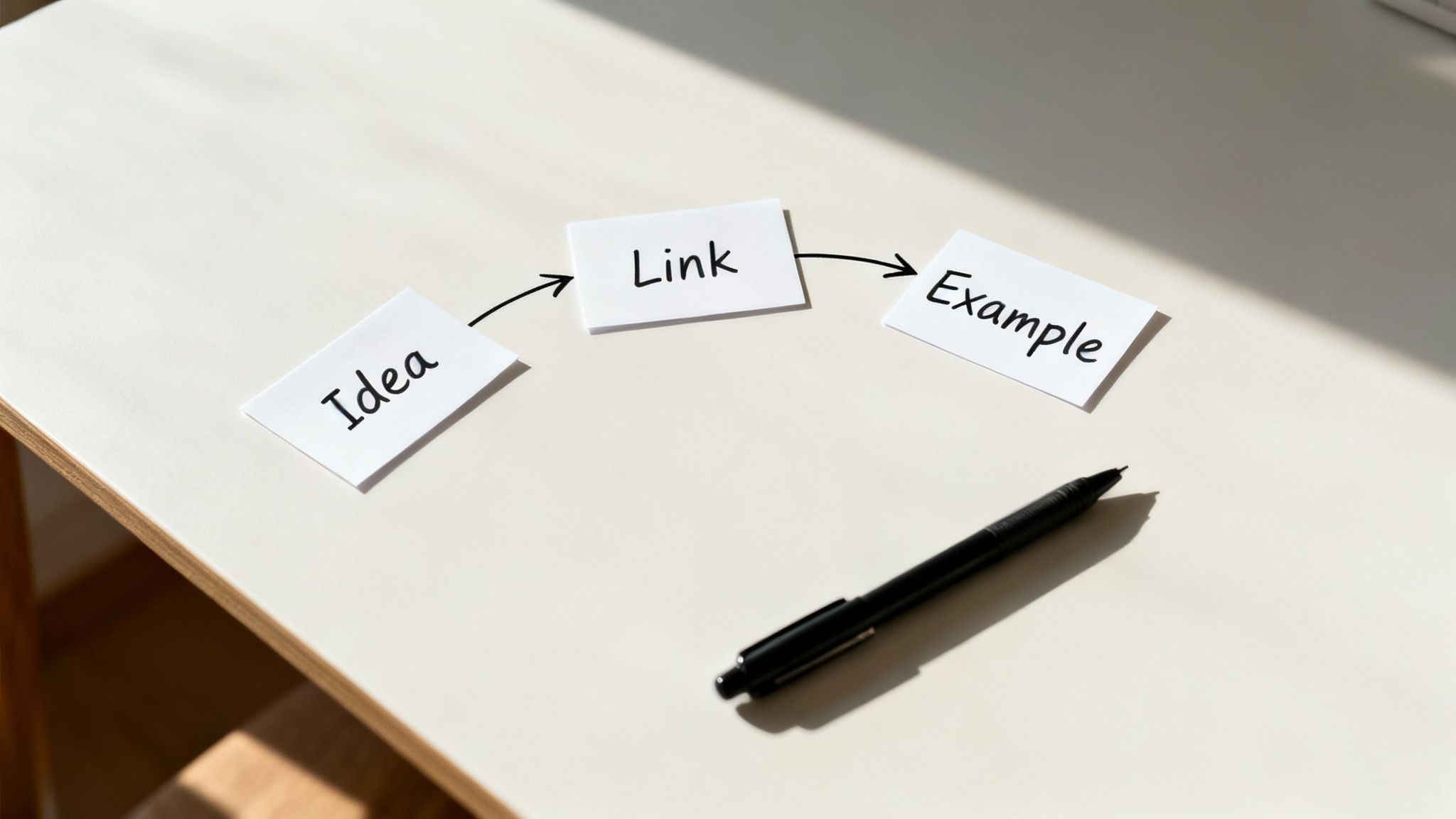
A great paragraph isn't just a collection of sentences about the same thing. It needs to flow.
Think of it this way: If the last section was about making sure every sentence belongs in the paragraph (unity), this part is all about ensuring they connect to each other smoothly. We call this coherence, and it’s the secret sauce that stops your writing from reading like a choppy list of facts.
Your job is to build a bridge from one idea to the next, guiding your reader so seamlessly they don't even realize they're being led. No jarring gaps, no abrupt shifts. Just a smooth ride from point A to point B.
Remember all those transition words from high school English class? "Furthermore," "Moreover," "In addition." They have their place, but lean on them too heavily and your writing will sound stuffy and academic. This is a guide, not a legal brief from 1992.
For a more natural feel, try a technique I call the "conceptual bridge." It's simple: just pick up a key word or idea from the end of one sentence and use it at the beginning of the next.
See how "qualified leads" creates that link? It’s subtle, effective, and way less clunky than jamming in a formal transition word. This small trick instantly makes your writing feel more professional and connected.
Another great way to create flow is to echo your main idea throughout the paragraph. You can do this by repeating key terms or dropping in synonyms that all point back to your topic sentence. It’s a gentle way of reminding the reader, "Hey, remember? This is what we're talking about."
Let’s say your main point is about the perks of a four-day workweek. You could reinforce that idea by mentioning:
Each of these phrases keeps the central theme front and center without sounding like a broken record. To really master this, check out our guide on how to edit your writing for more advanced tips.
A Quick Tip: Mix up your sentence lengths. A short, punchy sentence followed by a longer, more descriptive one creates a natural rhythm. It keeps your reader engaged and makes the entire paragraph feel more dynamic and less monotonous. It's the literary equivalent of a good drum beat.
At the end of the day, people scan content. It's just a fact. One analysis of a long-running blog showed the average paragraph length has been slashed from over 100 words down to about 50 words, mostly to cater to mobile readers. Keeping that in mind, a smooth, logical flow within these shorter paragraphs is non-negotiable for holding onto those short attention spans.
Let's be honest. Writing every single paragraph with the exact same structure—topic sentence, three supporting points, conclusion—is a recipe for boredom. It's predictable, and predictable writing puts people to sleep. Fast.
Great writing has a certain rhythm, a pace that pulls you along. That comes from mixing things up. Not all paragraphs should look and feel the same.
Think about your favorite movie. It probably has a blend of fast-paced action sequences and slower, more emotional scenes, right? Your writing needs that same kind of variety. By changing up your paragraph types, you get to control the reader's experience, making your content feel much more dynamic and engaging. It’s all about picking the right tool for the job.
If you’re building a rock-solid argument, a structured, persuasive paragraph is your best bet. But what if you want to really connect with your reader? A short, relatable story might be way more effective.
So, what kinds of paragraphs do you have in your toolkit? There are a few key types that cover most situations, and each one has a specific job to do.
But there's one more tool in the box, and it’s my personal favorite for creating a little drama.
Your secret weapon? The single-sentence paragraph.
Seriously.
That tiny, one-line paragraph is a total pattern interrupt. It slams on the brakes and forces the reader to pause, letting a critical point sink in. It’s perfect for delivering a punchline, revealing a shocking statistic, or making a declaration you want to echo.
It’s small, but it’s mighty.
And if you have a killer one-liner but need to flesh it out, a tool like Zemith’s Smart Notepad can be a huge time-saver. Just drop your sentence in, and its custom paragraph generator can instantly build a descriptive, narrative, or persuasive paragraph around it. It gives you a great starting point to refine and make your own.
Telling your reader something is a start, but showing them is the real game-changer. Think of your topic sentence as the claim you're making in court. The rest of the paragraph? That’s where you present the hard evidence.
This is where you bring out the receipts to make your point undeniable.
Generic statements are the fastest way to lose a reader's trust. Anyone can write "our new marketing strategy was effective," but that doesn't really mean anything, does it? The best paragraphs get specific, swapping vague claims for cold, hard proof.
Your job is to build a case so airtight that your reader can't help but nod along in agreement. To do that, you need to load your paragraphs with compelling, tangible details.
Here’s the kind of ammunition that really hits the mark:
These are the elements that transform a forgettable paragraph into one that sticks. They give your reader something solid to hold onto.
Let's be honest—nobody wants to be hit with a wall of numbers. The secret is to wrap your data in context so it's easy to digest. It’s not the number itself that’s interesting; it’s what the number means.
Case in point: government research shows that statistical reports are 40% more likely to be understood by the average person when they use plain language and clear examples. This proves that how you present your evidence is just as important as the evidence itself. If you're curious, you can dig into more on writing about statistics here.
Key Takeaway: One killer example is always more powerful than a dozen vague statements. Find that one perfect detail that proves your point beyond a shadow of a doubt, and build your entire paragraph around it.
Struggling to track down the right data point or example? An AI-powered tool like Zemith can act as your personal research assistant. Its Deep Research feature helps you quickly find relevant stats and case studies, giving you the raw material to craft paragraphs that don't just state a point—they prove it.
Alright, you know the theory behind building a great paragraph. Now, let’s talk about how to do it without spending hours agonizing over every word. Manually tweaking every awkward transition or flimsy topic sentence can be a real grind.
This is where having an AI writing partner like Zemith completely changes the game. Think of it less like a replacement and more like a super-smart assistant who's great at handling the tedious stuff. It helps you smash through writer's block and makes the whole process smoother and, frankly, a lot more enjoyable.
Ever have a great idea for a paragraph that’s just a jumbled thought in your head? Instead of getting stuck staring at that dreaded blinking cursor, you can pop that idea into Zemith's Smart Notepad. It'll instantly flesh it out into a workable first draft.
Here’s a peek at how the Custom Paragraph Generator does its thing right inside the Smart Notepad.
You just give the tool a simple prompt, and poof—you get a well-formed paragraph ready for you to refine and add your unique voice to. It’s a brilliant way to get past the inertia of a blank page. If you're curious about how automation is shaking up the creative process, exploring different AI tools for social media content creation can give you a broader perspective.
Zemith is fantastic for getting words on the page, but it's just as powerful as an editing sidekick. The Rephraser tool, for instance, is a lifesaver when you've written a sentence that just sounds off, but you can’t quite put your finger on why.
This table breaks down a few common writing headaches and shows how you can use Zemith to solve them in seconds.
By using these tools, you're not ignoring the principles of good writing—you're just applying them much, much faster.
Key Takeaway: Zemith's features are built to take the grunt work out of writing, which gives you more mental space to focus on your core message and overall strategy.
This approach lets you put everything we've talked about—unity, coherence, and solid support—into practice without the usual time-suck. To see how other tools can fit into your process, be sure to check out our complete list of the best AI tools for writers over on the Zemith blog.
Alright, let's wrap this up by hitting a few of the most frequent questions I get about crafting strong paragraphs. Think of this as the FAQ section for nailing the fundamentals.
Honestly, there's no single magic number. But for most web content, the sweet spot tends to be around 3-5 sentences.
The real goal isn't hitting a specific sentence count; it's about readability. If you're looking at a giant wall of text on a screen, your brain instinctively wants to check out. Keep it scannable.
My rule of thumb is this: one core idea per paragraph. The second you feel yourself starting to pivot to a new, distinct thought, that’s your cue. Hit "Enter" and give that new idea its own space to breathe.
Absolutely. And it can be incredibly effective.
Think of a one-sentence paragraph as a spotlight. You use it intentionally to create emphasis, deliver a punchline, or make a bold statement impossible to ignore. It forces the reader to pause. Just use this trick sparingly, or it quickly loses its power.
Here’s the simplest, most effective trick I know: read it out loud. I'm serious.
Your ears are fantastic editors. They will immediately catch the clunky transitions, the sentences that drag on forever, and the weird logical leaps that your eyes just skim over.
If you find yourself tripping over words or gasping for air, that’s a dead giveaway that your sentence structure needs work. It’s a trick that costs nothing and works every time. If that feeling of being stuck goes deeper, remember that battling the blank page is normal. We've got a whole guide on how to overcome writer's block that can help you push through.
Final Thought: Writing great paragraphs isn't about memorizing a bunch of rigid rules. It's about making deliberate choices to guide your reader's journey, one clear, focused idea at a time.
Ready to stop guessing and start writing with more confidence? Zemith builds AI tools like the Rephraser and Smart Notepad right into your writing process, helping you draft and polish your work in a fraction of the time. Start writing better, faster, and smarter with Zemith today.


Trusted by teams at


The top models, plus image, video and voice tools, in one plan.
Without Zemith
ChatGPT PlusUS$20.00Claude ProUS$20.00Google AI ProUS$19.99SuperGrokUS$30.00Perplexity ProUS$20.00 MidjourneyUS$10.00
 ElevenLabsUS$6.00Le Chat ProUS$14.99
 RunwayUS$15.00Kling StandardUS$8.80
 Gamma PlusUS$12.00
 Otter ProUS$16.99
 QuillBot PremiumUS$19.95
 Photoroom ProUS$12.99
 Quizlet PlusUS$7.99
Total if paying separatelyUS$234.70/mo
"I love the way multiple tools they integrated in one platform. Going in the right direction."
— simplyzubair
"The quality of data and sheer speed of responses is outstanding. I use this app every day."
— barefootmedicine
"The credit system is fair, models are perfect, and the discord is very responsive. Quite awesome."
— MarianZ
"Just works. Simple to use and great for working with documents. Money well spent."
— yerch82
"The organization of features is better than all the other sites — even better than ChatGPT."
— sumore
"It lives up to the all-in-one claim. All the necessary functions with a well-designed, easy UI."
— AlphaLeaf
"The team clearly puts their heart and soul into this platform. Really solid extra functionality."
— SlothMachine
"Updates made almost daily, feedback is incredibly fast. Just look at the changelogs — consistency."
— reu0691
Hand off the research, writing, design and follow-ups. Zemith picks the tools it needs and brings back finished work.
Search the web, run deep research, read files, create images and run code with GPT, Claude, Gemini, Grok and more.
Zemith keeps working in the cloud and pings you when it's done.
Notion, Linear, Canva, Airtable and more. It asks before it creates or changes anything.
Docs, slides, sheets and PDFs, ready to send.
Chain models and tools on a visual canvas, from one prompt to a finished promo video.
Briefings, reports and reminders run on a schedule and are ready when you need them.
Real-time voice that can see your camera or screen.
The best image and video models, in one studio.
Turn PDFs, links and YouTube videos into podcasts, quizzes, flashcards and mind maps.


 Podcast
 Quiz
Quiz Flashcards
 Mind map
 Infographic