


Every top model, with tools built in.
Search the web, run deep research, read files, create images and run code with GPT, Claude, Gemini, Grok and more.
Tired of posting to an empty room? This guide on how to create social media content gives you a real-world strategy for building an engaged audience.
So, how do you actually make social media content that doesn't just get lost in the noise? It really boils down to a few key moves: defining your audience, setting up your content pillars, picking the right platforms, and then finally getting down to creating and scheduling. The real secret is getting out of the guessing game and building a system you can use over and over. A system that works so well, your competitors will wonder if you hired a whole new marketing team. (Spoiler: you didn't).
Staring at a blank content calendar can feel like a special kind of nightmare. But before you start stressing about trending audio or viral memes, we need to build a real strategy. This is where we stop throwing spaghetti at the wall and start building a foundation for everything you post.
The goal here isn't just to post something. It's to post the right thing for the right people. Without a plan, you're just shouting into the void and hoping for the best. With a strategy, you're starting a conversation with an audience that's actually eager to listen.
If your answer to this question is "everyone," we need to have a little chat. When you try to appeal to everybody, you usually end up connecting with nobody. The absolute first step to creating social media content that hits the mark is getting crystal clear on your ideal audience.
Think about that perfect customer or follower. What are their biggest struggles? What kind of humor do they have? What's the last meme that made them ugly-laugh? What content are they already double-tapping and sharing?
Demographics: Nail down the basics like age, location, and job title. This is the "what".
Psychographics: This is the good stuff—dig into their interests, values, and pain points. This is the "why".
Behavior: Where do they actually hang out online? What other brands do they follow? Are they lurking on Reddit at 2 AM or scrolling LinkedIn over their morning coffee?
Getting this part right makes everything else so much easier. You’ll instinctively know what topics to cover and what tone of voice will resonate. You can even use tools like Zemith to get an almost unfair advantage here by analyzing audience data to see what’s already working in your space.
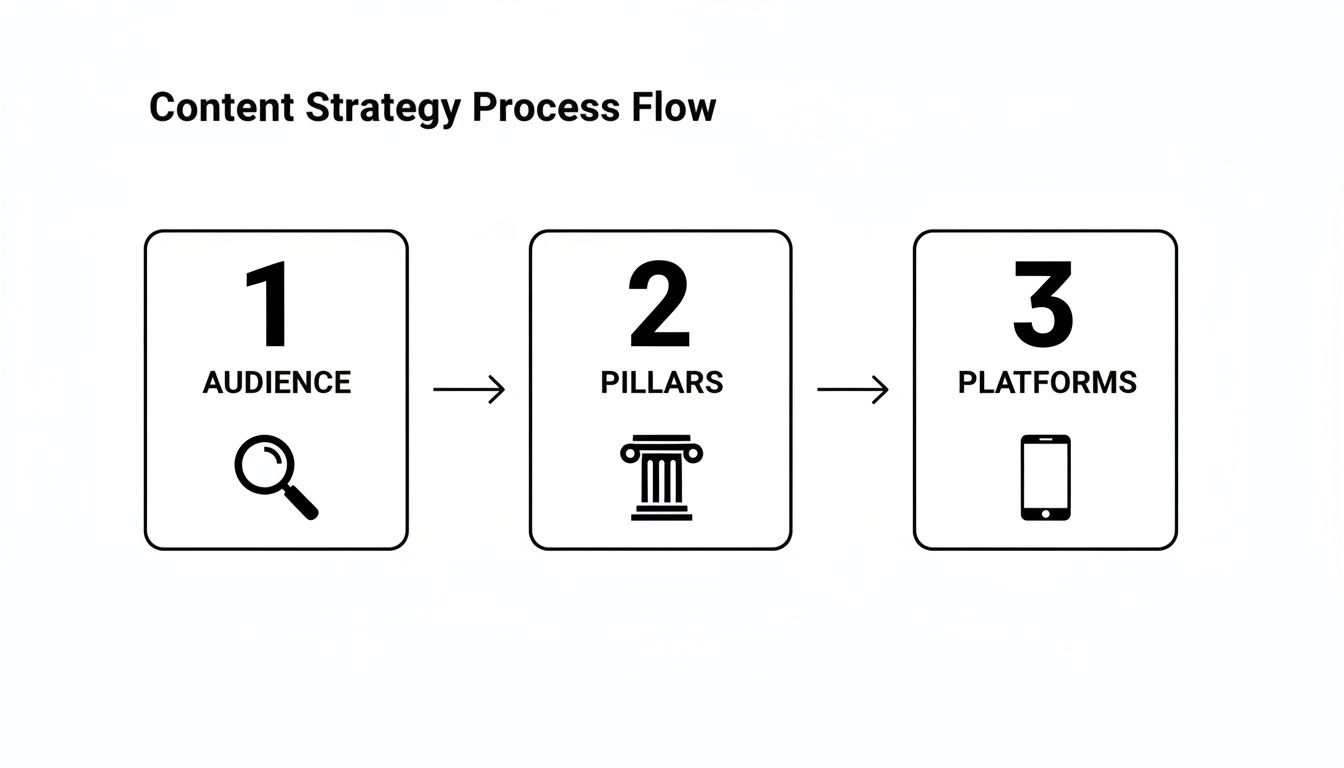
This simple flow just reinforces the idea: a winning strategy always starts with your audience. They inform your content, which in turn helps you pick the right platforms.
Okay, you know who you're talking to. Now it's time to figure out what you're going to talk about by defining your content pillars. Just think of these as three to five core topics or themes your brand will own. They're like creative guardrails that keep your content focused, consistent, and always relevant to your audience.
Let's say you're a fitness coach. Your pillars might look something like this:
Workout Tutorials: Quick, actionable exercise guides people can do at home.
Nutrition Tips: Simple meal prep ideas and busting common food myths.
Mindset & Motivation: Sharing client wins and inspirational stories.
Your content pillars are the backbone of your strategy. They ensure every single post has a purpose and reinforces what your brand stands for. No more random, off-topic posts that just confuse people.
This structure is a lifesaver because it stops you from chasing every shiny new trend. Instead, you can filter trends through your pillars. "How does this viral dance challenge relate to mindset?" If it doesn't, you can confidently skip it.
Finally, where are you actually going to post all this great content? Trying to be everywhere at once is a one-way ticket to burnout. The good news is your audience research already gave you the answer—you just need to show up where they're already spending their time.
If you’re a B2B software company trying to go viral on TikTok, you might be in for a rough time. Your time is probably better spent on LinkedIn. On the flip side, if you sell handmade jewelry, the visual-first worlds of Instagram and Pinterest are your sweet spot. For anyone thinking about video, putting together an effective video content strategy is non-negotiable for platforms like YouTube and Instagram Reels.
The key is to focus on mastering one or two channels first before you even think about expanding.

We’ve all been there. Staring at a blank screen, the cursor blinking mockingly, while the "what should I post today?" panic sets in. It's a creativity-killer that usually ends with you saving a dozen random posts for "inspiration" and then... posting nothing at all.
But what if you had a system that practically spoon-fed you great ideas?
Forget those awful, soul-crushing brainstorming sessions where the best you can muster is, "Maybe a motivational quote?" (Pro tip: please don't). We're going to build a repeatable process for finding inspiration that actually hits home with your audience. The goal is to build an "idea bank" so you never start from zero again.
Here’s a little secret: the best content ideas aren't hiding. Your audience is telling you exactly what they want, every single day. You just have to know where to listen.
This is what we call social listening, and it’s less about creepy spying and more about being an attentive observer. You’re simply tuning into the conversations already happening around your topics to find real questions, frustrations, and desires.
Here are my favorite places to eavesdrop:
Comment Sections: Seriously, this is a goldmine. Check the comments on your posts, your competitors' posts, and the big players in your industry. What questions keep popping up? What are people debating?
Forums and Groups: Dive into niche Facebook Groups, Reddit communities (subreddits are amazing for this), or industry-specific forums. This is where people get real and ask the questions they're too embarrassed to ask elsewhere.
Q&A Sites: Hop over to a site like Quora and search for your core topics. You'll find a treasure trove of people desperately looking for answers you can provide.
Paying attention here does two things: it gives you endless ideas, and it teaches you the exact language your audience uses. That’s how you write captions that feel like you’re reading their minds.
Why reinvent the wheel? Your competitors are out there doing a ton of the grunt work for you. Analyzing what’s working for them—and just as importantly, what’s flopping—gives you a massive shortcut.
Now, I don't mean copy them. That’s a rookie move, and people can spot it a mile away. Instead, you're looking for patterns and, more importantly, opportunities. As you scroll their feeds, ask yourself:
Which posts are getting real engagement? I'm talking about genuine comments and conversations, not just a bunch of fire emojis. High shares are also a huge green flag that a topic is striking a chord.
What formats are they leaning into? Are they all-in on Reels? Are their carousels getting a lot of saves? This is a good clue about what the platform's algorithm is rewarding right now.
What are they not talking about? This is where you can really win. If everyone is stuck on "beginner tips for social media content creation," maybe there's a huge opening for you to serve the intermediate or advanced crowd.
The point of competitor analysis isn't to become a clone. It's about reverse-engineering success to find your unique angle and fill the gaps they've left wide open.
This is also where a smart AI sidekick like Zemith can be a game-changer. Instead of spending hours manually digging, its research tools can quickly surface a competitor's top posts and highlight trending topics you should be talking about.
You are probably sitting on a mountain of untapped content ideas and don't even know it. Every blog post, YouTube video, or even a popular old social media post is a renewable resource.
Think about it: one deep-dive blog post can be broken down into a dozen different social media posts. You can pull out a key statistic for a graphic, a powerful quote for a text-based post, or a single tip to turn into a quick Reel.
If you're feeling stuck, a good blog post ideas generator can help you find fresh angles on topics you've already covered, making sure you never run dry. This approach is a massive time-saver because the heavy lifting—the research and core thinking—is already done. You’re just repackaging your greatest hits.
Remember those content pillars we talked about? They are your ultimate idea-generation machine. By filtering every idea through your pillars, you ensure everything you create is on-brand and serves your core strategy.
A simple matrix can make this process incredibly easy. Just plug in your pillars and start brainstorming ideas across different formats.
Here’s a quick framework to get you started:
See how that works? Suddenly, you're not just trying to think of one post. You're thinking about how one core idea can be spun into multiple engaging formats, giving you a steady stream of content that always ties back to your goals.

An idea is just a thought until you hit publish. This is where the real work begins—turning those brilliant ideas from your content pillars into actual posts that people want to see, save, and share. It's time to create stuff that makes someone slam the brakes on their endless scrolling and actually pay attention.
We're shifting gears from planning to doing. This means crafting everything from Reels that don't look like they were filmed on a potato to carousels that people actually swipe all the way through. It’s all about mixing great visuals, punchy words, and a little bit of psychology to create something that sticks.
A great visual might stop the scroll, but a killer caption is what gets the conversation started. So many people treat captions as an afterthought, but that's where you build a real connection and tell people what to do next. Don't be that person.
Every caption needs a job. It should either teach, entertain, or inspire. And it absolutely needs a strong hook to get people reading past that first line.
Start with a Bang: Your first sentence is everything. Ask a question they can’t ignore, state a bold opinion, or tease the value you're about to drop. The same principles for writing great headlines apply here. For a deep dive, check out our guide on how to write better headlines.
Tell a Story: Humans are wired for stories, not just dry facts. Instead of listing "5 marketing tips," try framing it like this: "I blew $500 on ads last year. Here's what I learned so you don't have to..." See the difference?
End with a Nudge: Always, always, always include a call to action (CTA). Don't just hope people will engage; tell them how. Make it simple and specific, like, "Which of these tips are you trying first? Drop it in the comments!"
A caption without a call to action is like a joke without a punchline. You did all the work to set it up, but you left the audience hanging. Give them a clear next step.
Posting the same old thing every day is a one-way ticket to getting ignored. The secret to keeping your audience hooked is to mix up your formats. Each one serves a different purpose and grabs a different kind of person.
Carousels: The Swipeable Storytellers
Carousels are absolute gold for breaking down complex topics into bite-sized, step-by-step guides. They get a ton of saves because they’re usually packed with value. Think of them as mini-blog posts. A great carousel flows from the first slide to the last, telling a complete story.
Video: The Undisputed King of Engagement
If you're still on the fence about video, it's time to hop off. Gently, of course. Video isn't just a "nice to have" anymore; it's essential. You don't need a Hollywood budget, either. Your smartphone, some decent light (a window works wonders), and clear audio are all you really need to get started.
Not sure what to post in a video? Think about how to create a 30-day social media content calendar for beginners. That’s a perfect topic for a short, snappy Reel!
To make sure your videos hit the mark, it helps to know the rules. This ultimate guide on Instagram video length is a lifesaver for avoiding those awkward, unexpected cut-offs on Reels and Stories. With the Gemini Omni Flash tool, you can also turn simple ideas into polished, AI-generated videos much faster, making it easier to stay consistent with your content schedule.
Hashtags aren't just for decoration. They're a powerful discovery tool that helps the right people find your content. But just slapping 30 massive tags like #love or #business on your post is a waste of time.
You need to think like a search engine. The best approach is to use a mix of broad, niche, and branded hashtags.
Broad: A few popular tags in your industry (e.g., #SocialMediaMarketing).
Niche: More specific tags to attract your ideal audience (e.g., #ContentCreationForCoaches).
Branded: A unique hashtag just for your business or a campaign (e.g., #ZemithTips).
This layered strategy helps you show up in all sorts of searches, attracting followers who are genuinely interested in what you do, not just random bots.

If you’re waking up every morning, staring blankly at your phone, and asking, "What on earth should I post today?"—this is your official intervention.
Creating and posting on the fly is the fastest way to burn out. Seriously. It’s chaotic, stressful, and a terrible use of your creative energy. You end up resenting the very platforms you’re trying to grow on.
There's a much better way, and it’s called content batching.
Think of it like meal prepping for your social media. Instead of stressing over what to cook every single day, you spend a few hours on Sunday getting all your lunches ready for the week. Batching is the exact same concept, but for your content. It’s the art of creating a week's—or even a month's—worth of posts in one or two focused sessions.
So, how do you actually do it? A good batching day isn't just about making a bunch of random posts. It’s a structured process that takes you from scattered ideas to a library of ready-to-publish content, saving you from a world of context-switching headaches.
The trick is to break your session into themed "blocks" of time. This lets you stay in one creative mode at a time, which is so much more efficient than bouncing between writing, filming, and designing all at once.
Here’s what a typical "batch day" might look like:
Block 1: Planning & Scripting (1-2 hours): This is your brain-dump-and-organize time. Review your content pillars and all those ideas you've been saving. Decide on the specific topics for the next week or two and write out all your video scripts and carousel outlines.
Block 2: Filming & Photography (2-3 hours): With scripts in hand, it's time to get visual. Set up your camera or phone and knock out all your video clips and photos in one go. Pro tip: Change your shirt a few times. Nobody needs to know you filmed ten Reels in a single afternoon!
Block 3: Editing & Design (2-3 hours): Now that you have all your raw footage and images, you can switch gears to post-production. This is when you cut your videos together, design your carousel slides in Canva, and create any other graphics you need for the batch.
The real magic of batching is that it separates the creative process from the publishing process. This frees you from that daily pressure to perform and lets you just focus on making great stuff.
This system turns a daily scramble into a predictable, manageable workflow. The best part? When you're done, you're done. You can step away and focus on other parts of your business, knowing your content machine is humming along on its own.
Once you’ve created all this amazing content, where does it all go? It needs a home, and that home is your content calendar. This isn't just some boring spreadsheet; it's your strategic command center—a single source of truth that keeps your posting schedule consistent and aligned with your goals.
A solid calendar helps you see your content mix at a glance, making sure you’re not accidentally posting five educational carousels in a row or forgetting to mention your latest offer.
But creating the content is only half the battle. Manually posting everything from your calendar can still be a huge time-sink.
This is where smart tools completely change the game. A platform like Zemith, for instance, can act as your AI-powered social media manager. You can load all your batched content into its calendar, and it automates the entire scheduling process. It can even analyze your audience data to pinpoint the absolute best times to post for maximum engagement, taking the guesswork out of the equation.
By scheduling everything in advance, you’re free to focus on what really matters: actually engaging with your community in real-time instead of being chained to the "publish" button. It also opens up more time to be strategic with your content. For a deeper dive on that, our guide on content repurposing strategies shows you how to make every single piece of content work harder for you.
Hitting ‘publish’ isn’t the finish line; it’s just the starting gun. Seriously, what you do after your content goes live is what separates the stagnant accounts from the ones that seem to grow overnight. This is the growth loop: Engage, Analyze, and Iterate.
Think of it this way: you wouldn't cook a fancy dinner for friends, serve it, and then immediately walk out of the room, right? Of course not. You'd stick around to see what they loved, what they didn't touch, and what they asked for seconds of. Your social media content deserves that same level of attention.
This whole post-publish process is where you gather the real feedback—both from comments and from the cold, hard data—to make your next batch of content even better. It’s a cycle of constant improvement that turns random posting into a repeatable, winning strategy.
Okay, let's get the obvious out of the way: yes, you absolutely should reply to every single comment you get. That’s just good manners and table stakes for building a community.
But real engagement is a proactive sport, not a reactive one. It’s about starting conversations, not just joining them after they’ve already started on your post.
One of the most powerful, and frankly underused, strategies is outbound engagement. This just means you actively go out and connect with new audiences in other people's comment sections. Find creators in your niche and drop genuinely helpful or funny comments on their posts. The key is to add real value to the conversation, not just spamming your handle.
For a more in-depth look, try searching for how to create engaging social media content for small businesses. The principles are the same: be human, be helpful, and be present. For more on this, check out the latest social media trends on hootsuite.com.
Data can feel super intimidating, but it doesn't have to be. Your analytics are simply your audience telling you what they love, just with numbers instead of words. You just need to know which signals to pay attention to. Spoiler alert: it's not always about the likes.
Vanity metrics like likes and follower count feel great for the ego, but they don't tell you much. The metrics that really matter show you what actions people are taking.
Saves: This is a goldmine. It means your content was so valuable someone wanted to keep it for later. It’s a huge compliment and a blaring signal to create more content just like it.
Shares: When someone shares your post, they're vouching for you to their own network. This is how you reach brand new audiences and a sign that your content really hit home.
Comments: This shows you're sparking a real conversation. Pay close attention to what people are saying—it’s literally free audience research!
Profile Visits & Website Clicks: These are your money metrics. They show your content was compelling enough to make someone take the next step, directly connecting your content to your business goals.
Don't get lost in a sea of numbers. Focus on the metrics that measure action and intent—Saves, Shares, and Clicks. These tell you what content is actually moving the needle for your brand.
Trying to manually dig through each platform’s native analytics is a massive time-suck. This is where an all-in-one tool becomes your best friend. For instance, the analytics dashboards in a tool like Zemith can pull all your important data into one clean place. You can quickly see which posts are your heavy hitters without juggling a dozen browser tabs.
This is the final, most important piece of the puzzle. You’ve engaged with your audience and you've analyzed the data. Now it's time to use those insights to make your next content batch even smarter.
Look at your top-performing posts from the last 30 days. What do they all have in common?
Was it the format? Did your audience go wild for carousels but snooze on single-image posts?
Was it the topic? Did your posts about a specific pain point get way more saves than your other content?
Was it the hook? Did the Reels that started with a provocative question perform better than those that didn't?
Use these patterns to form a hypothesis for your next content batch. If carousels on "productivity hacks" were a huge hit, your plan is simple: make more of them! This isn't about copying yourself; it's about doubling down on what’s already proven to work. For a deeper look at getting the most from your workflow, explore our guide on AI tools for content creators.
By repeating this Engage-Analyze-Iterate cycle, you stop throwing content at the wall to see what sticks. Each batch becomes a small, smart experiment that gets you closer to a content strategy that just plain works.
We all have them. Let's tackle some of the big ones I hear all the time, with straight-to-the-point answers from years of doing this stuff.
Ah, the million-dollar question! The most honest answer I can give you is this: as often as you can post high-quality content consistently. Consistency will always, always beat frequency.
If you can only manage three or four genuinely helpful posts a week without feeling completely fried, that's so much better than just pumping out ten mediocre ones that nobody clicks on. Seriously. Start with a schedule you know you can stick to, and make every single post count.
The goal isn't to be the loudest voice in the room, but the most consistent and valuable one. Your audience will reward you for quality, not just quantity.
Once you get a solid system humming along, then you can think about ramping things up. But never, ever sacrifice the quality of your content just to hit some random posting number.
You definitely don't need a design degree or a fancy beret to create great-looking visuals anymore. Thank goodness for that, right?
For most people just starting out, a tool like Canva is an absolute lifesaver. It’s literally built for non-designers, loaded with thousands of templates and a simple drag-and-drop editor that can make you look like a total pro.
If you're looking to bring some AI magic into your workflow to speed things up, a platform like Zemith is a real game-changer. It has AI-powered design suggestions and can even generate templates based on your brand's look and feel. This not only saves a ton of time but makes sure everything you post looks like it came from the same, cohesive brand.
The trick is to:
Find one tool you actually enjoy using.
Create a handful of core templates for your main content types (like one for quotes, one for tips, etc.).
Stick with them! This is how you build a visual identity people recognize instantly.
Jumping on a trending sound is still one of the quickest ways to get more eyeballs on your videos. The secret is catching the wave before it crashes.
The easiest, old-school method is to just spend 10-15 minutes a day actually scrolling your feed. It sounds simple, but it works. When you hear the same audio pop up three or four times from different creators, you've found a trend. Tap the sound, save it, and start brainstorming how you can put your unique spin on it.
For a more strategic (and less time-sucking) approach, you can use specialized tools. Some platforms, like Zemith, can actually analyze trends happening inside your specific niche. They can even flag rising sounds before they become totally oversaturated, giving your content a serious edge.
In a word: no. Please don't be that person who just copy-pastes the same post across every single channel. It just feels lazy and totally ignores why people use each platform in the first place.
You should absolutely repurpose your core ideas, but you have to adapt the format. Think of it like this: your big idea is the main ingredient, and you're just cooking different dishes with it for different guests.
Let's say your core idea is "5 ways to improve your morning routine." Here's how that plays out:
Instagram Carousel: A swipeable guide that breaks down each of the five tips, with a strong visual for each one.
TikTok/Reel: A quick, high-energy video where you're actually doing one of the five tips, with the other four listed in on-screen text.
LinkedIn Post: A more buttoned-up, professional take, focusing on how these morning habits boost productivity at work, maybe told through a personal story.
Twitter Thread: A thread of six tweets—a killer hook to start, followed by one tweet for each of the five tips.
This approach respects the user's experience on each platform, and trust me, that respect will be paid back to you with much better engagement.
Ready to stop guessing and start creating a smarter social media workflow? Zemith integrates AI-powered ideation, design, and analytics into one seamless workspace. Start building your content powerhouse today.


Trusted by teams at


The top models, plus image, video and voice tools, in one plan.
Without Zemith
ChatGPT PlusUS$20.00Claude ProUS$20.00Google AI ProUS$19.99SuperGrokUS$30.00Perplexity ProUS$20.00 MidjourneyUS$10.00
 ElevenLabsUS$6.00Le Chat ProUS$14.99
 RunwayUS$15.00Kling StandardUS$8.80
 Gamma PlusUS$12.00
 Otter ProUS$16.99
 QuillBot PremiumUS$19.95
 Photoroom ProUS$12.99
 Quizlet PlusUS$7.99
Total if paying separatelyUS$234.70/mo
"I love the way multiple tools they integrated in one platform. Going in the right direction."
— simplyzubair
"The quality of data and sheer speed of responses is outstanding. I use this app every day."
— barefootmedicine
"The credit system is fair, models are perfect, and the discord is very responsive. Quite awesome."
— MarianZ
"Just works. Simple to use and great for working with documents. Money well spent."
— yerch82
"The organization of features is better than all the other sites — even better than ChatGPT."
— sumore
"It lives up to the all-in-one claim. All the necessary functions with a well-designed, easy UI."
— AlphaLeaf
"The team clearly puts their heart and soul into this platform. Really solid extra functionality."
— SlothMachine
"Updates made almost daily, feedback is incredibly fast. Just look at the changelogs — consistency."
— reu0691
Hand off the research, writing, design and follow-ups. Zemith picks the tools it needs and brings back finished work.
Search the web, run deep research, read files, create images and run code with GPT, Claude, Gemini, Grok and more.
Zemith keeps working in the cloud and pings you when it's done.
Notion, Linear, Canva, Airtable and more. It asks before it creates or changes anything.
Docs, slides, sheets and PDFs, ready to send.
Chain models and tools on a visual canvas, from one prompt to a finished promo video.
Briefings, reports and reminders run on a schedule and are ready when you need them.
Real-time voice that can see your camera or screen.
The best image and video models, in one studio.
Turn PDFs, links and YouTube videos into podcasts, quizzes, flashcards and mind maps.


 Podcast
 Quiz
Quiz Flashcards
 Mind map
 Infographic