7 Great Code Documentation Examples for Developers in 2025
Explore 7 real-world code documentation examples. Learn best practices and see how to streamline documentation with actionable insights for better code quality.
Great code is only half the battle; great documentation is what makes it usable, maintainable, and scalable. Without clear guidance, even the most elegant software becomes a black box, creating friction for new developers, hindering collaboration, and increasing long-term maintenance costs. Effective documentation is not just a "nice-to-have" but a critical asset that directly impacts project velocity and success. Understanding the principles behind excellent documentation is the first step, and for a deeper dive, exploring guides on can provide a solid foundation.
This article moves from theory to practice. We will dissect seven real-world code documentation examples, showcasing what makes them successful. From the in-line clarity of JSDoc to the comprehensive API specifications of Swagger, you will see tangible strategies in action. For each example, we'll provide a strategic breakdown, highlighting replicable tactics you can immediately apply to your own projects. You'll learn not just what makes these examples great, but how to achieve similar results efficiently. We will also demonstrate how tools like Zemith’s Coding Assistant can automate and streamline the creation of high-quality documentation, saving you valuable time and effort.
1. JSDoc
JSDoc is a powerful markup language used to annotate JavaScript source code files. By embedding specially formatted block comments directly above your code, you can describe functions, classes, parameters, and return values. This structured approach is a cornerstone of many high-quality code documentation examples because it allows tools to automatically parse these comments and generate professional, easy-to-navigate HTML documentation.
This "documentation-as-code" methodology is heavily favored by projects like Node.js and frameworks like React. It keeps documentation tightly coupled with the source code, ensuring that as the code evolves, the documentation can be updated in the same commit, reducing the risk of it becoming outdated.
Strategic Analysis and Actionable Insights
JSDoc’s primary strength lies in its comprehensive tag system. Tags like @param, @returns, and @throws provide a standardized vocabulary for describing the API contract of a function. This explicitness eliminates ambiguity for other developers consuming your code.
Key Strategy: Treat JSDoc annotations not just as comments, but as an integral part of your API's design. Use them to enforce type safety and clarify intent, which significantly improves code maintainability and collaboration.
To better understand JSDoc's core benefits, the following summary box highlights its most impactful features.
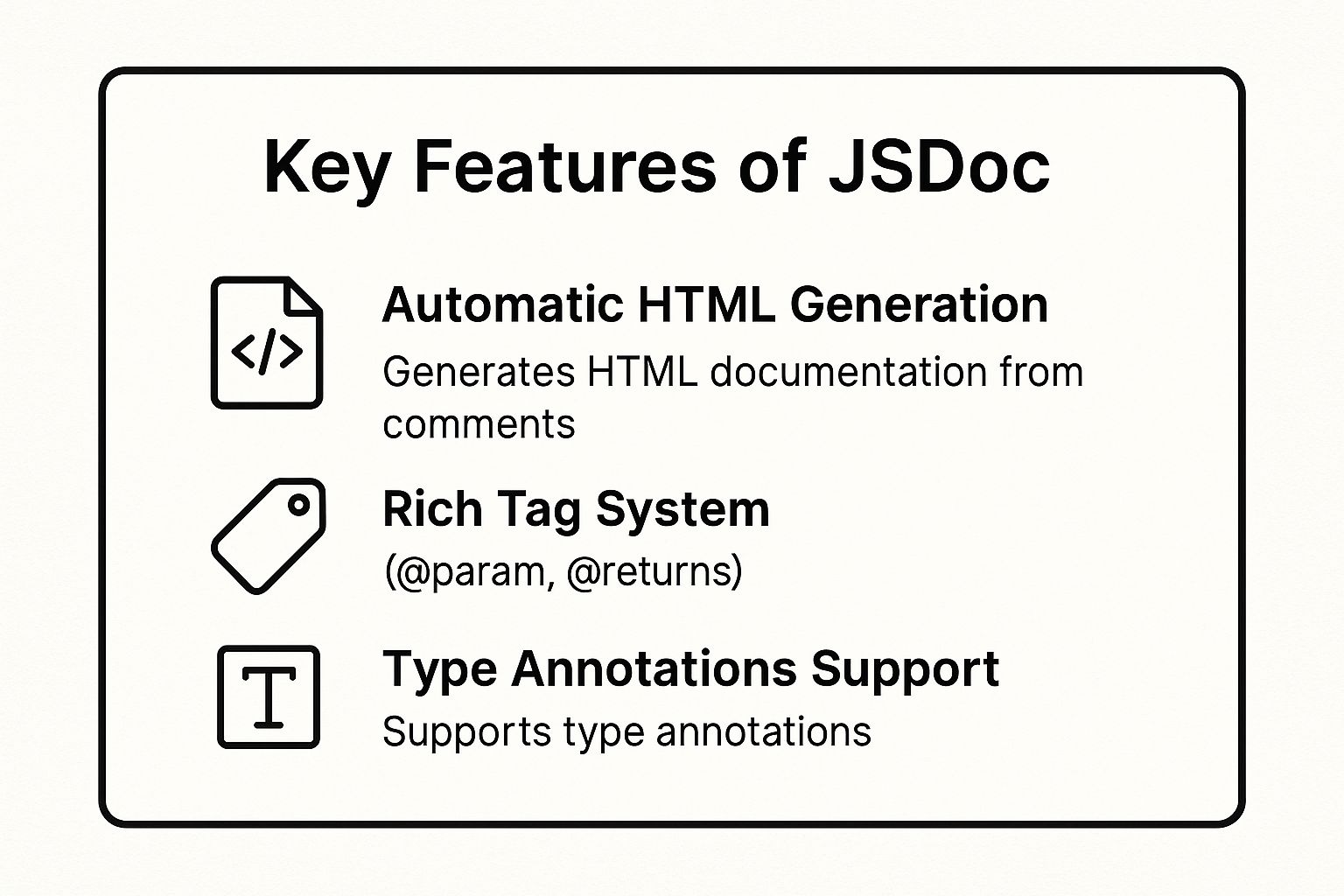
These features demonstrate how JSDoc transforms simple comments into a robust, interactive documentation system. The ability to define types also enhances developer experience by powering IntelliSense and autocomplete in modern code editors.
How to Implement This Strategy
- Standardize Tag Usage: Enforce a consistent style for JSDoc tags across your team. Linters like ESLint with
eslint-plugin-jsdoccan automate this, ensuring uniformity. - Provide Concrete Examples: Use the
@exampletag to include a code snippet demonstrating how to use the function. This is often more valuable than a lengthy description. - Automate Generation: Integrate a JSDoc generator into your CI/CD pipeline. This ensures your public-facing documentation is always synchronized with your main branch.
Writing detailed JSDoc can feel time-consuming, but this is a perfect opportunity for AI-driven efficiency. An actionable insight is to use an AI tool like Zemith’s Coding Assistant to automatically generate JSDoc blocks for existing functions, helping you .
2. Sphinx with reStructuredText
Sphinx is a powerful documentation generator that has become the de facto standard for the Python ecosystem. Originally created for the official Python documentation, it uses reStructuredText (RST) as its markup language. This combination allows developers to create beautiful, comprehensive, and interconnected documentation that can be rendered in multiple formats, including HTML, PDF, and ePub.

Its status as a premier tool for code documentation examples comes from its ability to integrate tightly with source code. Projects like Django, NumPy, and Pandas rely on Sphinx to generate world-class documentation. This system excels at creating not just API references but also extensive tutorials, guides, and narrative-style content, all from plain text files stored alongside the code.
Strategic Analysis and Actionable Insights
Sphinx's core strength is its extensibility and the power of its cross-referencing capabilities. Using RST directives, you can seamlessly link between different functions, classes, and even separate documents. This creates a highly navigable and cohesive knowledge base, which is critical for complex projects where understanding the interplay between components is essential.
Key Strategy: Leverage Sphinx's
autodocextension to automatically pull documentation from Python docstrings. This "single source of truth" approach ensures that your API reference is always synchronized with your code, eliminating documentation drift and enhancing maintainability.
The combination of autodoc with semantic cross-referencing turns your documentation into an interactive exploration tool. It moves beyond static descriptions and empowers developers to navigate the codebase's logic directly from the documentation itself.
How to Implement This Strategy
- Master Cross-Referencing: Use RST roles like
:py:func:and:py:class:to link to specific code objects. This creates clickable links in the generated HTML, making your documentation vastly more useful. - Organize with Directives: Structure your content using directives like
.. toctree::to create tables of contents and.. note::or.. warning::to draw attention to important information. - Automate API Docs: Configure the
autodocextension to scan your source code directories. By simply adding an.. automodule:: my_moduledirective, Sphinx will generate a full API reference from your docstrings.
To streamline the meticulous task of writing detailed docstrings, a key actionable insight is to integrate an AI assistant. Tools like Zemith’s Coding Assistant can generate properly formatted Python docstrings for your functions and classes, ensuring they are instantly ready for Sphinx to process and helping you .
3. GitHub README
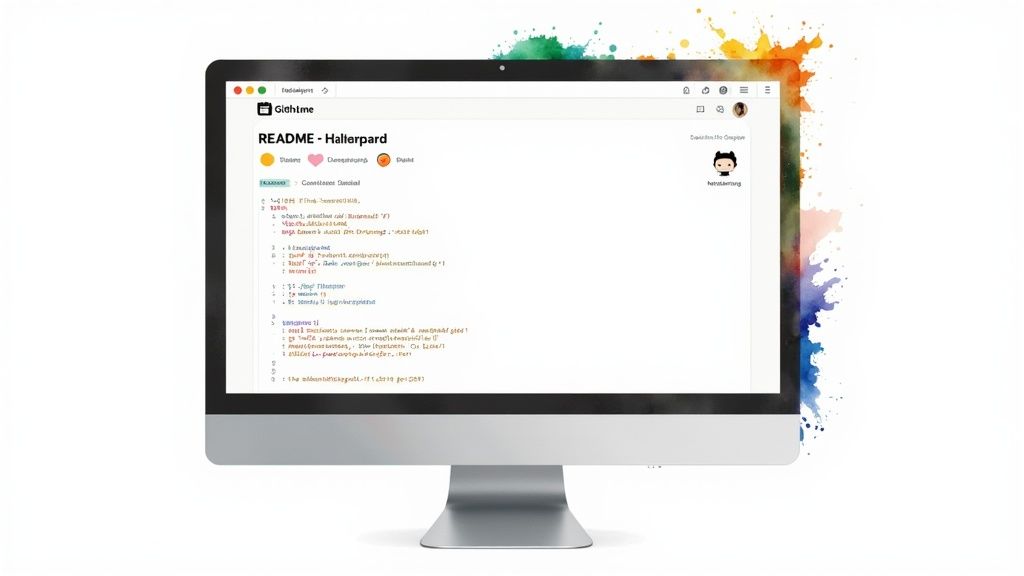
A GitHub README file is the front door to a software project. Written in Markdown, it serves as the initial, high-level overview for anyone landing on the repository. This is often the first and only piece of documentation a potential user or contributor will read, making it one of the most critical code documentation examples for establishing project credibility and usability.
Projects like React, Vue.js, and TensorFlow leverage their READMEs to provide a polished, professional introduction. A well-crafted README guides users from discovery to installation and first use, setting the tone for the entire project and community. To gain deeper insights into the platform's vision and its impact on developer workflows, including how READMEs are viewed and utilized, you might find valuable perspective from a conversation offering .
Strategic Analysis and Actionable Insights
The primary strength of a README is its accessibility and universal format. Markdown is simple to write and renders cleanly on GitHub, allowing for rich content like images, links, and code blocks without a complex setup. It democratizes documentation, empowering every developer to contribute to the project's front page.
Key Strategy: Treat your README as a strategic marketing document for your code. It should not only explain what the project does but also why someone should use it and how they can get involved. Clarity and a strong first impression are paramount.
The goal is to answer a visitor's key questions immediately. A great README minimizes friction and builds trust by showing that the project is active, well-maintained, and easy to engage with. It also acts as a central hub, linking out to more detailed documentation, contribution guides, and community channels.
How to Implement This Strategy
- Structure for Scannability: Use clear, semantic headings like
Installation,Usage, andContributing. Add a Table of Contents for longer READMEs to improve navigation. - Use Visuals and Badges: Include status badges (e.g., build passing, code coverage) at the top to convey project health at a glance. Use GIFs or screenshots to demonstrate the project in action.
- Provide a "Quick Start" Guide: Give users a clear, copy-pasteable set of commands to get the project running locally. This immediately lowers the barrier to entry.
A valuable actionable insight for creating and maintaining a comprehensive README is to use an AI assistant. Zemith’s Coding Assistant can generate boilerplate sections like installation instructions or contribution guidelines based on your project's structure. This lets you quickly establish a professional README and promote best practices, such as linking to a .
4. Doxygen
Doxygen is a highly versatile documentation generator, renowned as the de facto standard for C++ but also supporting languages like C, Objective-C, Java, and Python. It functions by parsing source code to extract specially formatted comment blocks, then compiling them into comprehensive documentation in various formats, including HTML, LaTeX, and man pages. These outputs are not just text; Doxygen excels at generating dependency graphs, inheritance diagrams, and call graphs, making it one of the most powerful code documentation examples for understanding complex, object-oriented systems.
This "code-first" approach is essential for large-scale projects where architecture and class relationships are critical. Prominent examples like the Qt framework, OpenCV, and the Boost C++ Libraries rely on Doxygen to create navigable and visually rich reference manuals. It allows developers to maintain documentation directly alongside the code, ensuring accuracy and consistency as the software evolves.
Strategic Analysis and Actionable Insights
Doxygen's core strength is its ability to visualize code structure automatically. By using commands like @class, @ingroup, and @see, you can create logical groupings and cross-references that Doxygen transforms into interactive diagrams and hyperlinked pages. This visual context is invaluable for onboarding new developers to a legacy C++ codebase or a complex framework.
Key Strategy: Leverage Doxygen's graphing capabilities to document more than just individual functions. Use it to map out your entire software architecture, showing how modules, classes, and files interconnect. This architectural overview is often more critical than line-by-line comments.
To grasp Doxygen's primary benefits, the following summary highlights its most impactful features. The ability to automatically generate diagrams from source code comments is a standout feature that significantly reduces manual effort in creating and maintaining architectural documentation. This visual approach also complements robust testing strategies by clarifying dependencies, an area you can explore further with these .
These features make Doxygen an indispensable tool for projects demanding detailed technical and architectural documentation. Its power lies in converting structured comments into a deeply interconnected and searchable knowledge base.
How to Implement This Strategy
- Master the Doxyfile: The
Doxyfileis Doxygen's configuration hub. Invest time in customizing it to control output styles, enable graph generation (requires the Graphviz tool), and define project-specific settings. - Use Concise Summaries: Start every documentation block with the
\briefor@briefcommand for a short, one-line summary. Doxygen uses this for lists and quick-reference tables, making your documentation far more scannable. - Embed Code Examples: Use the
\codeand\endcodecommands to embed compilable code snippets directly within your documentation. This provides clear, practical examples of how to use your API.
The actionable insight here is to offload the repetitive work of writing Doxygen comments. An AI tool like Zemith’s Coding Assistant can automatically generate Doxygen-formatted comment blocks for your C++ functions and classes. This ensures your documentation is syntactically correct and complete with minimal manual effort, freeing up developers to focus on architectural decisions.
5. Swagger/OpenAPI
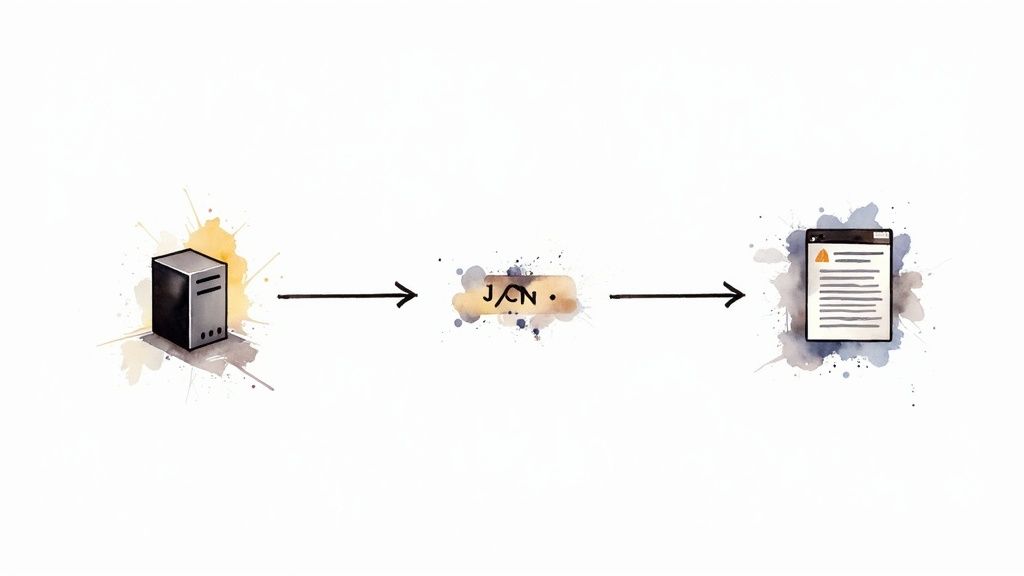
Swagger, now known as the OpenAPI Specification, provides a language-agnostic interface for describing RESTful APIs. This specification allows both humans and computers to discover and understand the capabilities of a service without access to source code or documentation. When properly defined, a consumer can understand and interact with the remote service with minimal implementation logic, making it one of the most effective code documentation examples for API-first development.
This standard is championed by industry leaders like Stripe and GitHub for their public APIs. It powers interactive documentation where developers can read about an endpoint and immediately make live API calls from their browser. This hands-on approach drastically reduces the time it takes for a new developer to understand and integrate with an API.
Strategic Analysis and Actionable Insights
The core strength of OpenAPI is its machine-readability. The specification, typically a YAML or JSON file, serves as a single source of truth for your API's design. This file can be used to automatically generate interactive documentation, client SDKs in various languages, and even server-side boilerplate code.
Key Strategy: Leverage the OpenAPI specification as the central contract for your API development lifecycle. Use it to drive design discussions, generate mock servers for frontend teams, and automate conformance testing, ensuring the implementation never drifts from the documented standard.
To better understand the OpenAPI ecosystem's core benefits, the following video provides a helpful overview of its purpose and power.
This comprehensive approach ensures that documentation, testing, and implementation are always perfectly aligned, which is critical for maintaining reliable and easy-to-use APIs.
How to Implement This Strategy
- Use Code Annotations: Instead of manually maintaining a large YAML file, use annotations directly in your server-side code (e.g., using libraries like
swagger-jsdocfor Node.js orSwashbucklefor .NET). This keeps the documentation in sync with the actual business logic. - Provide Rich Examples: For each endpoint, include detailed request and response examples. This helps developers understand the expected data structures and status codes without having to guess.
- Automate Everything: Integrate spec generation and documentation publishing into your CI/CD pipeline. This guarantees that your public documentation always reflects the latest deployed version of your API.
An actionable insight for teams using OpenAPI is to automate the bridge between design and implementation. Zemith’s Coding Assistant can help generate server-side code stubs and annotations directly from a design-first OpenAPI specification, empowering you to and with greater accuracy.
6. Rustdoc
Rustdoc is the official documentation generator built directly into the Rust compiler and toolchain. By parsing specially formatted comments (typically using /// for items or //! for modules), it generates professional HTML documentation. This tight integration makes it one of the most powerful and seamless code documentation examples, as it's a first-class citizen in the Rust ecosystem, used extensively by projects like the Rust standard library, Tokio, and Serde.
This "docs-as-code" approach is fundamental to the Rust community's culture of quality and reliability. It ensures that documentation lives next to the code it describes, making it easy to keep synchronized. Furthermore, Rustdoc's ability to compile and test code examples directly within the documentation guarantees that examples are always correct and functional, a feature that dramatically elevates documentation quality.
Strategic Analysis and Actionable Insights
Rustdoc’s standout feature is its built-in test runner for documentation examples. This unique capability transforms examples from static illustrations into verifiable, working code. It provides an unparalleled level of confidence for both the author and the consumer that the documented usage is accurate. This is crucial for complex libraries where incorrect examples can lead to significant user frustration.
Key Strategy: Leverage Rustdoc's built-in testing to create a "living" API specification. Treat your code examples as miniature integration tests that validate the public-facing contract of your library, ensuring documentation is never misleading or out-of-date.
To better understand Rustdoc's core benefits, the following summary box highlights its most impactful features.
These features demonstrate how Rustdoc fosters a culture of robust, reliable documentation. The automatic linking and Markdown support make the docs easy to write and navigate, while the testing feature ensures they remain trustworthy over time.
How to Implement This Strategy
- Make Examples Runnable: Always write code snippets within documentation blocks as complete, runnable examples. Use the
#prefix to hide setup code from the final output while still ensuring the example compiles and runs correctly duringcargo test. - Use Intra-Doc Links: Improve navigability by using Rustdoc's automatic linking syntax (e.g.,
[my_function]or[MyStruct`]) to create hyperlinks to other parts of your API documentation. This builds a cohesive and interconnected documentation suite. - Leverage
#[doc]Attributes: For more complex or module-level documentation, use the#[doc = "..."]attribute directly on the item. This is particularly useful for including longer explanations or embedding external Markdown files.
A key actionable insight is to accelerate the creation of these detailed comments. Zemith’s Coding Assistant can generate the initial /// comment blocks for your Rust functions and structs. This provides a solid template that you can then enhance with runnable examples, helping you .
7. Javadoc
Javadoc is the original documentation generator for the Java language and remains the gold standard within its ecosystem. It works by parsing specially formatted comment blocks, known as "doc comments," embedded directly in Java source code. This process produces a comprehensive and cross-linked set of HTML pages that describe the public API, a format that has become one of the most recognizable code documentation examples in software development.
Pioneered by Sun Microsystems, this approach ensures documentation lives alongside the code it describes. This co-location is critical for large-scale projects like the core Java SE platform and the Spring Framework. By making documentation an integral part of the development workflow, Javadoc minimizes the risk of documentation drift and keeps the API reference consistently synchronized with the actual implementation.
Strategic Analysis and Actionable Insights
Javadoc's enduring strength is its deep integration with the Java development environment. IDEs like IntelliJ IDEA and Eclipse leverage Javadoc comments to provide rich, contextual information directly to developers as they write code. Tags like @param, @return, and @throws form the basis of a formal API contract, making code easier to understand and use correctly.
Key Strategy: Leverage Javadoc not merely for post-development documentation, but as a live design tool. Writing clear doc comments before or during implementation clarifies method contracts, exposes design flaws early, and improves overall code quality.
The tool’s ability to generate a navigable, professional website from source code is its most significant benefit, turning comments into a valuable asset for any developer consuming the API.
How to Implement This Strategy
- Be Explicit with Tags: Consistently use
@paramfor every parameter,@returnfor non-void methods, and@throwsfor all declared checked exceptions. This explicitness is key to creating useful documentation. - Cross-Reference Liberally: Use the
{@link}tag to create hyperlinks to other classes or methods within your documentation. This builds a web of knowledge that helps users navigate complex codebases. - Add Versioning Context: Employ the
@sincetag to indicate when a feature, class, or method was introduced. This is invaluable for users who need to maintain compatibility across different versions of your library.
Here's an actionable insight to overcome the repetitiveness of Javadoc: use AI to automate the boilerplate. Zemith’s Coding Assistant can be prompted to generate complete Javadoc blocks for your Java methods, instantly capturing all necessary tags and maintaining a consistent style. This lets developers focus on the substance of the documentation rather than the syntax.
Code Documentation Tools Comparison
From Examples to Execution: Your Documentation Action Plan
We've journeyed through a diverse landscape of powerful code documentation examples, from the structured precision of Javadoc and Doxygen to the API-centric clarity of Swagger/OpenAPI and the elegant, auto-generated power of Rustdoc. Each example, whether it was a meticulously crafted GitHub README or a comprehensive Sphinx-generated site, offers more than just a template; it provides a strategic blueprint for communication. The common thread weaving through all these great examples is a commitment to the end-user, whether that user is a fellow developer, an API consumer, or a future version of yourself.
Effective documentation isn't a single, monolithic task. It is a mosaic of thoughtful practices applied consistently. The examples from JSDoc and Javadoc highlighted the immense value of in-code comments that live alongside the logic they describe, making maintenance intuitive. Sphinx and Doxygen showed us how to build expansive, searchable knowledge bases from those very comments. Finally, the GitHub README demonstrated the critical importance of a project's "front door," providing essential context and a clear starting point for anyone new to the repository.
Your Path Forward: From Inspiration to Implementation
Seeing strong code documentation examples is the first step; turning that inspiration into a consistent practice is the goal. Your action plan should focus on integrating documentation into your workflow, not treating it as an afterthought. Start small by adopting a clear standard for one aspect of your work.
Here are your actionable next steps:
- Standardize Your Inline Comments: Choose a format like JSDoc or Javadoc and stick to it. Mandate that every new function or class includes a basic block explaining its purpose, parameters, and return value. This is the foundational layer upon which all other documentation is built.
- Automate Your "First Draft": For every new project, immediately generate a basic documentation site using a tool like Doxygen, Sphinx, or Rustdoc. Even if it's sparse initially, this creates the structure and expectation that documentation is a living part of the project.
- Craft a "Quick Start" README: Re-evaluate your project's README. Does it answer the five essential questions for a newcomer: What is this project? How do I install it? How do I use it? How do I contribute? Where can I get help? Make this your public-facing priority.
Mastering the art of documentation transforms you from a coder into a true engineer. It reflects a deeper understanding of your work's lifecycle and its impact on others. It reduces onboarding time, minimizes support requests, and accelerates collaboration, ultimately creating a more resilient and efficient development ecosystem. The value isn't just in the finished document; it's in the clarity of thought required to produce it. Great documentation is a direct investment in your project's future success and your team's productivity.
Ready to stop treating documentation as a chore and start making it a competitive advantage? Zemith’s AI-powered Coding Assistant integrates directly into your workflow, helping you generate clear, standardized, and comprehensive documentation based on your code and comments. Transform the high-quality code documentation examples you've seen today from inspiration into your everyday reality by visiting and discover how to automate excellence.
`Explore Zemith Features
Every top AI. One subscription.
ChatGPT, Claude, Gemini, DeepSeek, Grok & 25+ more


Always on, real-time AI.
Voice + screen share · instant answers
What's the best way to learn a new language?
Immersion and spaced repetition work best. Try consuming media in your target language daily.
Voice + screen share · AI answers in real time
Image Generation
Flux, Nano Banana, Ideogram, Recraft + more

Write at the speed of thought.
AI autocomplete, rewrite & expand on command
Any document. Any format.
PDF, URL, or YouTube → chat, quiz, podcast & more
Video Creation
Veo, Kling, Grok Imagine and more

Text to Speech
Natural AI voices, 30+ languages
Code Generation
Write, debug & explain code
Chat with Documents
Upload PDFs, analyze content
Your AI, in your pocket.
Full access on iOS & Android · synced everywhere
Your infinite AI canvas.
Chat, image, video & motion tools — side by side

Save hours of work and research
Transparent, High-Value Pricing
Trusted by teams at


Free
No credit card required
- 100 credits daily
- 3 AI models to try
- Basic AI chat
Plus
- 1,000,000 credits/month
- 25+ AI models — GPT, Claude, Gemini, Grok & more
- Agent Mode with web search, computer tools and more
- Creative Studio: image generation and video generation
- Project Library: chat with document, website and youtube, podcast generation, flashcards, reports and more
- Workflow Studio and FocusOS
Professional
- Everything in Plus, and:
- 2,100,000 credits/month
- Pro-exclusive models (Claude Opus, Grok 4, Sonar Pro)
- Motion Tools & Max Mode
- First access to latest features
- Access to additional offers
What Our Users Say
Great Tool after 2 months usage
"I love the way multiple tools they integrated in one platform. Going in the right direction."
— simplyzubair
Best in Kind!
"The quality of data and sheer speed of responses is outstanding. I use this app every day."
— barefootmedicine
Simply awesome
"The credit system is fair, models are perfect, and the discord is very responsive. Quite awesome."
— MarianZ
Great for Document Analysis
"Just works. Simple to use and great for working with documents. Money well spent."
— yerch82
Great AI site with accessible LLMs
"The organization of features is better than all the other sites — even better than ChatGPT."
— sumore
Excellent Tool
"It lives up to the all-in-one claim. All the necessary functions with a well-designed, easy UI."
— AlphaLeaf
Well-rounded platform with solid LLMs
"The team clearly puts their heart and soul into this platform. Really solid extra functionality."
— SlothMachine
Best AI tool I've ever used
"Updates made almost daily, feedback is incredibly fast. Just look at the changelogs — consistency."
— reu0691