


Every top model, with tools built in.
Search the web, run deep research, read files, create images and run code with GPT, Claude, Gemini, Grok and more.
Compare the best ai for technical documentation across features, accuracy, workflows, pricing, and use cases, with practical Zemith-powered insights.
The most popular advice about the best AI for technical documentation is usually wrong. The most impressive chatbot won't automatically produce documentation developers can trust, maintain, or find when they're stuck at 2 a.m. The better question is where your workflow breaks: discovering source material, drafting from code and specifications, reviewing changes, publishing clearly, or measuring whether readers find answers.
AI adoption is already mainstream. The 2026 State of Docs survey collected responses from 1,131 documentation professionals, with 76% using AI regularly and 78% saying it makes documentation faster. Yet only 44% had formal or informal AI guidelines. Speed without review rules is how a harmless draft becomes a very confident bug.
This comparison evaluates seven platforms by the workflow they improve. Mintlify, GitBook, ReadMe, Redocly, Archbee, Swimm, and Confluence each solve a different documentation problem. Zemith can support the surrounding work, including research, document analysis, rewriting, coding assistance, and workspace coordination, although it isn't a replacement for every specialist developer portal.
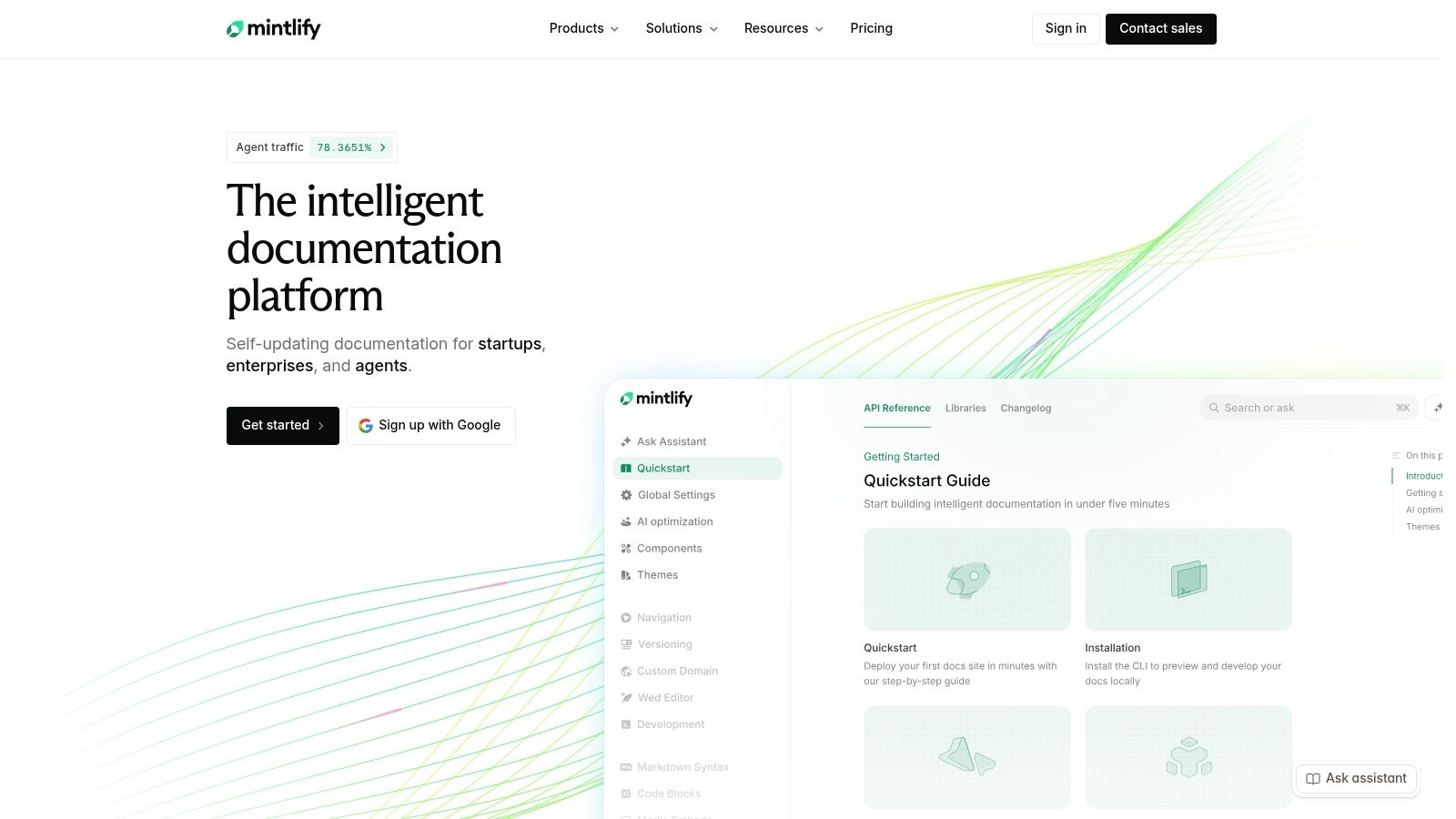
Mintlify is a strong choice when your main job is publishing polished API and product documentation quickly. Its developer-focused approach uses Git-based content, custom components, API playgrounds, and modern publishing patterns, so engineering teams don't have to squeeze developer documentation into a generic wiki.
The useful part isn't just the embedded AI Assistant. Mintlify also provides an AI Writing Agent for drafting and updating pages, with workflows that can account for pull requests and code changes. Automations can help keep content moving as the product changes, while support for MCP and WebMCP makes the documentation more relevant to AI-assisted developer workflows.
Mintlify improves the path from source repository to published developer experience. Teams that already work comfortably in Markdown and Git will find the model familiar. Readers get searchable guides, interactive references, and an assistant that can answer questions from the published documentation.
The AI credit model is relatively understandable. Teams can configure credits and control overages, and the platform includes a guardrail where an unanswered question isn't charged. That matters because reader assistants can generate unpredictable usage, especially when visitors ask broad questions instead of searching for one endpoint.
Practical rule: Use Mintlify when your engineering team wants docs close to the code and your readers expect a fast, developer-first interface.
The trade-off is collaboration. Non-technical contributors may find an MDX-oriented workflow less comfortable than a visual knowledge platform. Pro pricing can also be difficult for smaller teams, while advanced security and compliance capabilities require Enterprise. Before committing, read how to write technical documentation and test whether your current source material is structured enough for the workflow.
GitBook fits teams where developers, technical writers, product managers, and support staff all need to contribute. Its editor is approachable, while Git synchronization gives engineers a way to work from repositories. That balance is valuable because a documentation system fails when one contributor group stops using it.
GitBook separates its AI surfaces by job. Readers can use AI search and an Assistant sidebar, while authors can use GitBook Agent to draft, edit, and update pages. The platform also supports API playgrounds, analytics, feedback collection, branding, and controls intended to improve how documentation is consumed by language models.
The strongest workflow is shared authoring with reader self-service. A product manager can edit a guide in the visual interface, an engineer can synchronize content through Git, and a reader can ask a question without opening a support ticket. AI answer insights can then reveal where the docs fail to answer clearly.
GitBook's LLM-oriented features, including llms.txt and Markdown mirrors, address an important issue that many tool comparisons ignore. Documentation isn't only read by people anymore. Poor structure can cause AI systems to miss content or provide incorrect answers, so machine-readable publishing should be part of your evaluation.
The GitBook technical documentation guide makes the same broader point about structured authoring, versioning, API references, docs-as-code, and AI readiness. Don't treat those as separate checkboxes. They affect one reader journey.
GitBook's pricing is more visible than many competitors, with seat and per-site components plus a pricing calculator. The catch is that the full AI Assistant and Agent bundle requires a higher tier, and per-site plus per-user billing can become complicated in a large organization. For planning migration, knowledge base management system guidance can help you map ownership, content sources, and search expectations before you buy.
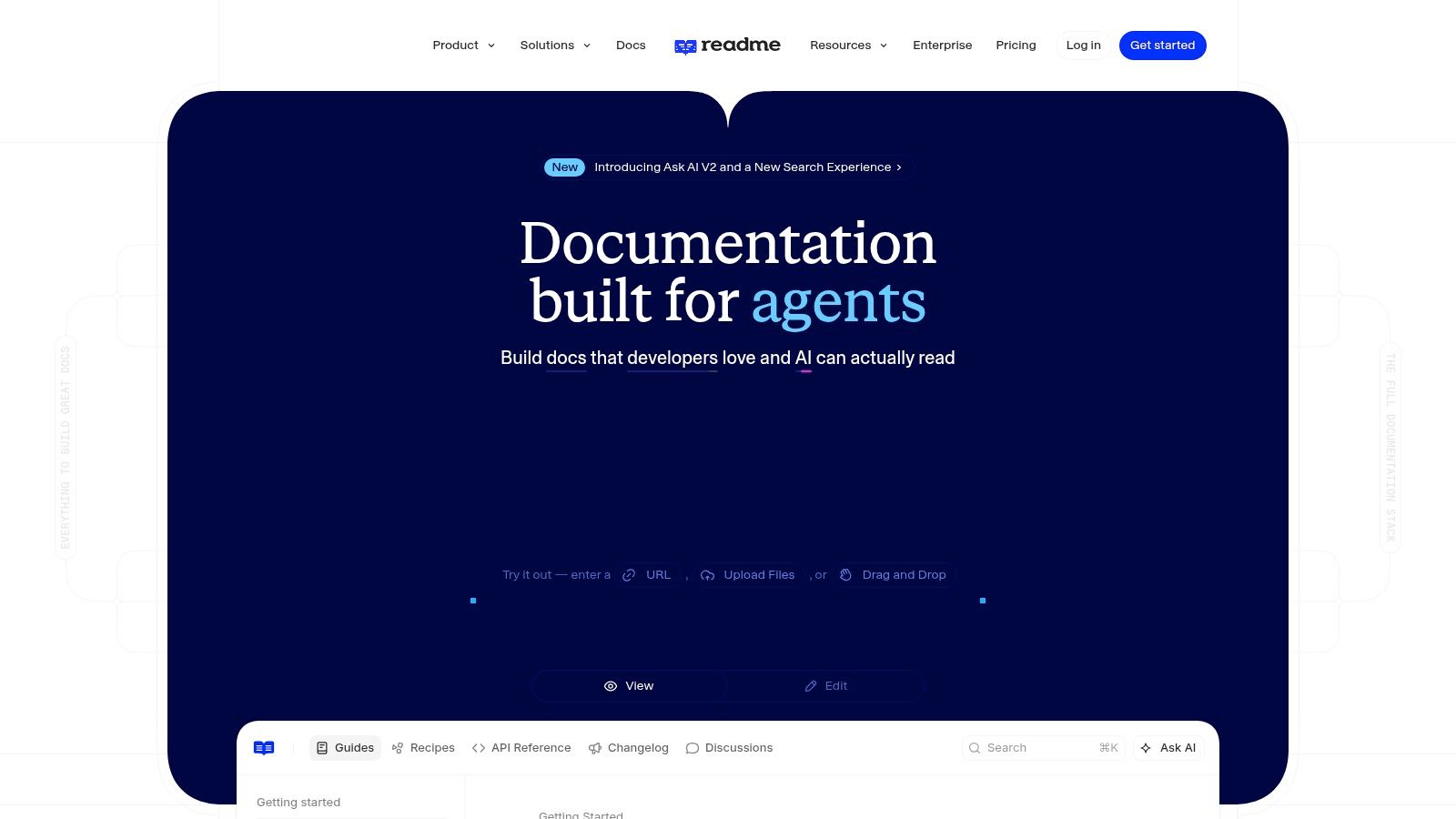
ReadMe is built around the API developer experience. If your documentation has to explain authentication, show endpoint behavior, provide guides, and let developers make calls from the page, ReadMe deserves serious attention. Its Developer Dashboard adds another useful layer by showing how developers use the API and where they encounter friction.
The platform's AI tooling covers both sides of documentation. Authors can use AI Writer and Agent features, while readers can use Ask AI. A linter and documentation audit can surface problems during review, including suggestions connected to pull requests. That makes ReadMe more useful than a chatbot bolted onto a static help center.
ReadMe's best use case is interactive API publishing with feedback from real usage. An API team can import specifications, publish reference content, support guides, and inspect developer behavior in one environment. MCP connections also let external AI tools work with documentation and API context, subject to the team's controls.
Ask AI Lite is included, while the more customizable version is a paid add-on. That split is sensible for teams that want to test reader questions before paying for a broader assistant. Multiple model-provider options and data-use controls are helpful when security teams want more say over how documentation context is processed.
The weakness appears when you need a broad, highly collaborative documentation system rather than an API-centered developer hub. Some AI customization and API access sit behind the add-on, and advanced dashboards can raise the total cost. Ask for a complete cost model that includes projects, contributors, AI usage, analytics, and support.
ReadMe is strongest when you can connect documentation quality to developer behavior, not just page views.
Use AI for technical writing alongside the platform when you need help turning raw specifications, tickets, or internal notes into a reviewable draft. Keep the final claims tied to the actual API contract.
Redocly is for teams that treat OpenAPI governance as a production concern, not a formatting preference. Its ecosystem spans API reference rendering, portals, linting, deployment controls, and enterprise tooling. The result is more structured and policy-oriented than the typical AI writing assistant.
The reader-facing AI assistant answers questions from your documentation, while the MCP server exposes documentation and API specifications to approved external AI tools. Redocly Agent can support pull request reviews and drafting, although some authoring capabilities are still positioned as early access. The platform also supports deployment-region controls and model backends such as AWS Bedrock and Google providers.
Redocly improves the workflow from API specification to governed portal. Teams managing multiple APIs can use rules, review gates, and access controls to reduce the chance that an AI assistant exposes information a reader shouldn't see. RBAC-aware retrieval is especially important for internal portals containing different audiences or product versions.
Redocly's trade-off becomes clear. Its modular packaging across Redoc, Revel, Reef, and Realm gives organizations flexibility, but it also makes buying harder. The AI assistant is limited to Enterprise tiers and subject to quotas. A sales conversation should cover not only licenses, but also model usage, environments, permissions, analytics, and support.
If your source specification is inconsistent, an AI assistant will make the inconsistency easier to discover, not magically remove it.
Redocly is less attractive for teams that need a warm visual editor for broad product content, internal handbooks, or non-API education. It is much more compelling when linting, validation, and controlled publication are central. For examples of how code context can become reader-friendly explanations, see code documentation examples before testing a Redocly workflow against your own repository.
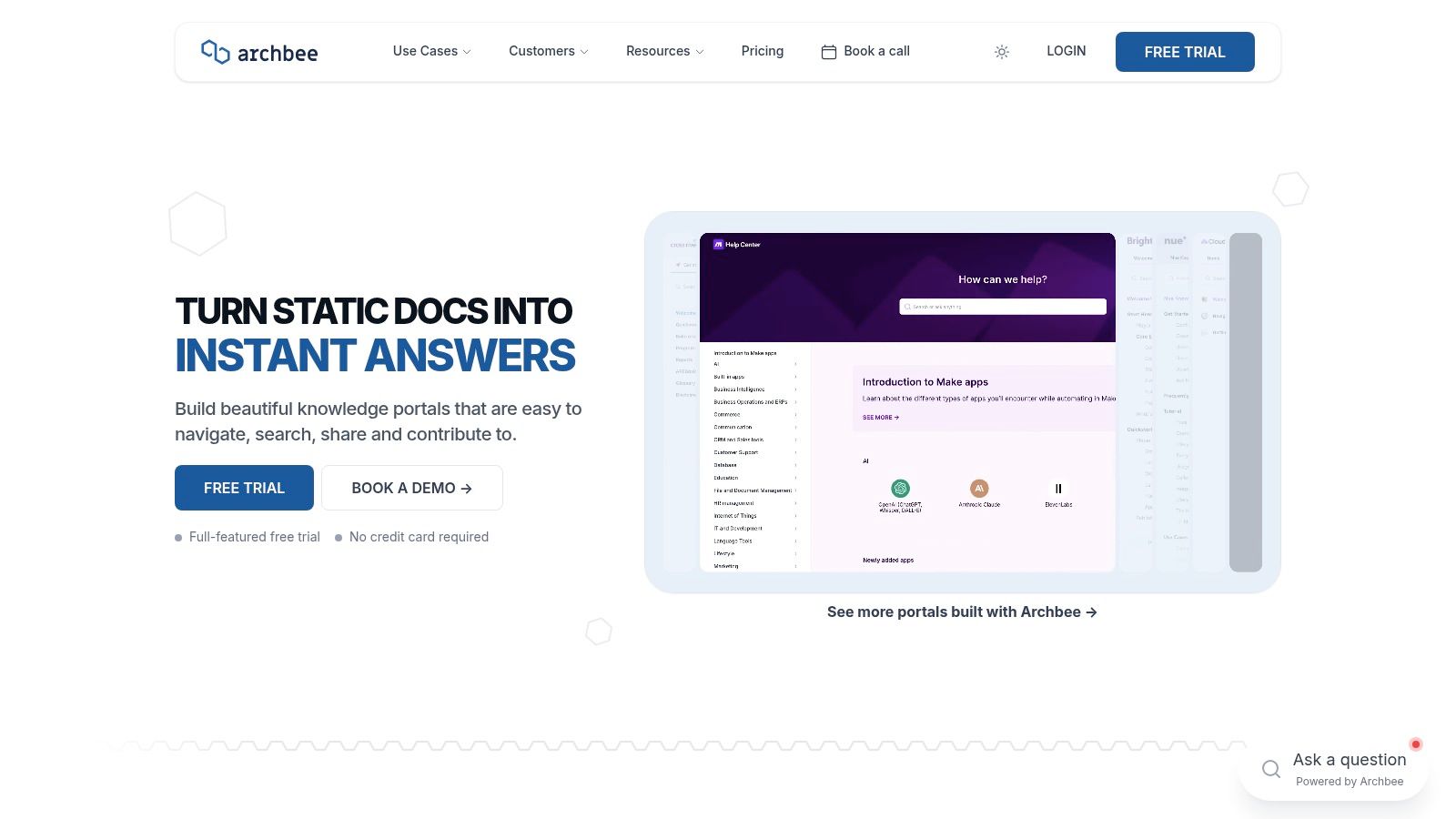
Archbee is a practical option for teams that need both public documentation and private knowledge spaces. It supports product and developer portals, internal handbooks, custom domains, SEO controls, and LLM-oriented optimization. The experience leans toward fast publishing and approachable knowledge management rather than deep API governance.
Its AI Add-on includes Ask AI, writing assistance, summaries, translations, and “shadow docs.” Those features support a useful workflow for teams whose source material lives across product notes, engineering explanations, onboarding documents, and customer-facing guides. Instead of asking AI to invent a page from a blank prompt, authors can use it to organize and clarify material they already own.
Archbee provides token grants by plan, with documented overage pricing and hard or soft limits. That visibility is helpful because teams can decide whether assistants should stop at a limit or continue with additional usage. Azure OpenAI hosting options and Cloud-Prem deployment also give larger organizations more choices around data handling.
The pricing weakness is the opposite. Exact per-seat plan pricing isn't publicly listed, so a buyer may understand AI token allowances while still lacking a complete estimate for authors, viewers, private spaces, support, and enterprise deployment. Ask for a written scenario based on your actual number of contributors and documentation spaces.
Archbee works well when the reader experience needs to serve more than developers. A customer may need a setup guide, an engineer may need a reference page, and an internal team may need a runbook. The platform can bring those audiences together, but teams with strict API lifecycle governance may still need a specialist beside it.
Use code documentation best practices to establish naming, examples, review ownership, and update rules before enabling AI rewriting. Translation is useful only when terminology remains consistent across every version.
Swimm solves a different problem from the polished documentation portals above. It lives close to repositories and pull requests, helping engineering teams explain how code works while the context is still fresh. If your biggest documentation failure happens after a refactor, during onboarding, or in code review, Swimm may be the most relevant tool on this list.
Its AI can suggest documentation structures from code context, generate explanations, and update documents as code changes. Repo-aware documents can include live code embeds across files and repositories, so an explanation doesn't point to an old snippet after the implementation moves. The /generate workflow is particularly useful for turning a difficult module into a starting point for a walkthrough.
Swimm improves documentation continuity between code review and team knowledge. Integrations with CI and review workflows help engineers treat documentation as part of a change rather than a separate chore scheduled for a mythical quiet Friday. Optional Q&A can combine code and existing documentation when someone needs an explanation.
The free GitHub Marketplace entry point makes it approachable for small projects. However, Swimm isn't a full developer portal. Teams that need API catalogs, public changelogs, polished branding, interactive references, or broad customer analytics will probably pair it with another platform.
Some AI features are Enterprise-only, and pricing beyond the free entry point is sales-led. Evaluate the combined workflow rather than asking whether Swimm can replace your portal. It may be the code intelligence layer that keeps Mintlify, GitBook, or another publishing system accurate.
A live code embed is not decoration. It is a test of whether your documentation can survive the next pull request.
Use Swimm when the question is “Why does this code work?” For “How do I call this endpoint?” or “Where is the public setup guide?”, choose a publishing platform with the appropriate reader experience.
Confluence remains the pragmatic choice for organizations that already run engineering work through Jira and Bitbucket. It isn't a specialist developer portal, but it may already contain the architecture decisions, incident notes, release plans, runbooks, and onboarding material that people routinely consult.
Atlassian Intelligence and Rovo add AI search, summaries, rewriting, chat, and cross-tool assistance. That makes Confluence useful for reader self-service across connected Atlassian content. Centralized administration, SSO, SCIM, and enterprise controls can reduce change management when the organization already has an Atlassian governance model.
Confluence improves the workflow from ticket and code activity to internal knowledge. An engineer can connect a Jira issue to a design note, summarize a long page, or ask for information across available content. Rovo credits and organization-level budgeting also give administrators a way to manage AI consumption.
The limitation is publishing depth. Confluence doesn't provide the same built-in API reference and playground experience as Mintlify or ReadMe. Its AI features, credits, and plan interactions can also be confusing, particularly when different Atlassian products and administrators control different parts of the experience.
Confluence is a sensible internal hub when adoption matters more than a highly branded external portal. It becomes less suitable when customers need versioned API references, public navigation designed for developers, or a strict docs-as-code review process.
Treat it as the center of an internal knowledge system, not automatically as the answer to every technical documentation problem. A focused portal can sit alongside it, while a broader workspace such as Zemith can help analyze source documents, rewrite pages, explain code, and coordinate the work before publication.
Choosing the best AI for technical documentation starts with the failure you need to remove, not the feature list you find most impressive. If code changes leave explanations behind, choose Swimm for code-and-PR continuity. If your priority is a polished API-centered developer experience, evaluate Mintlify or ReadMe. For approachable knowledge portals that support mixed contributors, GitBook and Archbee are better fits.
Choose Redocly when your organization needs governed enterprise API ecosystems, OpenAPI validation, permission-aware retrieval, and controlled publication. Choose Confluence when the priority is an internal knowledge hub connected to Jira, Bitbucket, and the rest of your Atlassian environment. None of those choices is universally best, and forcing one tool to serve every audience usually creates unnecessary compromises.
Run the same test with every finalist. Give each platform a real documentation task, such as turning a changed endpoint, pull request, or internal design note into a setup guide and reference update. Check every generated claim against the source code or specification. Record how long review takes, whether the tool preserves terminology, how clearly it marks uncertainty, and whether a reader can get a correct answer without contacting an engineer.
Also test the unglamorous parts. Ask how pricing changes with authors, sites, private spaces, AI questions, overages, analytics, and enterprise controls. Confirm where content is stored, which model providers are available, how permissions affect retrieval, and what happens when a source page changes.
A specialist portal won't remove the need for research and editorial judgment. Zemith can support that surrounding work through document chat and analysis, summaries, rewriting, coding assistance, real-time research, and organized Projects and Library workspaces. Teams can use it to understand API guides and technical PDFs, compare source material, draft clearer explanations, and prepare content for review before sending it into the publishing system.
The practical decision is rarely “Which AI writes the nicest paragraph?” It is “Which workflow helps us publish accurate information, keep it current, and help readers solve problems?” Run that test with your own repository and your own readers. The winner will become obvious faster than another hour of chatbot demos.
Use Zemith to research technical topics, analyze API guides and project documents, rewrite drafts, explain code, and keep the supporting work in one organized AI workspace. Visit Zemith before choosing your documentation stack, then test it alongside your finalist platform on the same real documentation task.


Trusted by teams at


The top models, plus image, video and voice tools, in one plan.
Without Zemith
ChatGPT PlusUS$20.00Claude ProUS$20.00Google AI ProUS$19.99SuperGrokUS$30.00Perplexity ProUS$20.00 MidjourneyUS$10.00
 ElevenLabsUS$6.00Le Chat ProUS$14.99
 RunwayUS$15.00Kling StandardUS$8.80
 Gamma PlusUS$12.00
 Otter ProUS$16.99
 QuillBot PremiumUS$19.95
 Photoroom ProUS$12.99
 Quizlet PlusUS$7.99
Total if paying separatelyUS$234.70/mo
"I love the way multiple tools they integrated in one platform. Going in the right direction."
— simplyzubair
"The quality of data and sheer speed of responses is outstanding. I use this app every day."
— barefootmedicine
"The credit system is fair, models are perfect, and the discord is very responsive. Quite awesome."
— MarianZ
"Just works. Simple to use and great for working with documents. Money well spent."
— yerch82
"The organization of features is better than all the other sites — even better than ChatGPT."
— sumore
"It lives up to the all-in-one claim. All the necessary functions with a well-designed, easy UI."
— AlphaLeaf
"The team clearly puts their heart and soul into this platform. Really solid extra functionality."
— SlothMachine
"Updates made almost daily, feedback is incredibly fast. Just look at the changelogs — consistency."
— reu0691
Hand off the research, writing, design and follow-ups. Zemith picks the tools it needs and brings back finished work.
Search the web, run deep research, read files, create images and run code with GPT, Claude, Gemini, Grok and more.
Zemith keeps working in the cloud and pings you when it's done.
Notion, Linear, Canva, Airtable and more. It asks before it creates or changes anything.
Docs, slides, sheets and PDFs, ready to send.
Chain models and tools on a visual canvas, from one prompt to a finished promo video.
Briefings, reports and reminders run on a schedule and are ready when you need them.
Real-time voice that can see your camera or screen.
The best image and video models, in one studio.
Turn PDFs, links and YouTube videos into podcasts, quizzes, flashcards and mind maps.






 Podcast
 Quiz
Quiz Flashcards
 Mind map
 Infographic