The 12 Best AI Tools for Software Development in 2026
Discover the top 12 AI tools for software development that will boost your productivity. Our guide covers code assistants, APIs, and all-in-one platforms.
Let's be real, the modern dev workflow is a chaotic mess of tabs, subscriptions, and constant context switching. It's like trying to cook a gourmet meal in a kitchen where every single ingredient is in a different room. You have one tool for code completion, another for digging through documentation, a third for debugging that one weird bug, and maybe a fourth for generating commit messages because you're just that tired. This juggling act fragments your focus and kills productivity. So, what if you could consolidate that chaos into a more streamlined, intelligent workflow?
This guide is your a la carte menu for the best AI tools for software development. We're diving deep into 12 essential platforms, from specialized coding assistants like GitHub Copilot to powerful all-in-one hubs like Zemith. Forget the generic marketing fluff. We're giving you the real scoop on what each tool actually does best, where it falls short, and how it can genuinely make your life easier, not just add another login to your password manager.
We'll cover everything with direct links and screenshots, focusing on:
- Real-world use cases: How you’ll actually use these tools day-to-day to get that pull request merged.
- Honest pros and cons: No sugarcoating the limitations, because no tool is perfect (yet!).
- Actionable integration tips: How to fit them into your existing stack without causing more chaos.
This isn't just a list; it's a strategic guide to building a smarter development environment. Speaking of which, the very concept of the IDE is evolving thanks to AI. For insights into how advanced development environments are changing, it's worth exploring the concept of . Ready to reclaim your focus and build your ultimate AI dev kit? Let's dive in.
1. Zemith
For developers looking to ditch the endless tab-switching and consolidate their AI toolkit, Zemith stands out as a powerful, all-in-one workspace. It's less of a single-purpose tool and more of a comprehensive AI-powered operating system designed to streamline the entire development lifecycle, from initial research to final code deployment. Instead of juggling separate subscriptions for a coding assistant, a research tool, and an image generator, Zemith integrates these functions into one cohesive and context-aware environment. Think of it as the Swiss Army knife you actually want to use.
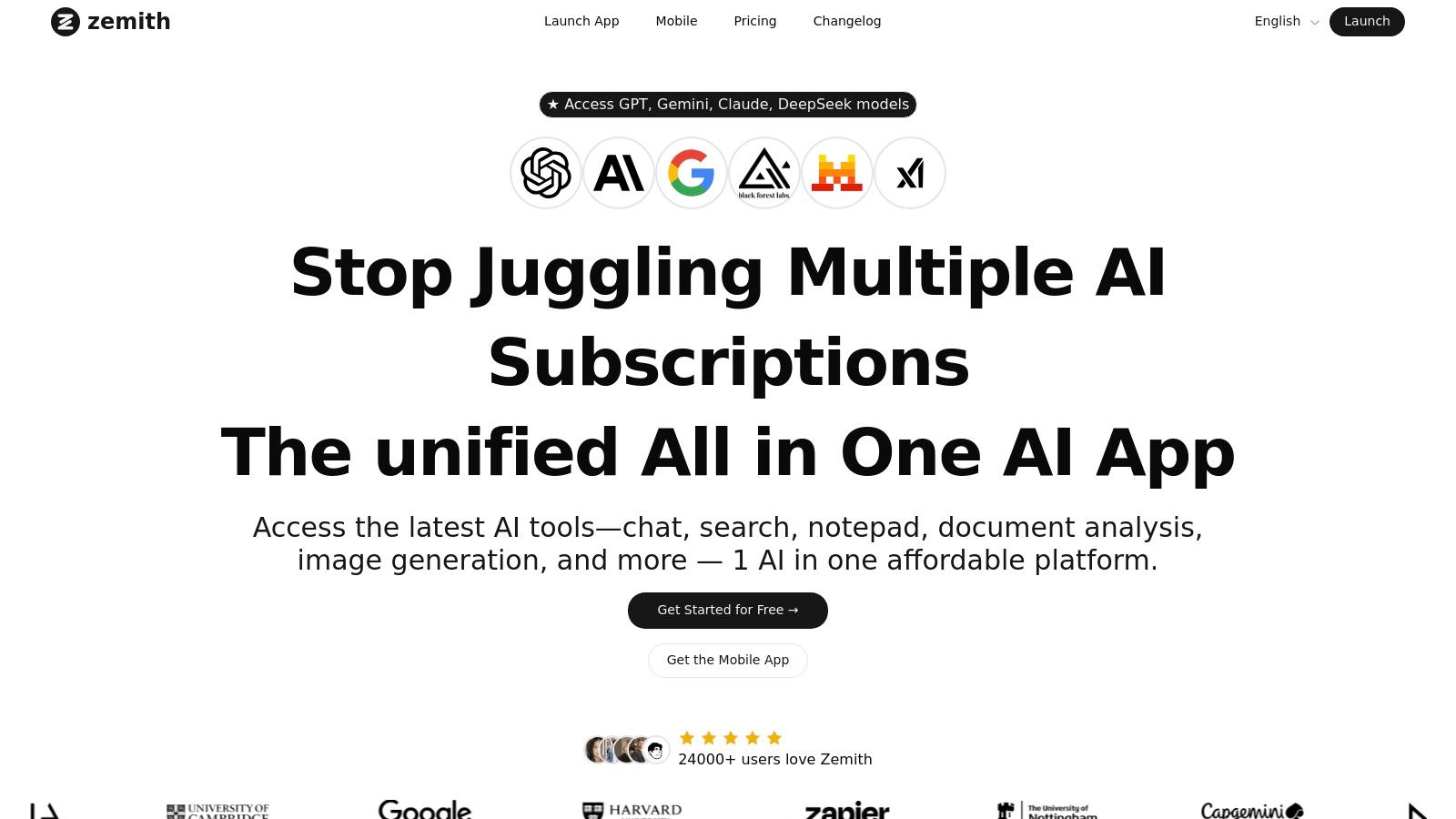
This platform excels by giving you direct access to a suite of top-tier large language models (LLMs) like Gemini, Claude, and GPT variants, ensuring you can always select the best engine for the specific task at hand. Need to draft a complex algorithm? GPT-4 might be your go-to. Need nuanced, creative documentation? Claude could be the better choice. Zemith makes this model-switching seamless, which means you're not just getting one AI brain, you're getting a whole team of them.
What Makes Zemith a Top Choice for Developers?
Zemith’s strength lies in its workflow-centric design, which is a game-changer among AI tools for software development.
- Integrated Coding Assistant: Go beyond simple code generation. You can generate, debug, explain, and even get live previews of code snippets directly within the interface. It's like having a senior dev on call, ready to help you untangle complex logic or learn a new framework without the judgmental sighs.
- Multi-Model Access: Having a roster of the best AI models at your fingertips is a massive advantage. It allows you to benchmark outputs, avoid model-specific weaknesses, and ensure you're using the most cost-effective or powerful option for every single query.
- Deep Research & Context: The built-in web search and document analysis features are killer. You can drop in technical documentation, research papers, or API specs and start "chatting" with them to pull out key information, generate summaries, or even create flashcards for learning. It keeps all your project context in one place.
- Live Interactive Sessions: The AI Live Mode is a unique feature that supports real-time audio conversations and screen sharing. This is perfect for pair programming, walking a junior developer through a new codebase, or brainstorming architectural solutions with an AI partner that doesn't need coffee breaks.
Pros & Cons
The Bottom Line
Zemith is an exceptional choice for developers, engineers, and tech entrepreneurs who feel the pain of a fragmented AI workflow. If you want a single platform that can help you research a new technology, write and debug the code, generate assets, and draft the documentation without ever leaving the app, Zemith is purpose-built for you. It’s the actionable insight you need to stop collecting tools and start building a smarter workflow.
You can start with a free plan to explore the features.
Website:
2. GitHub Copilot
GitHub Copilot is the OG AI pair programmer, and it has only gotten better since it first blew everyone's minds. It’s more than just an autocomplete on steroids; it's a deeply integrated assistant that lives right where you work: in your IDE, your command line, and even on the GitHub website itself. This seamless integration into the developer workflow is its killer feature, making it one of the most essential AI tools for software development available today.
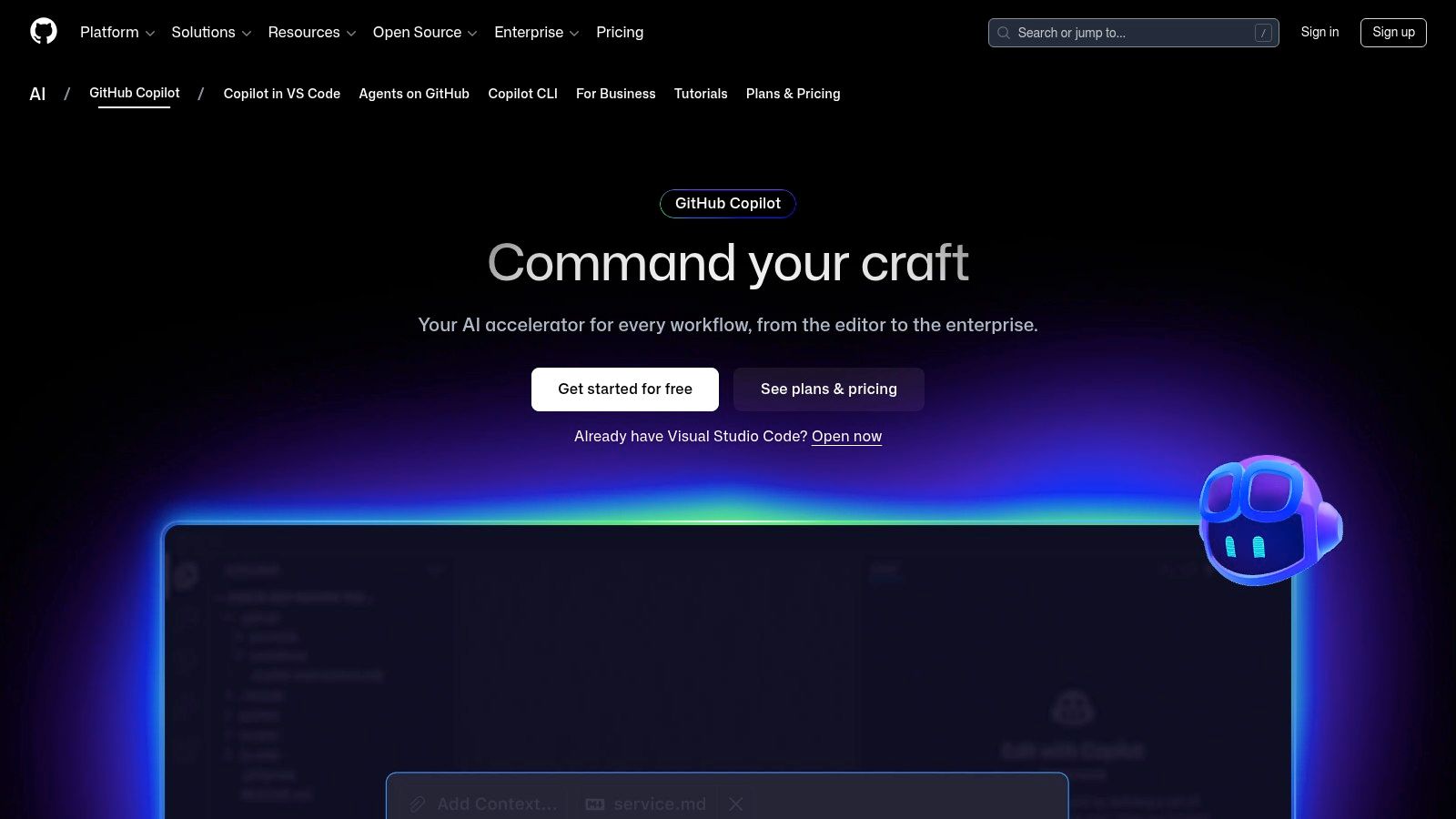
It excels at generating boilerplate code, writing unit tests, translating code between languages, and even explaining complex snippets you didn't write. The new chat and agent features take it a step further, allowing you to ask questions about your codebase, get help with pull request summaries, and automate tasks. It's so good, you might start talking to it. Don't worry, we won't tell anyone.
Core Features & Use Case
- Deep IDE Integration: Works flawlessly within VS Code, JetBrains, and Neovim, providing real-time code completions and chat.
- Workflow Automation: Use it directly in pull requests to get suggestions for your code review comments or to generate PR descriptions automatically.
- Agent HQ: An emerging feature for managing and coordinating multiple AI agents to tackle more complex software development tasks.
- Broad Language Support: From Python and JavaScript to Rust and Go, its training on a massive corpus of public code gives it impressive versatility.
Pros & Cons
The Bottom Line
For developers living in the GitHub ecosystem, Copilot is a no-brainer. Its tight integration saves a ton of context-switching. While it handles coding tasks beautifully, managing the broader project lifecycle with multiple tools can still be a hassle. This is where a platform like Zemith shines, by centralizing code generation, task management, and documentation into one cohesive workspace, reducing the tool-juggling act.
Check it out here:
3. Amazon CodeWhisperer
If your team lives and breathes AWS, then Amazon CodeWhisperer is the AI coding companion built just for you. It's designed to seamlessly integrate into the AWS ecosystem, offering real-time code suggestions that range from a single line to entire functions. Its key differentiator is its deep awareness of AWS services and its built-in security scanning, making it one of the most context-aware AI tools for software development for cloud-native applications.
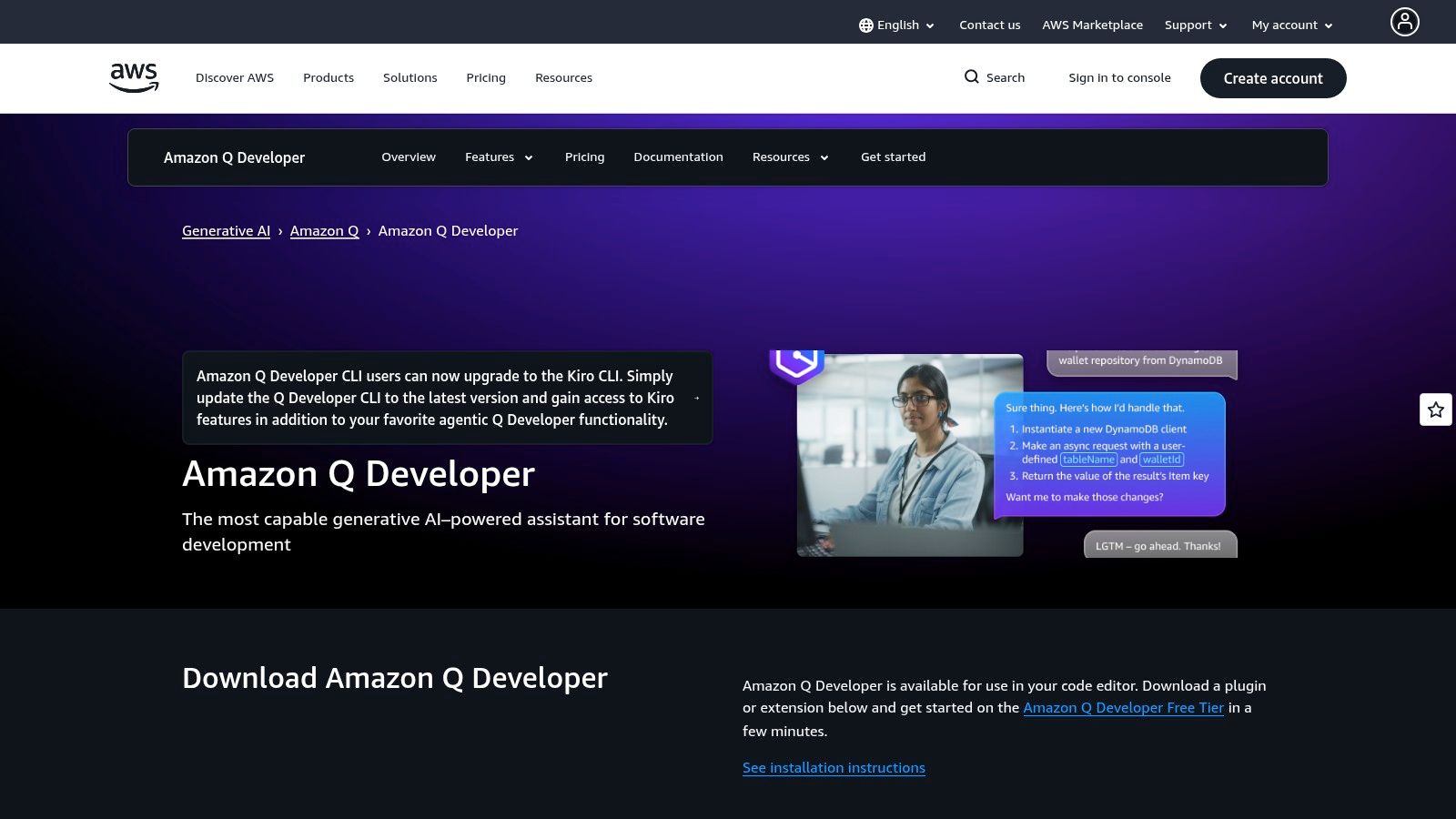
Beyond simple code generation, CodeWhisperer stands out with its reference tracking, which flags code that resembles open-source training data and provides the relevant license information. This is a huge win for maintaining compliance and avoiding legal headaches—because nobody wants a surprise visit from the copyright police. Signing in with a simple AWS Builder ID for the individual tier makes it incredibly easy to get started without friction.
Core Features & Use Case
- AWS-Optimized Suggestions: Generates code snippets that are fine-tuned for AWS APIs, including services like Lambda, S3, and DynamoDB.
- Built-in Security Scanning: Identifies security vulnerabilities in your code, such as those listed in the OWASP Top 10, right within your IDE.
- Reference & License Tracking: Helps maintain code integrity and compliance by tracking the origin of generated code snippets.
- Broad IDE Support: Integrates with VS Code, JetBrains IDEs, and even the AWS Cloud9 and AWS Lambda console.
Pros & Cons
The Bottom Line
For teams building on AWS, Amazon CodeWhisperer is an invaluable tool that streamlines development and enhances security. You can learn more about how an like this fits into a modern workflow. However, its power is most concentrated within the coding phase. For a more holistic approach, a platform like Zemith can be the connective tissue, linking CodeWhisperer's outputs to project plans, documentation, and team-wide knowledge bases, ensuring the entire development lifecycle is synchronized.
Check it out here:
4. Google Cloud — Gemini Code Assist
For teams deeply embedded in the Google Cloud ecosystem, Gemini Code Assist is the purpose-built AI coding assistant that feels right at home. It’s Google’s answer to enterprise-grade AI development, designed to handle massive codebases with an impressive context window and provide organizational-level controls. This makes it a standout among AI tools for software development for companies that need tight security and governance.
Gemini Code Assist integrates directly into your favorite IDEs (VS Code, JetBrains, Android Studio) but truly shines when connected to your Google Cloud projects. It leverages its massive context window (up to 1,000,000 tokens) to understand your entire private codebase, offering highly relevant completions, refactoring suggestions, and code explanations that are specific to your team's work. It's like having an AI that's actually read your company's entire coding history.
Core Features & Use Case
- Massive Context Window: Its ability to process up to one million tokens allows it to understand large, complex, and private codebases for more accurate suggestions.
- Enterprise-Grade Governance: All licensing and administration are managed through the Google Cloud console, giving admins clear control over access and billing.
- Deep Cloud Integration: Works alongside Cloud Assist to help with the entire application lifecycle, from design and deployment to troubleshooting within the Google Cloud Platform.
- Broad IDE Support: Provides a consistent experience across VS Code, the full JetBrains suite, and Android Studio for mobile developers.
Pros & Cons
The Bottom Line
If your team lives and breathes Google Cloud, Gemini Code Assist is a powerful choice. Its enterprise controls and deep understanding of large, private codebases are major advantages. However, this tight integration also means you're managing another specialized tool that's separate from your project management and documentation. For a more unified approach, a platform like Zemith can help bridge that gap by connecting your code, tasks, and knowledge base in one place, streamlining the entire development lifecycle.
Check it out here:
5. JetBrains AI Assistant
For the millions of developers who live and breathe in JetBrains IDEs like IntelliJ IDEA, PyCharm, or WebStorm, the JetBrains AI Assistant is a game-changer. It's not a plugin you add on; it's a deeply integrated, native feature set designed to feel like a natural extension of your favorite editor. This tight integration makes it one of the most fluid and powerful AI tools for software development, eliminating the clunky feel of external tools.
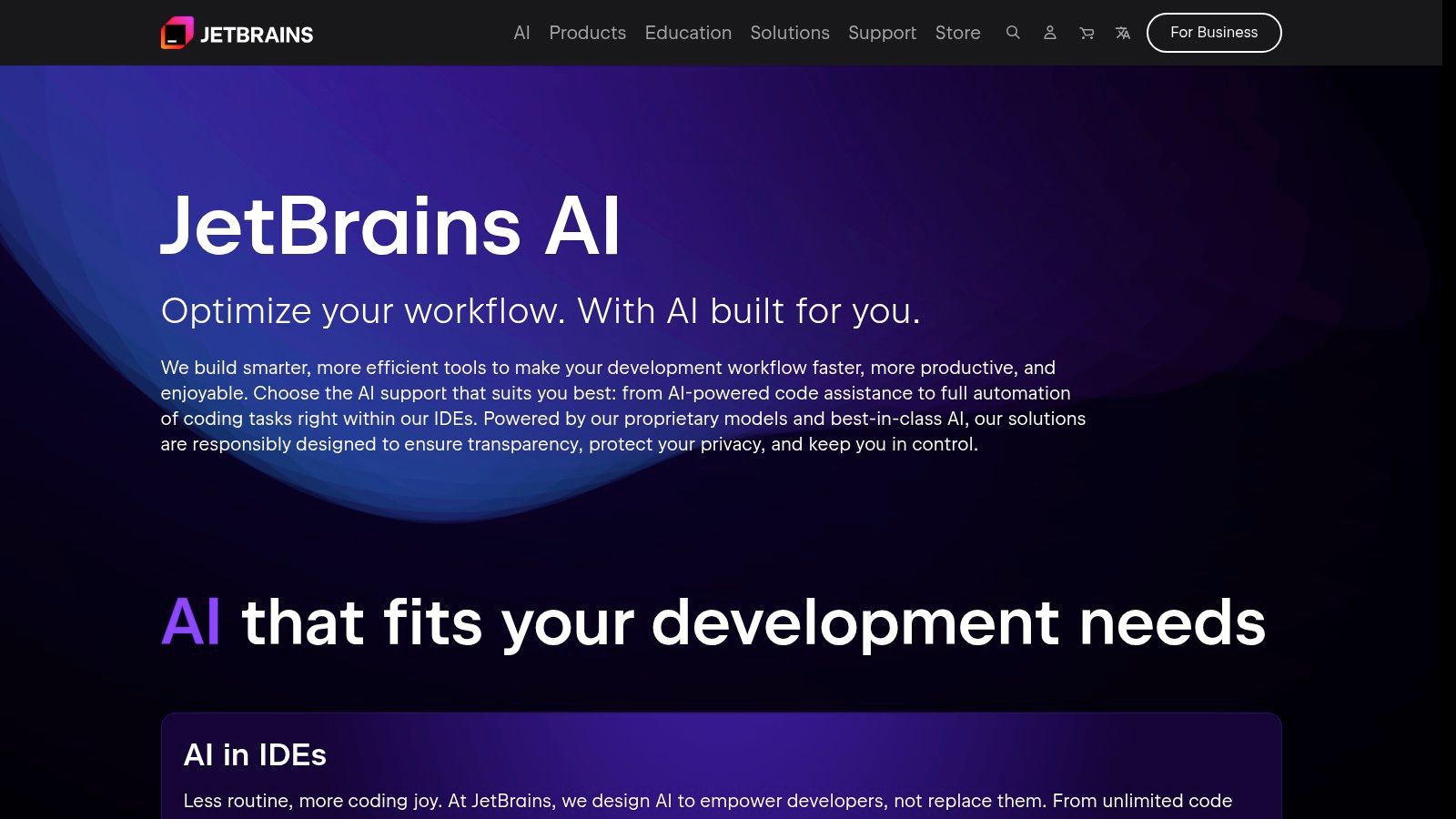
The assistant brings AI directly into your coding flow, allowing you to generate code, refactor complex blocks, create test data, and even explain code without ever leaving your IDE window. Its standout feature is its context-awareness across multiple files, enabling it to perform project-wide changes and refactoring with a simple prompt. It’s like having a magic wand for refactoring that spaghetti code you inherited.
Core Features & Use Case
- Native IDE Integration: Feels like a core part of IntelliJ, PyCharm, and other JetBrains products, not an afterthought.
- Multi-File Context: Can analyze and make changes across your entire project, perfect for complex refactoring tasks.
- Test Generation: Automatically creates unit tests for your functions and classes, saving you from tedious boilerplate.
- Flexible LLM Support: Allows you to connect with models from OpenAI, Google, and others, giving you control over the AI engine.
Pros & Cons
The Bottom Line
If your development world revolves around JetBrains IDEs, the AI Assistant is an indispensable tool that will supercharge your productivity. Its deep, native integration is second to none. However, its focus is purely on the code-level tasks within the IDE. For managing the entire development lifecycle, from initial concept and documentation to task management and deployment, a more holistic platform is needed. This is where Zemith offers a compelling advantage by unifying these disparate stages into a single, cohesive AI-powered workspace.
Check it out here:
6. OpenAI API Platform
For those who want to move beyond using pre-built tools and start creating their own, the OpenAI API Platform is the ultimate sandbox. This isn't just an API; it's a foundational layer for building custom AI tools for software development. From creating your own internal code assistant or CLI agent to powering intelligent CI/CD integrations, OpenAI provides direct access to its powerful models, including the cutting-edge GPT-5.2 and the more cost-effective GPT-5 mini.
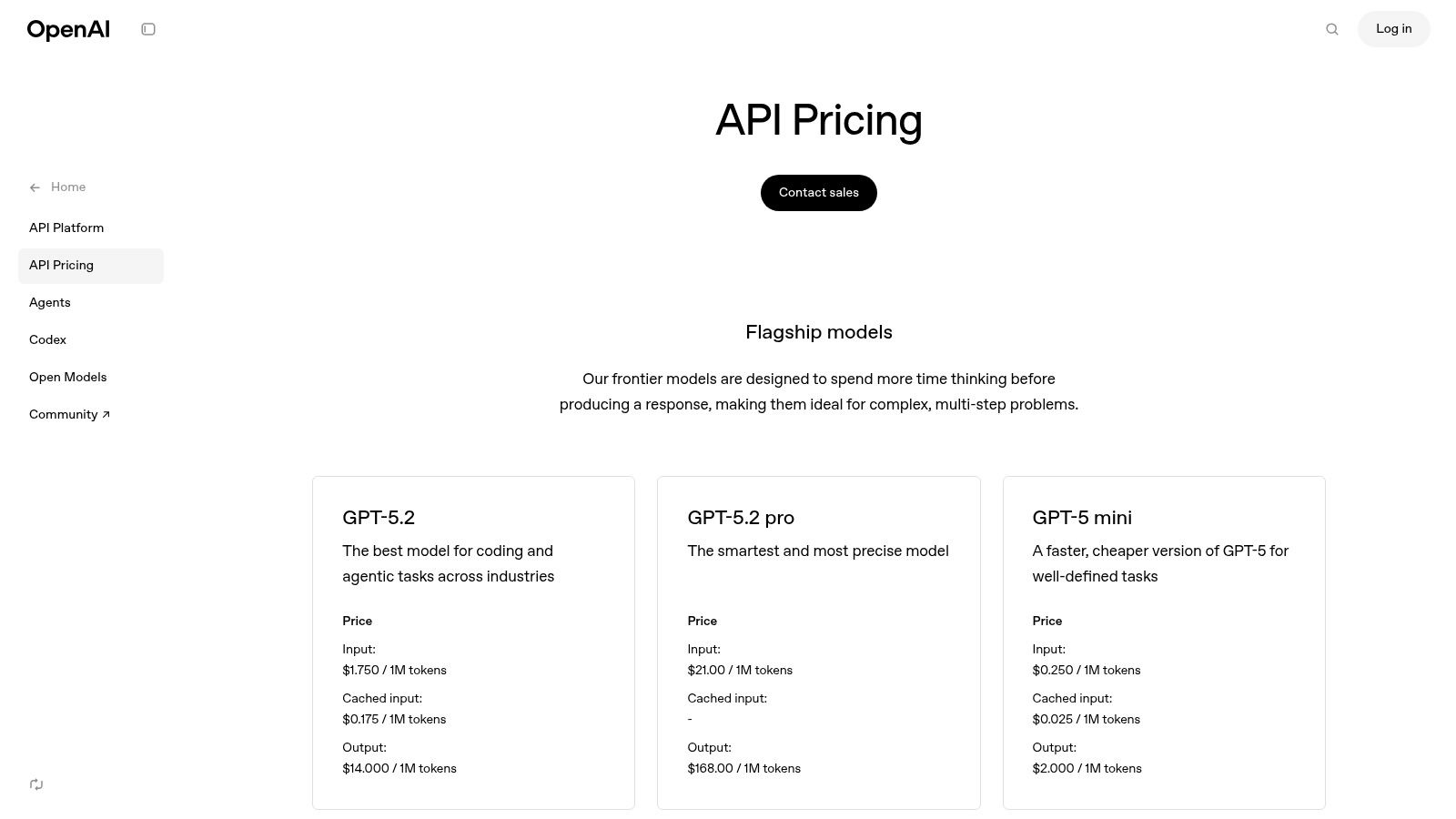
This platform empowers developers to build highly specific solutions tailored to their unique workflows. Instead of adapting to a tool's limitations, you can forge your own. With features like the Assistants API, Code Interpreter, and File Search, you have the components to build sophisticated, context-aware agents that understand your codebase and development processes deeply. You're not just using AI; you're conducting it like an orchestra.
Core Features & Use Case
- Direct Model Access: Leverage a range of GPT models via APIs, from nimble 'mini' versions to powerful reasoning-capable engines for complex tasks.
- Built-in Developer Tooling: Use the Assistants API, Code Interpreter, and File Search to build stateful, interactive applications without reinventing the wheel.
- Realtime Multimodal API: Go beyond text by integrating models that can understand and process images, video, and audio for advanced use cases.
- Cost Management Options: Fine-grained pricing with options for batching requests, caching results, and using smaller models helps control spend.
Pros & Cons
The Bottom Line
The OpenAI API Platform is the go-to for teams wanting to build bespoke AI-powered developer tools. It provides the raw power and flexibility that off-the-shelf solutions can't match. However, this freedom comes with the responsibility of managing infrastructure, security, and costs. For teams that need a custom-fit solution without the heavy lifting of building from scratch, a platform like Zemith offers a compelling alternative. It abstracts away the complexity, allowing you to build and deploy custom AI agents and workflows within a secure, managed environment, letting you focus on innovation instead of infrastructure.
Check it out here:
7. Anthropic — Claude (Chat + API)
Anthropic’s Claude isn’t just another chatbot; it’s a powerhouse for complex reasoning and coding tasks, making it one of the most versatile AI tools for software development. With a family of models like the lightning-fast Haiku, the balanced Sonnet, and the genius-level Opus, developers can pick the right tool for the job, whether it's powering a terminal workflow with Claude Code or integrating sophisticated logic directly via its API. Its focus on providing reliable, steerable, and safer AI makes it a strong contender for enterprise-level applications.
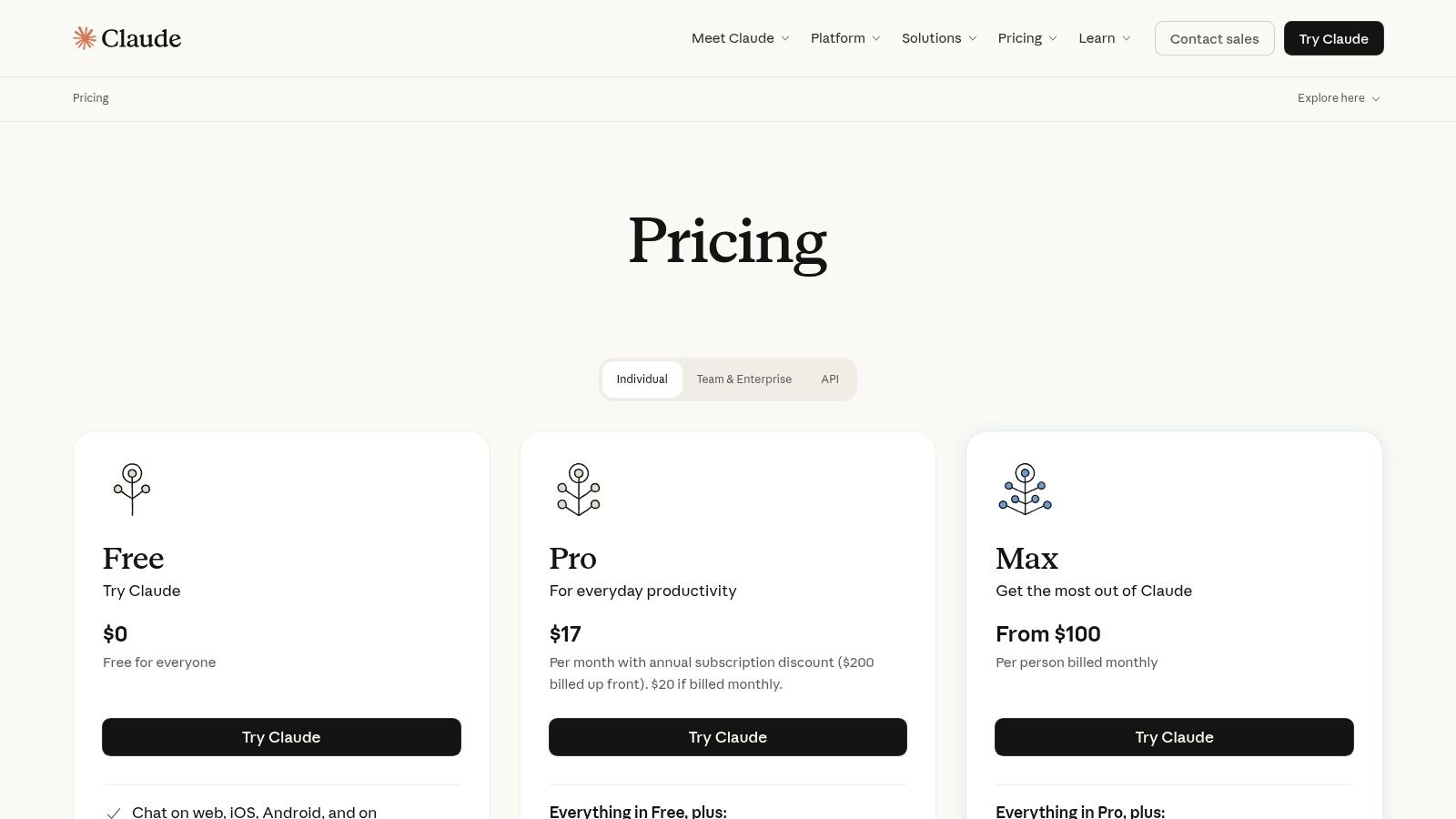
The platform is designed with teams in mind, offering clear administrative controls and billing for enterprise use. Beyond raw coding, Claude excels at understanding large codebases, explaining complex algorithms, and even helping to debug tricky logical errors. Getting the most out of these advanced models often comes down to how you ask; a bit of practice can yield incredible results. To get better at this, you can learn more about .
Core Features & Use Case
- Tiered Model Access: Choose from Haiku (speed), Sonnet (balance), or Opus (power) via both a user-friendly chat interface and a developer-centric API.
- Claude Code: A specialized variant fine-tuned for terminal workflows and direct coding assistance.
- Enterprise-Ready: Team and enterprise plans include essential administrative controls, centralized billing, and higher usage limits.
- Optional Add-ons: Enhance capabilities with features like web search for up-to-date information and a sandboxed Python execution environment for testing code.
Pros & Cons
The Bottom Line
Anthropic’s Claude is an excellent choice for teams needing a powerful, flexible AI that can handle everything from quick code snippets to deep architectural discussions. Its API-first approach makes it highly adaptable, though it requires more setup than an all-in-one IDE plugin. While Claude offers fantastic raw intelligence, platforms like Zemith integrate this kind of power directly into a project management workflow, connecting high-level planning and documentation with the code itself, saving you from bouncing between a chat window and your codebase.
Check it out here:
8. Hugging Face
Hugging Face is less a single tool and more like a massive, open-source playground and toolkit for all things AI. For developers, it's the go-to hub for discovering, comparing, and deploying state-of-the-art models, especially code-specific LLMs for tasks like code generation, search, and testing. It’s the place you go when you want to move beyond off-the-shelf APIs and get your hands dirty with the actual models, making it one of the most powerful AI tools for software development.
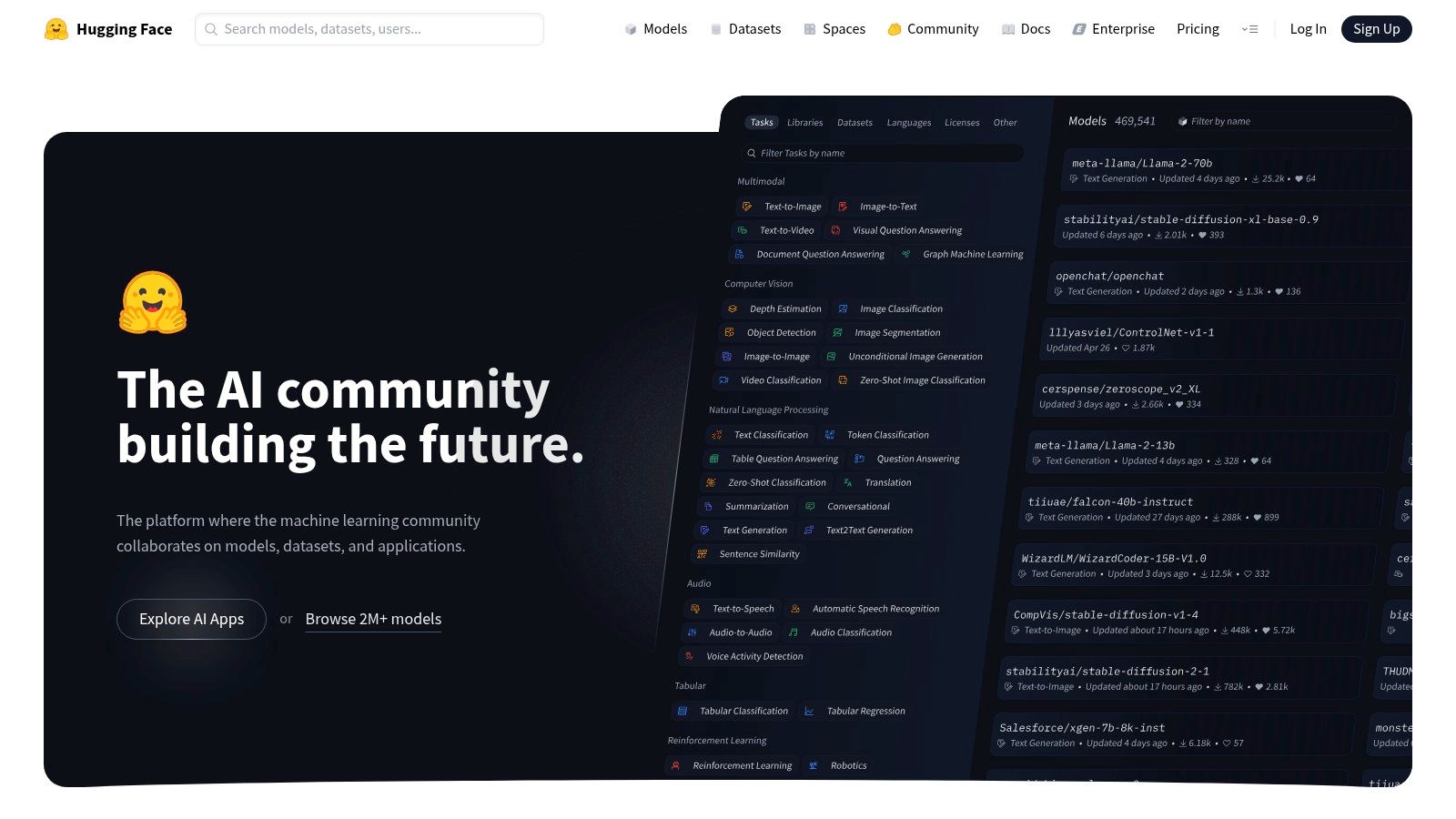
It’s ideal for teams that want to mix open-source and commercial models or need to quickly stand up a secure, managed inference endpoint without building out all the MLOps infrastructure from scratch. Whether you're fine-tuning a model for your specific codebase or just exploring what’s possible, Hugging Face provides the models, datasets, and infrastructure to make it happen. It's the ultimate AI buffet.
Core Features & Use Case
- Massive Model Hub: An enormous catalog of pre-trained models and datasets for code-related workloads, from generation to embedding.
- Inference Endpoints: Quickly deploy models to dedicated, auto-scaling infrastructure with simple, per-minute billing.
- Flexible Deployment: Use Inference Providers to route requests to multiple services with unified billing, giving you tons of flexibility.
- MLOps Tooling: Offers tight integration with repos and tools to streamline the entire machine learning lifecycle.
Pros & Cons
The Bottom Line
Hugging Face is indispensable for any team serious about leveraging custom or open-source AI models in their development workflow. It democratizes access to powerful AI, but managing multiple models, endpoints, and the surrounding project tasks can quickly become complex. This is where a unified platform like Zemith comes in, by consolidating the management of different AI models and integrating them directly into the development lifecycle, so you can focus on building instead of juggling infrastructure.
Check it out here:
9. NVIDIA NGC (NVIDIA GPU Cloud)
When you need to get serious about performance and move beyond simple API calls, NVIDIA NGC is the place to go. It's essentially a hub for production-grade, GPU-optimized software, offering everything from containers and pretrained models to SDKs. For developers building AI-powered applications that require high throughput and low latency, NGC provides the pre-built, performance-tuned stacks needed to accelerate development and deployment, making it one of the most powerful AI tools for software development for those working with high performance computing.
This isn't your average code generator; it's the engine room. Instead of writing code, you're grabbing highly optimized runtimes (like Triton Inference Server) or containers with PyTorch already tuned for NVIDIA GPUs. This allows you to focus on your application's logic rather than spending weeks tweaking environment configurations for optimal performance.
Core Features & Use Case
- GPU-Optimized Containers: Pull ready-to-run Docker containers with the latest versions of frameworks like TensorFlow, PyTorch, and RAPIDS, all optimized by NVIDIA engineers.
- Pretrained Models: Access a catalog of high-performance models for various domains that you can use for transfer learning or deploy directly.
- Flexible Deployment: Supports deployment across on-premise servers, public cloud VMs, and Kubernetes clusters using Helm charts.
- Performance SDKs: Provides access to powerful tools like TensorRT for optimizing model inference and Triton for serving models at scale.
Pros & Cons
The Bottom Line
For teams deploying custom AI models or building performance-critical applications, NVIDIA NGC is an indispensable resource. It takes the guesswork out of environment optimization. However, managing these complex deployments, from infrastructure setup to application monitoring, introduces significant operational overhead. This is where a platform like Zemith comes in, offering a higher-level abstraction that can manage the underlying infrastructure and CI/CD pipelines, letting you focus on building features instead of wrestling with YAML files.
Check it out here:
10. Sourcegraph (Cody Enterprise + Code Search)
Sourcegraph has long been the gold standard for searching and navigating massive, complex codebases. Now, with its AI coding assistant, Cody, it’s evolved into a powerhouse for enterprise teams. It combines its legendary semantic search with powerful AI, allowing developers to not only find code but to understand, explain, and generate it with full context of their entire monorepo. This makes it one of the most indispensable AI tools for software development for enterprise code navigation.
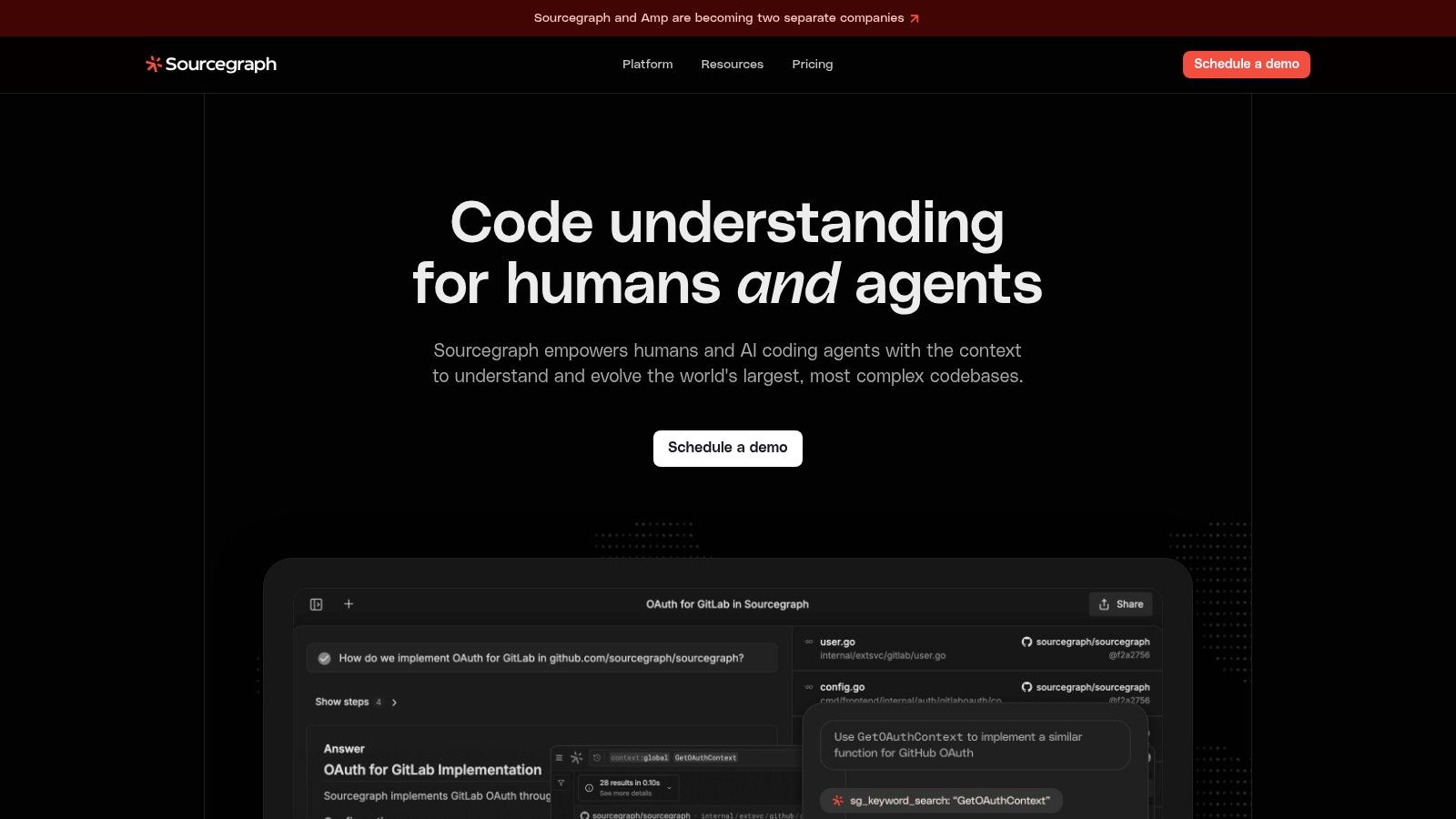
Think of it as giving your team a seasoned principal engineer who has memorized every line of code ever written at the company. Cody Enterprise can answer complex questions about your services, generate new code that adheres to existing patterns, and help onboard new engineers in record time. It's built from the ground up with enterprise governance and security in mind.
Core Features & Use Case
- Whole-Codebase Context: Cody uses Sourcegraph's code graph to provide context from your entire codebase, not just open files, for highly accurate answers and completions.
- Enterprise Governance: Provides centralized control over AI usage, security policies, and access, ensuring compliance and preventing data leaks.
- Deep Semantic Search: Go beyond simple keyword searches to understand code relationships and find what you need across millions of lines of code.
- Centralized Model Access: The Amp model gateway allows teams to use various LLMs at-cost with centralized billing and management, avoiding vendor lock-in.
Pros & Cons
The Bottom Line
For large engineering organizations struggling with codebase complexity, Sourcegraph is a game-changer. Its ability to provide deep, contextual AI assistance across a sprawling monorepo is unparalleled. However, this enterprise focus means it’s less accessible for individuals. This is where platforms like Zemith can bridge the gap, offering powerful AI-driven project management and code intelligence that scales from solo developers to growing teams, all without the enterprise-level overhead.
Check it out here:
11. GitHub Marketplace
Think of GitHub Marketplace as the app store for your software development lifecycle. Instead of just another standalone tool, it’s a central hub where you can discover, trial, and integrate a vast array of third-party AI tools for software development directly into your GitHub workflow. This makes it incredibly easy to experiment with different AI-powered solutions for code review, security scanning, and CI/CD automation without leaving the platform.
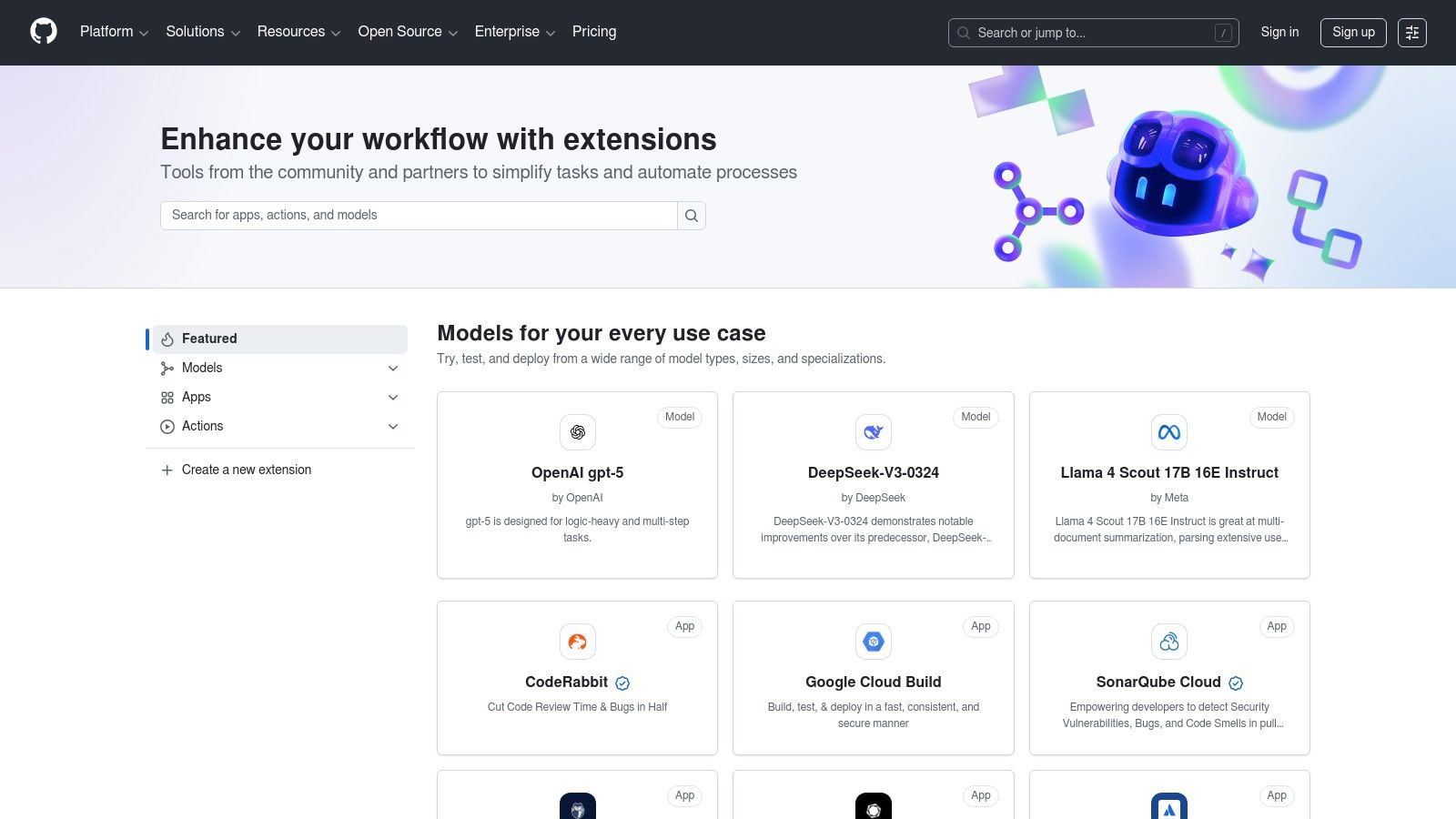
Its biggest advantage is the native integration. With one-click installs, you can add AI-powered Actions and Apps to your repositories, manage permissions, and handle billing directly through GitHub. This is perfect for teams who want to test out different AI assistants for pull requests or automate their without the headache of managing multiple subscriptions and integrations. It’s like window shopping for productivity boosts.
Core Features & Use Case
- Ready-to-use AI Apps: A huge selection of AI tools for code review, security, and automation powered by models from OpenAI, Anthropic, Google, and more.
- One-Click Installation: Easily add new tools to your repos with unified permissions and billing managed directly within your GitHub account.
- Native Workflow Integration: Apps and Actions plug directly into your pull requests, issues, and GitHub Actions pipelines for a seamless experience.
- Trial New Tools: It's the perfect sandbox to quickly evaluate multiple AI dev tools on real projects before committing to one.
Pros & Cons
The Bottom Line
GitHub Marketplace is the ultimate playground for developers looking to enhance their workflows with AI. Its strength lies in offering variety and easy integration. However, this can also be its weakness, leading to a fragmented toolchain where you're juggling multiple third-party apps. For teams wanting a more unified approach, a platform like Zemith offers an advantage by consolidating code generation, task management, and project documentation into a single, cohesive environment, preventing the "too many tools" problem.
Check it out here:
12. AWS Marketplace
For teams already deep in the Amazon cloud, the AWS Marketplace is less of a single tool and more of a curated superstore for enterprise-ready AI solutions. Instead of vetting dozens of individual vendors, you can find, subscribe to, and deploy a vast array of AI tools for software development directly through your existing AWS account. This streamlined procurement is its main superpower, simplifying billing and governance for large organizations.
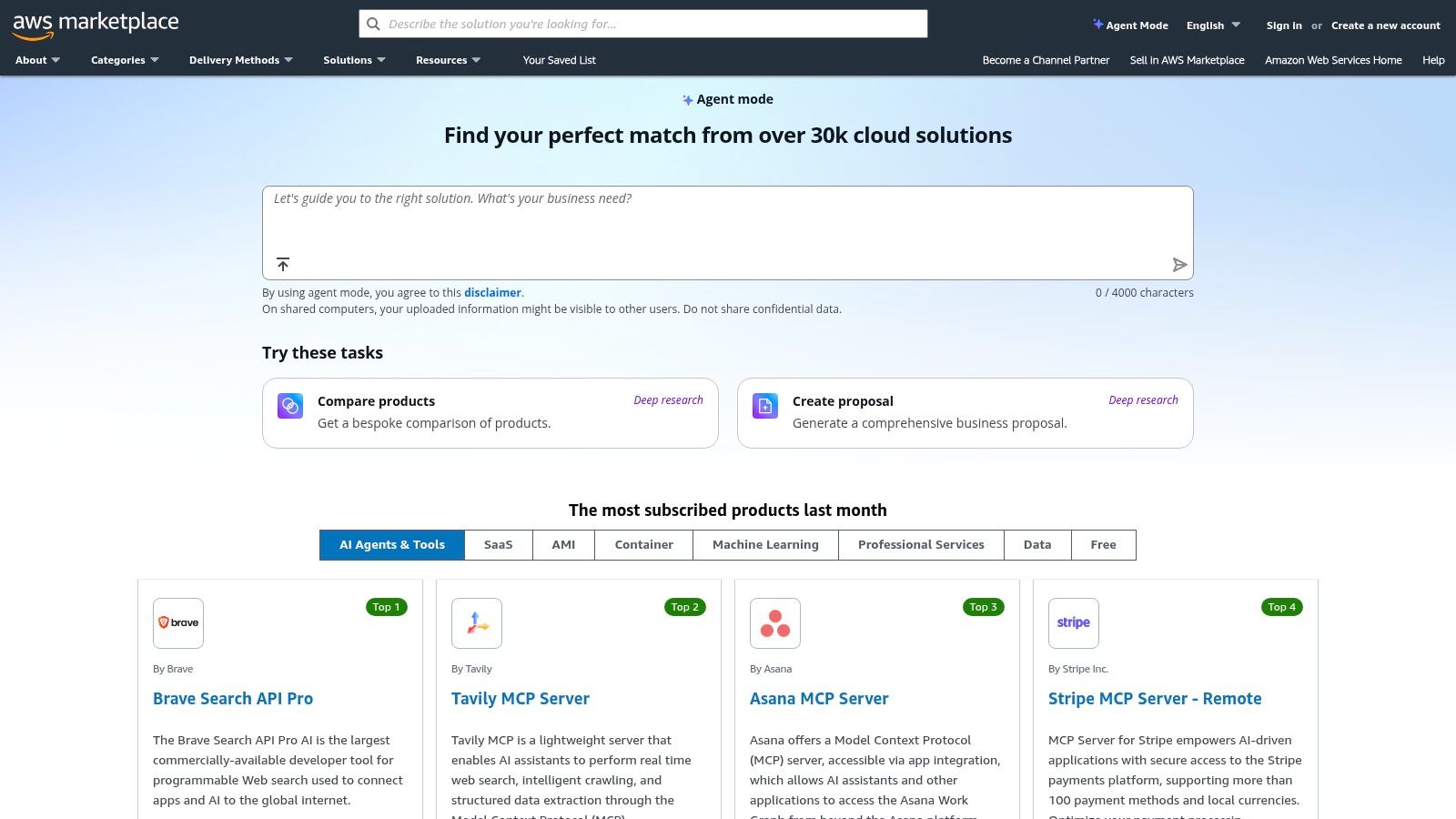
It’s the place to go when your company needs to purchase AI agents, code generation tools, or specialized machine learning models with enterprise-grade purchasing workflows like private offers and consolidated billing. Think of it as the easy button for adding powerful, pre-approved AI capabilities to your AWS-centric stack without the procurement headache.
Core Features & Use Case
- Centralized AI Procurement: Discover and subscribe to hundreds of AI and ML products from various vendors, all billed through your AWS invoice.
- Enterprise-Ready Workflows: Supports private offers, metered billing, and standard enterprise purchasing processes, making the finance department happy.
- Streamlined Deployment: Many offerings are designed for easy integration and deployment into your existing AWS environments and accounts.
- Curated AI Models and Tools: Find everything from foundational models to specialized code analysis tools and testing agents.
Pros & Cons
The Bottom Line
If your organization runs on AWS, the Marketplace is an invaluable resource for securely and efficiently acquiring new AI capabilities. However, this convenience often comes at the cost of being locked into a specific ecosystem, requiring you to stitch together multiple purchased tools. Platforms like Zemith offer a more integrated alternative, providing a unified workspace that combines code generation, task management, and documentation without forcing you into a single cloud vendor's marketplace.
Check it out here:
Top 12 AI Tools for Software Development — Comparison
Your Next Move: Choosing an AI Co-Pilot, Not Just a Tool
Whew, we've navigated a pretty dense galaxy of AI tools for software development. From the code-at-your-fingertips magic of GitHub Copilot and Amazon CodeWhisperer to the raw, creative power of APIs from OpenAI and Anthropic, it’s clear the future of coding is a partnership. The days of staring at a blank screen, wrestling with boilerplate, or getting stuck on a cryptic bug for hours are quickly fading.
The central theme here isn't just about finding a tool that writes code for you. It's about fundamentally redesigning your workflow. The real leap in productivity comes from reducing friction, eliminating context switching, and keeping you in that precious state of "flow" for as long as possible. Each tool we've discussed, from JetBrains AI Assistant living inside your IDE to the vast model ecosystems on Hugging Face and NVIDIA NGC, offers a piece of that puzzle.
But assembling a puzzle piece by piece can be its own form of work. The ultimate productivity drain isn't a lack of powerful tools; it's the fragmentation they create. Juggling your IDE assistant, a separate browser tab for a powerful chat model like Claude, another for API documentation, and yet another for researching a new framework is a cognitive nightmare. This constant task-switching is the silent killer of deep work.
From a Collection of Tools to an Integrated Workflow
So, what's your next move? It's not about grabbing every shiny new tool. It's about choosing an AI co-pilot, a true partner that integrates the different facets of your development process into a single, cohesive experience. Think about your daily grind. Where do you waste the most time?
- Is it initial setup and boilerplate? An IDE-integrated tool like GitHub Copilot or Google's Gemini Code Assist might be your best first step. They excel at reducing the startup friction for new projects and features.
- Do you spend hours debugging and refactoring? Tools like Sourcegraph's Cody are phenomenal for understanding large, complex codebases and identifying issues that would take forever to find manually.
- Are you constantly researching and learning? This is where specialized platforms come into play. A dedicated chat interface for bouncing ideas, or the ability to "talk" to your PDF documentation, can be a game-changer. Additionally, consider exploring AI-powered support tools like to streamline problem-solving and access intelligent assistance throughout your development process.
The key is to identify your biggest bottlenecks and find a solution that addresses them without introducing new ones. The goal isn't just to add more AI; it's to build a smarter, more streamlined development environment where AI acts as a seamless extension of your own mind.
The Power of Consolidation
This brings us back to the core challenge: fragmentation. While point solutions are fantastic, the real holy grail is a platform that consolidates these functions. Instead of just getting a code snippet, imagine a workflow where you can debug that snippet, research the underlying library it uses, chat with the PDF documentation for that library, and then outline the release notes for the new feature, all without ever leaving your workspace.
This is the philosophy behind a unified platform like Zemith. It tackles the root problem of context switching by integrating multi-model access, a powerful coding assistant, document interaction, and research capabilities into one place. This approach transforms your relationship with AI tools for software development from one of a tool collector to that of a master architect, designing a truly efficient and creative workflow. Your goal shouldn't be to just get code faster; it should be to think better, build smarter, and stay in the creative zone longer.
Ready to stop juggling tabs and start building an integrated AI-powered workflow? See how Zemith consolidates the best AI tools for software development into a single, seamless powerhouse. Give a try and discover what you can create when your tools finally work together.
Explore Zemith Features
Every top AI. One subscription.
ChatGPT, Claude, Gemini, DeepSeek, Grok & 25+ more


Always on, real-time AI.
Voice + screen share · instant answers
What's the best way to learn a new language?
Immersion and spaced repetition work best. Try consuming media in your target language daily.
Voice + screen share · AI answers in real time
Image Generation
Flux, Nano Banana, Ideogram, Recraft + more

Write at the speed of thought.
AI autocomplete, rewrite & expand on command
Any document. Any format.
PDF, URL, or YouTube → chat, quiz, podcast & more
Video Creation
Veo, Kling, Grok Imagine and more

Text to Speech
Natural AI voices, 30+ languages
Code Generation
Write, debug & explain code
Chat with Documents
Upload PDFs, analyze content
Your AI, in your pocket.
Full access on iOS & Android · synced everywhere
Your infinite AI canvas.
Chat, image, video & motion tools — side by side

Save hours of work and research
Transparent, High-Value Pricing
Trusted by teams at


Free
No credit card required
- 100 credits daily
- 3 AI models to try
- Basic AI chat
Plus
- 1,000,000 credits/month
- 25+ AI models — GPT, Claude, Gemini, Grok & more
- Agent Mode with web search, computer tools and more
- Creative Studio: image generation and video generation
- Project Library: chat with document, website and youtube, podcast generation, flashcards, reports and more
- Workflow Studio and FocusOS
Professional
- Everything in Plus, and:
- 2,100,000 credits/month
- Pro-exclusive models (Claude Opus, Grok 4, Sonar Pro)
- Motion Tools & Max Mode
- First access to latest features
- Access to additional offers
What Our Users Say
Great Tool after 2 months usage
"I love the way multiple tools they integrated in one platform. Going in the right direction."
— simplyzubair
Best in Kind!
"The quality of data and sheer speed of responses is outstanding. I use this app every day."
— barefootmedicine
Simply awesome
"The credit system is fair, models are perfect, and the discord is very responsive. Quite awesome."
— MarianZ
Great for Document Analysis
"Just works. Simple to use and great for working with documents. Money well spent."
— yerch82
Great AI site with accessible LLMs
"The organization of features is better than all the other sites — even better than ChatGPT."
— sumore
Excellent Tool
"It lives up to the all-in-one claim. All the necessary functions with a well-designed, easy UI."
— AlphaLeaf
Well-rounded platform with solid LLMs
"The team clearly puts their heart and soul into this platform. Really solid extra functionality."
— SlothMachine
Best AI tool I've ever used
"Updates made almost daily, feedback is incredibly fast. Just look at the changelogs — consistency."
— reu0691