


Every top model, with tools built in.
Search the web, run deep research, read files, create images and run code with GPT, Claude, Gemini, Grok and more.
Discover how an all-in-one AI assistant for work can boost your productivity. Ditch single-purpose apps and consolidate your workflow with this practical guide.
Ever feel like you’re juggling a dozen different apps just to get your job done? You've got one for writing, another for coding, a third for research, and a fourth for team brainstorming. It’s a digital circus, and you’re the exhausted ringmaster who's seriously considering running away to join... well, a real circus.
An AI assistant for work is here to end that chaos. Think of it as consolidating your entire digital toolkit—your writer, coder, researcher, and creative partner—into one ridiculously smart, seamless platform. It’s not just another app to add to the pile; it's your new superpowered coworker who never steals your lunch from the office fridge.

Let’s be real: the way most of us work is fragmented. Switching between tabs kills your focus and drains your creative energy. What if you could ditch the constant context-switching and bring in a single, ridiculously efficient AI assistant to handle it all?
This is about fundamentally changing how you operate, not just adding another tool. Imagine an AI partner like Zemith that helps you write cleaner copy, develop code faster, and come up with brilliant ideas, all from one central hub. It's the productivity dream.
AI isn’t some far-off concept from a sci-fi movie; it’s already reshaping our professional lives. The latest research on AI adoption at work shows that 45% of U.S. employees are now using AI on the job. The trend is picking up steam fast, too.
Knowledge workers are at the forefront of this shift, with a whopping 76% of tech employees and 58% of finance professionals using AI tools regularly. This rapid adoption signals a clear demand for integrated solutions that do more than just one thing. People are tired of a cluttered digital life and are looking for a cohesive, intelligent environment. This is exactly where a true AI assistant for work shines.
A modern AI work assistant is leagues beyond a simple chatbot. It’s a comprehensive platform that actually understands the context of your projects and what you're trying to achieve.
An all-in-one AI assistant is the difference between having a dozen specialists who never speak to each other versus having a cohesive, multi-talented team working on your behalf 24/7.
Instead of just spitting out answers to questions, it actively participates in your workflow. For example, a platform like Zemith:
Here's a quick look at how an integrated AI assistant streamlines daily tasks compared to the old way of juggling single-purpose tools.
The difference is night and day. One approach creates friction and wastes time, while the other creates momentum.
In this guide, we’ll break down what a modern AI work assistant is, why it’s becoming a must-have for professionals, and how to choose one that actually simplifies your life. Get ready to meet your new favorite coworker. Spoiler alert: it's an AI from Zemith, and it’s about to make your job a whole lot easier.
Let's cut through the noise. When we talk about an AI assistant for work, we're not just talking about another chatbot that can tell you the weather. That's like calling a smartphone a calculator—sure, it can do that, but you’re missing the whole point.
Think of it more like a Swiss Army knife for your daily tasks. Most of the AI tools you see out there are great at one specific thing, like drafting a sales email or whipping up an image. The problem? They don’t talk to each other. They’re islands.
An all-in-one platform like Zemith brings all those different skills together under one roof. Suddenly, you have a research analyst, a coding partner, a content creator, and a document specialist all working in sync. You’re not just getting a tool; you're getting a fully integrated sidekick.
Instead of juggling five different subscriptions and losing your mind (and your time) copy-pasting between browser tabs, you get a single, unified workspace. And this is where the real magic happens, because when everything is connected, the AI actually understands what you're trying to do.
The big shift today is the rise of conversational interfaces. But it's not just about asking a question and getting an answer. The next step is connecting the entire creative process, where the AI understands your goals and carries context from one task to the next.
For example, the AI assistant helping you with a document knows about the code you just generated. Your research tool can drop key findings directly into your smart notepad without you ever having to leave the platform. This is the core of how modern conversational AI is reshaping our work, turning simple commands into a genuine partnership.
This connected approach creates a completely frictionless workflow. It gets rid of all those tiny digital speed bumps that kill your momentum—like searching for that one tab you had open or trying to remember which tool you used for what. No more digital scavenger hunts.
Here’s what that looks like in practice:
This is about more than just convenience. It’s about reaching a whole new level of productivity and creativity. It's the difference between hiring a bunch of specialists who never speak to each other and having a cohesive, multi-talented team working for you 24/7. That's the real power an AI assistant for work brings to the table.
It’s easy to fall into the trap. You grab a "free" AI writer here, a cheap image generator there, and pretty soon you've assembled a whole collection of specialized AI gadgets. It feels smart, like you’re hacking the system. But in reality, you're building a messy, inefficient digital workshop that costs you more than you think.
Let's start with the most obvious problem: subscription fatigue. That $10 a month for one tool and $20 for another doesn't sound like a big deal at first. But add up the AI writer, the code helper, the research bot, and the meeting summarizer, and you’ve got a real money drain on your hands. Suddenly, those "small" fees have snowballed into a surprisingly big, hard-to-track monthly bill.
What began as a clever cost-saving measure quickly becomes a leaky pipe in your budget. It's always better to have one predictable cost than to be nickel-and-dimed by a dozen different apps.
Beyond the hit to your wallet, there's a much steeper price: the context-switching penalty. Every time you have to jump from your document to your AI research tool, then copy-paste into your AI writer, you break your flow. Your brain slams on the brakes, has to figure out where it is, and then slowly ramps back up to speed.
This constant tab-hopping is a productivity nightmare. It's like trying to hold five separate conversations at once—you end up contributing very little to any of them. Ideas get lost, details get missed, and your creative momentum grinds to a halt.
The biggest productivity killer isn't the stuff that obviously wastes time. It's the tiny interruptions—the constant copying, pasting, and switching between apps—that slowly chip away at your focus all day long.
This fragmented approach is everywhere. We see a flood of niche AI tools for every task imaginable, like a dedicated auto translate device, which only adds to the app overload. Each new tool is another isolated island, making a smooth, connected workflow feel like a distant dream.
This is exactly where a true AI assistant for work completely changes the equation. An all-in-one platform like Zemith is designed to be the cure for this digital chaos. It pulls all the different AI capabilities you rely on into one smart, connected workspace.
Instead of wrestling with a dozen separate tools, you get a single, unified powerhouse. Let's break down what that actually looks like in practice.
The difference between patching together a bunch of random tools and using a single integrated platform is night and day. Here’s a simple comparison:
By bringing everything together, an integrated AI assistant for work like Zemith does more than just save you money on subscriptions. It gives you back your focus, your time, and honestly, your sanity.
It's about shifting from working harder to working smarter, with a single AI partner that gets the full picture of your project from beginning to end. No more tab-switching madness—just smooth, uninterrupted flow.
Alright, so you're ready to ditch the digital chaos and bring an AI assistant for work on board. That's a great move! But hang on a second—not all AI assistants are created equal. Some are little more than fancy chatbots, while others are genuine productivity machines.
To find an assistant that actually makes a difference, you need to know what features are non-negotiable.
Think of it like shopping for a new car. You wouldn't even consider one without air conditioning or a reliable engine, right? The same logic applies here. Certain features are absolutely essential for a modern AI work assistant to be worth your time and money.
First up, and probably the most important feature, is multi-model access. Imagine you're a world-class chef, but you're only allowed to use one spice for every dish. Sounds pretty limiting, doesn't it?
A top-tier platform like Zemith doesn't lock you into a single AI engine. Instead, it gives you the freedom to pick the best model—whether that’s GPT, Claude, or Gemini—for whatever you’re working on.
So why is this a big deal? Because different models are good at different things. One might be a creative whiz, perfect for brainstorming marketing copy, while another is a logic powerhouse, ideal for finding bugs in your code. Having options means you’re always using the right tool for the job.
This flexibility is quickly becoming a key differentiator. A quick look at some proven B2B marketing AI tools shows just how crucial adaptability is for getting real-world results.
Next, let's talk about how the AI handles your files. A truly game-changing feature is the ability to 'chat' with your documents. Can you upload a 50-page PDF and just ask it questions? Can it give you an instant summary with the main takeaways? If the answer is no, you should probably keep looking.
This kind of functionality, often part of what's called intelligent document processing software, turns your static files into living, interactive knowledge bases. It literally saves you hours of manual reading and helps you find the exact piece of information you need in seconds.
Just as important are its research skills. Your AI assistant should have live web access to scour the internet for up-to-the-minute information, pull competitor data, and even fact-check its own findings. This is what turns a simple tool into a genuine research partner.
This need for deeper intelligence is why AI adoption has exploded. 72% of organizations are now using AI solutions, a huge jump from the 50% we saw between 2020 and 2023. Businesses are clearly hungry for tools that deliver real efficiency.
For the developers out there, a first-class coding assistant is a must. It needs to do more than just spit out a few lines of code; it should be able to explain complex functions, help you debug errors, and even build entire components from scratch. In a platform like Zemith, this is all built-in, so your coding assistant actually understands the full context of your project.
Finally, don’t forget about collaboration. Can you create shared workspaces where your whole team can jump in and contribute? Your AI assistant should be a team player, not a solo act. Features like shared project libraries and collaborative whiteboards make sure everyone is on the same page.
A great AI assistant doesn't just do tasks for you; it brings all the pieces of your work together into one cohesive, intelligent, and collaborative environment.
The image below really sums up the choice you're facing: a single, smart app versus the chaos of juggling a dozen different disconnected tools.
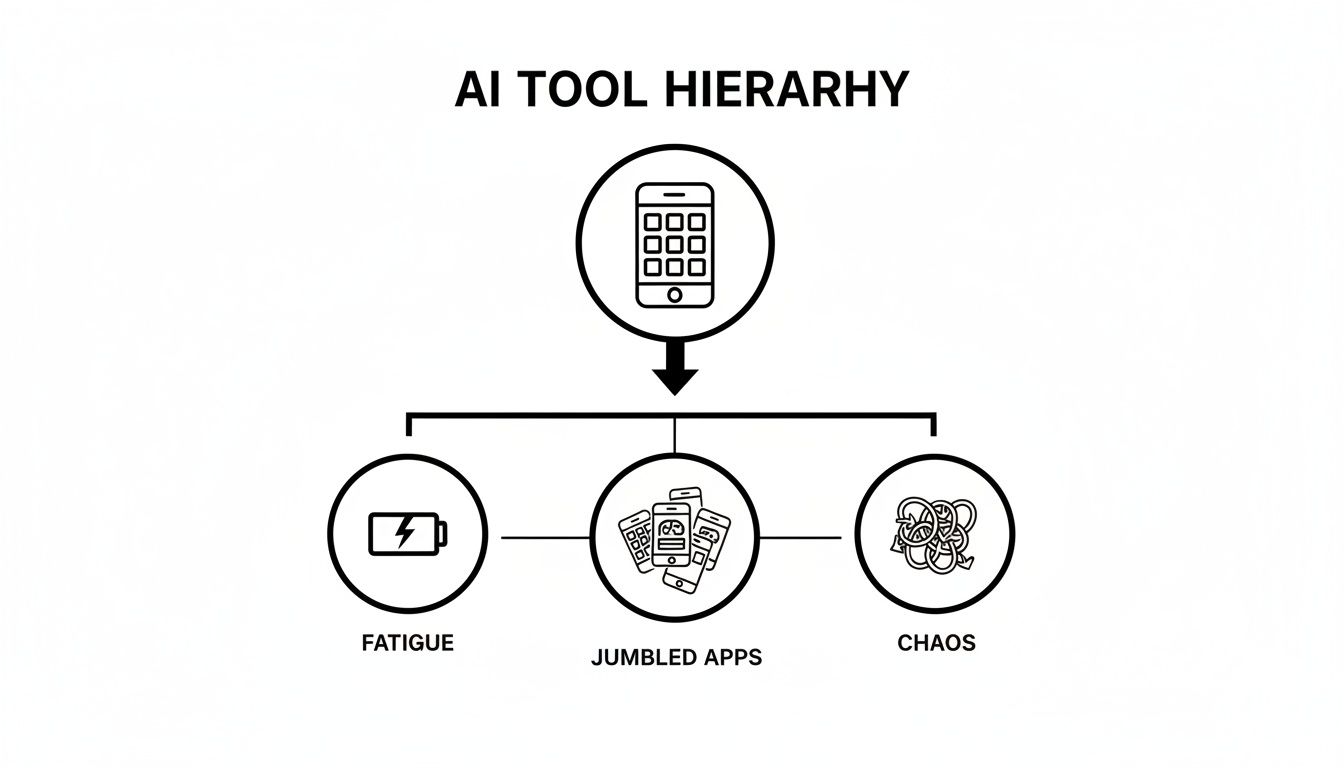
The takeaway is simple. Consolidating everything into one "Super AI App" like Zemith gets rid of the fatigue and chaos, helping you and your team stay focused and get more done.
The real magic of an AI assistant for work isn't just its feature list. It’s about how it molds itself to your specific job, becoming a true partner in whatever you're trying to accomplish. Think of it less as a rigid tool and more as a super-flexible sidekick that can keep up with your day. It’s almost like getting a new team member who’s already an expert in marketing, coding, and research.
Let's face it, a software developer’s daily grind looks nothing like a content creator’s. A generic tool simply can't bridge that gap. The best AI assistants shine when they can pivot seamlessly—from debugging a chunk of Python code one moment to brainstorming catchy blog titles the next.
The modern workplace is a mix of wildly different tasks and roles. An all-in-one platform like Zemith is designed for this very reality, offering tailored support that makes a tangible difference in how you get work done.
Here’s a look at how different pros are putting it to work:
This isn’t about replacing skilled people. It’s about giving them superpowers by taking the tedious, energy-draining tasks off their plate.
The goal is to offload the repetitive work that burns you out, freeing you up to focus on what humans do best: strategic thinking, genuine creativity, and making the high-stakes decisions that truly move the needle.
This dynamic is creating a new breed of high-achievers. We're seeing the rise of 'Superworkers'—professionals who use AI as a genuine collaborator. By 2026, forward-thinking companies will be moving past basic AI tools and embracing multi-function agents that can deliver a massive 100-200% productivity boost. You can explore more AI workforce trends to see the full breakdown of this evolution.
For anyone in a business-focused role, the impact is just as significant. An AI assistant for work becomes an essential strategic ally, helping you see the forest for the trees and act on insights faster than ever before.
Take a marketing professional, for instance. They can use Zemith to:
By handling the heavy lifting of data gathering and initial drafting, the AI lets the marketing team concentrate on what matters most: refining the strategy and executing a killer campaign. It's simply a smarter, faster way to get from idea to impact.
Are you tired of juggling a dozen different apps just to get through your day? If you're ready to stop switching tabs and start getting things done, moving to a unified AI assistant for work is probably the smartest productivity move you can make.
Forget the chaos of multiple subscriptions and a browser groaning under the weight of open tabs. It's time for a single, streamlined workspace where your AI writer, coder, and researcher all work together seamlessly.
Just think about the mental energy you'll get back when one tool does it all. It’s like firing a whole team of disjointed, single-task apps and hiring one brilliant partner who knows exactly what you need. That's what Zemith is built for—to be your personal AI powerhouse.
Look, we can talk about features all day, but the only way to truly understand the impact is to experience it yourself. Watching a demo is one thing; feeling that smooth, intuitive workflow is another entirely. It's the difference between reading a brochure for a sports car and actually getting behind the wheel.
A more productive, less stressful workday is just a click away. The real power isn't just in a list of features, but in how they all come together to create an intelligent workspace that feels like it’s one step ahead of you.
So, where do you start? Here are a few simple ways to kick the tires and see what a unified platform really feels like:
Get a feel for what it’s like to have a truly integrated assistant on your side. Swap between the different AI models, play around with the smart notepad, and watch how your context and conversations flow from one task to the next without missing a beat. This is what a smarter workday is all about.
Jumping into the world of AI can feel a little intimidating. It's easy to get lost in the jargon and wonder what it all means for your actual, day-to-day job. Let's clear up some of the most common questions we hear about adopting an AI assistant for work.
No fluff, just straight answers.
This is the big one, isn't it? The short answer is no. Think of an AI assistant less like a replacement and more like the ultimate sidekick—one that happily takes on all the tedious, repetitive tasks you dread.
An AI work assistant is designed to handle the grunt work so you can focus on what humans do best: thinking critically, solving complex problems, and coming up with creative ideas. A developer might use an AI to write boilerplate code, freeing them up to architect a more robust system. The goal isn't to replace you; it's to turn you into a "superworker" who gets more done in less time.
This is a huge—and completely valid—concern. We've all seen headlines about data leaks. The key here is understanding the massive difference between a free, consumer-grade tool and a professional platform built for business. You wouldn't paste sensitive financial data into a random public forum, and the same logic applies here.
A purpose-built, enterprise-grade AI assistant for work like Zemith is designed with security as its core feature, not an afterthought. We're talking about robust data encryption, strict access controls, and a guarantee that your private information is never, ever used to train public models.
When you use a professional platform, you're working inside a secure sandbox. So yes, it's safe—as long as you choose a partner who prioritizes your data's integrity.
Great question. This gets right to the heart of what makes an all-in-one platform so powerful. A standalone chatbot like ChatGPT is fantastic for what it does, but it’s essentially one tool in a massive toolbox. An integrated AI assistant for work like Zemith is the entire intelligent toolbox.
Zemith is a complete workspace. It doesn't lock you into a single AI model; it gives you access to multiple leading models (like GPT and Claude) so you can always pick the best one for the job. More importantly, it wraps these models with specialized tools you actually need at work:
A standalone chatbot forgets everything the second you close the browser tab. Zemith remembers your projects, creating a seamless workflow between research, writing, and coding. It's the difference between having a quick conversation and having a fully equipped smart office at your command.
The time savings are very real, and they add up faster than you'd think. It's not uncommon for our users to save several hours every single week. A task like summarizing a dense 50-page report can go from an hour of tedious reading to just a few minutes. Drafting a week's worth of social media posts or a series of follow-up emails can happen in seconds.
The real magic, though, is in eliminating the "death by a thousand cuts"—all those small, mundane tasks that secretly drain your day. By automating the little things, you get to the important, strategic parts of your job faster.
Ready to stop wondering and start doing? Zemith brings all these capabilities into a single, cohesive AI workspace. It's time to stop juggling different tools and start getting more done. Explore how Zemith can upgrade your workday.


Trusted by teams at


The top models, plus image, video and voice tools, in one plan.
Without Zemith
ChatGPT PlusUS$20.00Claude ProUS$20.00Google AI ProUS$19.99SuperGrokUS$30.00Perplexity ProUS$20.00 MidjourneyUS$10.00
 ElevenLabsUS$6.00Le Chat ProUS$14.99
 RunwayUS$15.00Kling StandardUS$8.80
 Gamma PlusUS$12.00
 Otter ProUS$16.99
 QuillBot PremiumUS$19.95
 Photoroom ProUS$12.99
 Quizlet PlusUS$7.99
Total if paying separatelyUS$234.70/mo
"I love the way multiple tools they integrated in one platform. Going in the right direction."
— simplyzubair
"The quality of data and sheer speed of responses is outstanding. I use this app every day."
— barefootmedicine
"The credit system is fair, models are perfect, and the discord is very responsive. Quite awesome."
— MarianZ
"Just works. Simple to use and great for working with documents. Money well spent."
— yerch82
"The organization of features is better than all the other sites — even better than ChatGPT."
— sumore
"It lives up to the all-in-one claim. All the necessary functions with a well-designed, easy UI."
— AlphaLeaf
"The team clearly puts their heart and soul into this platform. Really solid extra functionality."
— SlothMachine
"Updates made almost daily, feedback is incredibly fast. Just look at the changelogs — consistency."
— reu0691
Hand off the research, writing, design and follow-ups. Zemith picks the tools it needs and brings back finished work.
Search the web, run deep research, read files, create images and run code with GPT, Claude, Gemini, Grok and more.
Zemith keeps working in the cloud and pings you when it's done.
Notion, Linear, Canva, Airtable and more. It asks before it creates or changes anything.
Docs, slides, sheets and PDFs, ready to send.
Chain models and tools on a visual canvas, from one prompt to a finished promo video.
Briefings, reports and reminders run on a schedule and are ready when you need them.
Real-time voice that can see your camera or screen.
The best image and video models, in one studio.
Turn PDFs, links and YouTube videos into podcasts, quizzes, flashcards and mind maps.






 Podcast
 Quiz
Quiz Flashcards
 Mind map
 Infographic